
Windows 7 Forums Search
Welcome to Windows 7 Forums. Our forum is dedicated to helping you find solutions with any problems, errors or issues you are experiencing with Windows 7. The Windows 7 forum also covers news and updates and has an extensive Windows 7 tutorial section that covers a wide range of tips and tricks.


Windows 7 - Batch file: how to start a program [sidebar.exe]

 
05-30-2010   #1


Windows 7 Ultimate 64-bit


Batch file: how to start a program [sidebar.exe]

Hi! I need some help with a batch file I'm writing.

Here's what I've got so far:

Code:
taskkill /F /IM sidebar.exe
START "C:\Program Files (x86)\Windows Sidebar\sidebar.exe"
The first line works great; it terminates sidebar.exe fine. But, the next line is the problem. It doesn't open up the sidebar.exe, but instead opens up a useless command prompt window:
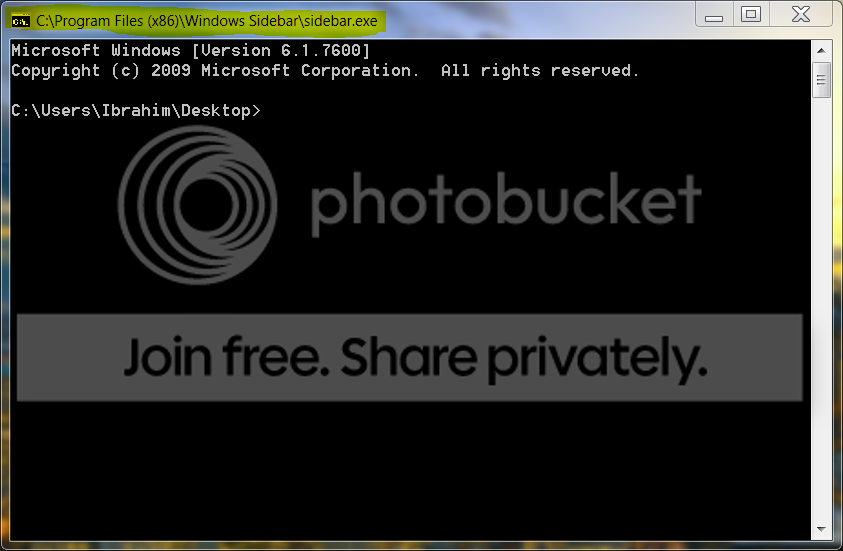


What am I doing wrong? I tried "....sidebar.exe \showgadgets" (some random argument I found online), but that does not work either. I also tried running the command via CMD, no luck. Tried CMD "Run As Administrator", no luck either.

EDIT: If I navigate to the Windows Sidebar folder with cd, then from there I can just type "sidebar.exe" and it will run. But how do I do that in a batch file?

Any ideas?

~Ibrahim~

P.S. Also...if anyone knows how to run a batch command automatically when on battery, that'd be lovely. Any powercfg gurus here?

My System SpecsSystem Spec
05-30-2010   #2


Windows7 Ultimate 64bit


change this line here:
START "C:\Program Files (x86)\Windows Sidebar\sidebar.exe"

to this line:
"C:\Program Files (x86)\Windows Sidebar\sidebar.exe"

zzz2496
My System SpecsSystem Spec
05-30-2010   #3


Windows 7 Ultimate 64-bit


Quote   Quote: Originally Posted by zzz2496 View Post
change this line here:
START "C:\Program Files (x86)\Windows Sidebar\sidebar.exe"

to this line:
"C:\Program Files (x86)\Windows Sidebar\sidebar.exe"

zzz2496
Oh, crap, that does work!

One little issue: it leaves a CMD prompt open. Any way to get it to auto-close?
My System SpecsSystem Spec
.


05-30-2010   #4


Windows7 Ultimate 64bit


Add --> @echo off
at the start of the file.

zzz2496
My System SpecsSystem Spec
05-30-2010   #5


Windows 7 Ultimate 64-bit


Sweet. Well, I'm almost there:

No "@echo off" gives this command prompt
Code:
C:\Users\Ibrahim\Desktop>taskkill /F /IM sidebar.exe
SUCCESS: The process "sidebar.exe" with PID 3724 has been terminated.

C:\Users\Ibrahim\Desktop>"C:\Program Files (x86)\Windows Sidebar\sidebar.exe"
@echo off in the first line unfortunately still gives a command prompt, but the output is a bit different:

Code:
SUCCESS: The process "sidebar.exe" with PID 6040 has been terminated.
With @echo off, it looks like this:
Code:
@echo off
taskkill /F /IM sidebar.exe
"C:\Program Files (x86)\Windows Sidebar\sidebar.exe"
But, right...I still get that "echo" from taskkill.

EDIT: Adding ">nul" after the taskkill command stops any output. I can hide the whole window later. Thanks for the help!
My System SpecsSystem Spec
05-30-2010   #6


Windows 7 Enterprise


add an 'exit' command at the very last line. Without the comma's of course.
My System SpecsSystem Spec
05-30-2010   #7


Windows7 Ultimate 64bit


Here:
Code:
@echo off
taskkill /F /IM sidebar.exe > NUL
start "" "C:\Program Files (x86)\Windows Sidebar\sidebar.exe"
My System SpecsSystem Spec
05-30-2010   #8


Windows 7 Ultimate 64-bit


Quote   Quote: Originally Posted by zzz2496 View Post
Here:
Code:
@echo off
taskkill /F /IM sidebar.exe > NUL
start "" "C:\Program Files (x86)\Windows Sidebar\sidebar.exe"
Woohoo!! That works perfectly.

Thanks, man. +rep! Should've repped you from the first post, but I forgot and now I can only do it once.

~Ibrahim~
My System SpecsSystem Spec
05-30-2010   #9


Windows7 Ultimate 64bit


You're welcome and thanks for the rep

zzz2496
My System SpecsSystem Spec
05-30-2010   #10


WCP ONLY


Quote   Quote: Originally Posted by ikjadoon View Post
Hi! I need some help with a batch file I'm writing.

Here's what I've got so far:

Code:
taskkill /F /IM sidebar.exe
START "C:\Program Files (x86)\Windows Sidebar\sidebar.exe"
The first line works great; it terminates sidebar.exe fine. But, the next line is the problem. It doesn't open up the sidebar.exe, but instead opens up a useless command prompt window:


What am I doing wrong? I tried "....sidebar.exe \showgadgets" (some random argument I found online), but that does not work either. I also tried running the command via CMD, no luck. Tried CMD "Run As Administrator", no luck either.

EDIT: If I navigate to the Windows Sidebar folder with cd, then from there I can just type "sidebar.exe" and it will run. But how do I do that in a batch file?

Any ideas?

~Ibrahim~

P.S. Also...if anyone knows how to run a batch command automatically when on battery, that'd be lovely. Any powercfg gurus here?

Sidebar folder may not be included in your path statement
My System SpecsSystem Spec
Reply

 Batch file: how to start a program [sidebar.exe] problems?


Thread Tools


Similar Threads for: Batch file: how to start a program [sidebar.exe]
Thread Forum
batch file open file for program in the startup folder General Discussion
Shutdown PC w/ batch file (1hour) after program(game) launched Chillout Room
Batch file to start a service if the service is not running General Discussion
How to create a batch file that will move files based on the file type General Discussion
Looking for this gadget program/Sidebar Gadgets


All times are GMT -5. The time now is 09:48 PM.


Windows 7 Forums is an independent web site and has not been authorized,
sponsored, or otherwise approved by Microsoft Corporation.
"Windows 7" and related materials are trademarks of Microsoft Corp.
© Designer Media Ltd
  

1 2 3 4 5 6 7 8 9 10 11 12 13 14 15 16 17 18 19 20 21 22 23 24 25 26 27 28 29 30