
I have upgraded to Intel core 2 Duo processer ans my task manager is displaying only one processer. i have attached some pics for reference . if anybody can help it would be really appreciated.
Thanks in advance
Thanks in advance
Attachments
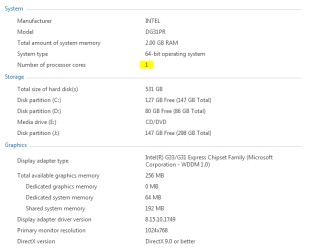
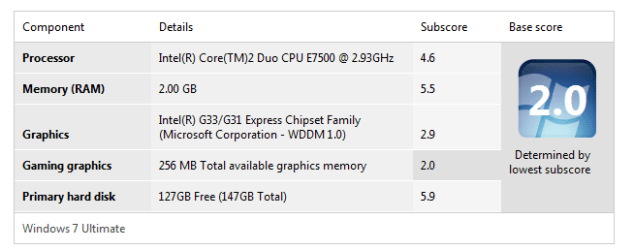

Last edited by a moderator:
My Computer
At a glance
Windows 7Intel Core 2 Duo E7500 @ 2.93GHz2.00 GBonboard
- Computer Manufacturer/Model Number
- Intel DG31PR
- OS
- Windows 7
- CPU
- Intel Core 2 Duo E7500 @ 2.93GHz
- Motherboard
- Intel G33/G31
- Memory
- 2.00 GB
- Graphics Card(s)
- onboard
- Sound Card
- onboard
- Monitor(s) Displays
- Samsung
- Hard Drives
- 500 GB Sata


