Windows 7 Forums


Windows 7: Restoring backed-up files

24 Jun 2010   #1

Microsoft Windows 7 Professional
 
 
Restoring backed-up files

While using Vista I backed up my HD using Windows Backup to a 250GB Seagate FreeAgent Go USB drive.

I then installed Windows 7 Professional using a clean install.

The backup files on the Seagate can be viewed as the F drive. However, when I use Windows Restore function no backup files are listed.

Any suggestions on how I get my files back?

My System SpecsSystem Spec

24 Jun 2010   #2

ME/XP/Vista/Win7
uk Hampshire


My System SpecsSystem Spec
24 Jun 2010   #3

Microsoft Windows 7 Professional


Thanks for the quick reply. Still can't get restore to see files.

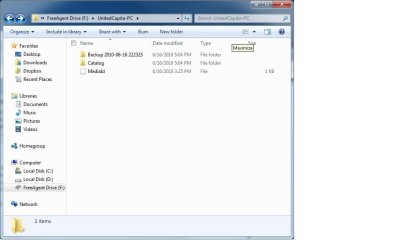
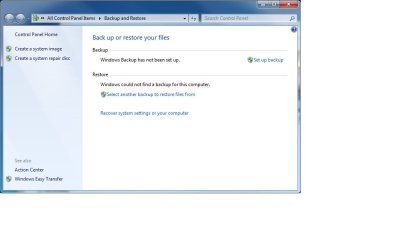
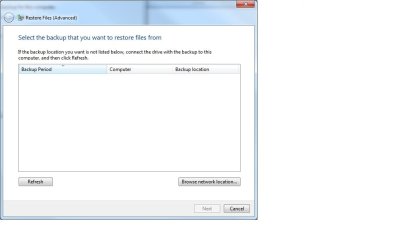
The attached docs are screenshots of what I'm seeing:
  • #1 the backup files on the Seagate HD
  • #2 My Backup/Restore options from which I select "Select another backup to restore files from"
  • #3 The Select backup file window: Refresh does nothing, "Browse network" takes me to #4
  • #4 Selection options don't allow me to view the F: drive connected to my laptop
Attached Thumbnails
Restoring backed-up files-screen-1-seagate-backup-files.jpg   Restoring backed-up files-screen-2-backup-options.jpg   Restoring backed-up files-screen-3-select-restore-files.jpg   Restoring backed-up files-screen-4-network-browse-folders.jpg  
My System SpecsSystem Spec
.


Reply

 Restoring backed-up files problems?


Thread Tools


Similar help and support threads for: Restoring backed-up files
Thread Forum
Looking at files backed up to a USB Backup and Restore
Solved restoring backed up files problem after system restore Backup and Restore
PC does not recognize that i have backed up files Backup and Restore
backed up WLMB file, needs restoring !!! Browsers & Mail
Need Help Restoring Backed up hard drive General Discussion


All times are GMT -5. The time now is 06:05 PM.


Seven Forums Android App Seven Forums IOS App Follow us on Facebook

Windows 7 Forums is an independent web site and has not been authorized,
sponsored, or otherwise approved by Microsoft Corporation.
"Windows 7" and related materials are trademarks of Microsoft Corp.
© Designer Media Ltd
  

1 2 3 4 5 6 7 8 9 10 11 12 13 14 15 16 17 18 19 20 21 22 23 24 25 26 27 28 29 30 31 32