Start menu on the right side of screen!

sevener

New member
Local time
1:43 AM
Messages
136
Hello I am right-handed and I like to have Windows start menu and its components on the bottom right of screen as this is more logically in my view! Because we usually use the mouse from the right side and it would be more intuitive to have the control settings on the right side! I am also wondering why browsers and other programs don't make it possible to place their menus on the right side or in a right-vertically position? At least, they can make it an option for right-handed people who prefer such positions! So my question is: Is it possible to have Windows Start menu on the bottom right-side of screen? Also, I would like to have the menu bar in firefox on right instead of left! Is their any way to make it so? Actually, I wish to switch/reverse the actual left-side positions to righ positions of all my control settings (start menu, toolbars,..etc.) ! Are such possibilities to have start menu on right available in Linux? if so, I will switch on for linux for forever !
 

My Computer My Computer

At a glance

Windows 7
OS
Windows 7
First of why does it matter that you're right handed that the start menu is on the left side of the screen. Just move your mouse over to the left....

I'm not aware that you can change which side the start button is on but I know you can change which edge the whole menu bar is on. Use this is you'd like that. http://windows.microsoft.com/en-US/windows-vista/Unlock-and-move-the-taskbar

Anyway with linux you can customize your menus however you'd like. The possibilities are endless. I would recommend Ubuntu for your first distro. Ubuntu homepage | Ubuntu
 

My Computer My Computer

At a glance

Windows 7 64 bit and Ubuntu 32 bit
OS
Windows 7 64 bit and Ubuntu 32 bit
Thank you for you answer! Indeed, I find right-positions are more intuitive for me as right-handed ! Sometimes when I find the scroll up/down bar on some pages on the left side, I get (nervous)! My brain is left-side active, so I prefer the right sides I will take a look at Ubuntu. I hope this would be easy as I am beginner!
 

My Computer My Computer

At a glance

Windows 7
OS
Windows 7
Anyway with linux you can customize your menus however you'd like. The possibilities are endless. I would recommend Ubuntu for your first distro. Ubuntu homepage | Ubuntu

Ubuntu uses the gnome desktop, basically it looks like a Mac.
Kubuntu uses the KDE desktop. Looks like Windows.
But because it is the exact same OS, you can download the KDE if you get Ubuntu and vice versa, so effectively you can switch between the two.
They just make the two native out of the box for the defecting fanbois.

But the best Windows will let you do is move the whole startmenu/taskbar to an egde of the sceen.
 

My Computer My Computer

At a glance

Windows 7 EnterpriseIntel Pentium Dual E2200 @2.2GHz4GBPalit GForce 9500GT 1GB
OS
Windows 7 Enterprise
CPU
Intel Pentium Dual E2200 @2.2GHz
Motherboard
Gigabyte II-G31
Memory
4GB
Graphics Card(s)
Palit GForce 9500GT 1GB
Sound Card
onBoard
Hard Drives
WesternDigital: 250GB + 1TB + 1TB + 2TB
PSU
450W
Case
CoolerMaster CM690
Cooling
Corsair H50
Mouse
Logitech MX518
I would like to bring to your attention to the fact that while the position of the start menu is clearly an important issue to you, that's not something you use the computer for. Before switching to another OS, I would recommend thinking about what is it what you do with your computer and what software you use.

All OSs have web browsers and mail clients. But beyond that, software is not compatible. Sometimes there are analogues, such as OpenOffice is similar to Microsoft Office (although not identical and not a full replacement), sometimes there are not (e.g. there is no Photoshop for Linux).

As far as your GUI experience, in Linux you probably can configure everything, but you need to know how to do that. For example, I use Emacs for text editing. On Windows the scroll bar is on the right, but on Linux (that I have at the University) it's on the left. Personally, that does not bother me much, and so I never bothered to learn how to move it. So if you ask me how to move that - I won't know. The start menu in KDE is also on the left by default.

So, not to discourage you of learning new things, but just a warning that there is no magic bullet.

P.S. In Windows you can place the taskbar at the right vertical edge of the screen. The start menu then will be located at the right lower corner.
 

My Computer My Computer

At a glance

Windows 7 Ultimate (x64)Q66008 GBATI Radeon HD 2600 XT
Computer Manufacturer/Model Number
Dell Inspiron 530
OS
Windows 7 Ultimate (x64)
CPU
Q6600
Memory
8 GB
Graphics Card(s)
ATI Radeon HD 2600 XT
Monitor(s) Displays
Samsung Syncmaster P2450
Screen Resolution
1920x1080
Hard Drives
Samsung HD103UJ
Samsung HD501LJ
Internet Speed
25 Mb/s
I you learn Hebrew than you can have the start menu on the right ;)
 

My Computer My Computer

At a glance

W7 64b - Leopard 10.6.2 - Ubuntu 10.10 (MBP S...Intel E66004GBnVidia 8800GTX
Computer Manufacturer/Model Number
Self assembled
OS
W7 64b - Leopard 10.6.2 - Ubuntu 10.10 (MBP Snow Leopard 10.6.3)
CPU
Intel E6600
Motherboard
Asus P5W DeluxeHome
Memory
4GB
Graphics Card(s)
nVidia 8800GTX
Sound Card
Onboard
Monitor(s) Displays
Samsung 24"
Screen Resolution
1920*1200
Hard Drives
3*250GB
PSU
Antec
Case
Antec
Cooling
3*Fan
Keyboard
Logitec
Mouse
Logitec
Internet Speed
25Mb
I would like to bring to your attention to the fact that while the position of the start menu is clearly an important issue to you, that's not something you use the computer for. Before switching to another OS, I would recommend thinking about what is it what you do with your computer and what software you use.

All OSs have web browsers and mail clients. But beyond that, software is not compatible. Sometimes there are analogues, such as OpenOffice is similar to Microsoft Office (although not identical and not a full replacement), sometimes there are not (e.g. there is no Photoshop for Linux).

As far as your GUI experience, in Linux you probably can configure everything, but you need to know how to do that. For example, I use Emacs for text editing. On Windows the scroll bar is on the right, but on Linux (that I have at the University) it's on the left. Personally, that does not bother me much, and so I never bothered to learn how to move it. So if you ask me how to move that - I won't know. The start menu in KDE is also on the left by default.

So, not to discourage you of learning new things, but just a warning that there is no magic bullet.

P.S. In Windows you can place the taskbar at the right vertical edge of the screen. The start menu then will be located at the right lower corner.

Thank you for this complete answer. I completely agree with you.
In addition, there are many software that don't have good alternative in Linux environment (e.g. Endnote,..).
I have already find how to place the start menu bar on the right. It's so easy seemingly: just drag and paste task bar on the right! Or, right click>propriety> task bar location > right.
But the start menu is placed on the top right.
 

My Computer My Computer

At a glance

Windows 7
OS
Windows 7
I you learn Hebrew than you can have the start menu on the right ;)
:D
Yes why not !
How long it will take to master it?
Let's us start the first lesson here :)
It seems that the start menu is on the right side in arabic system too. I found screen-shot here:
http://nitsuj.org/images/Ara_windows.jpg
http://www.win7.ms/images/mui/win7hebrew.png

It is nice!

I think it is more "natural" and intuitive to have control settings on the right side.
Maybe I should to learn arabic or hebrew or both!
What is the easier? Are they similar?
 

My Computer My Computer

At a glance

Windows 7
OS
Windows 7
P.S. In Windows you can place the taskbar at the right vertical edge of the screen. The start menu then will be located at the right lower corner.
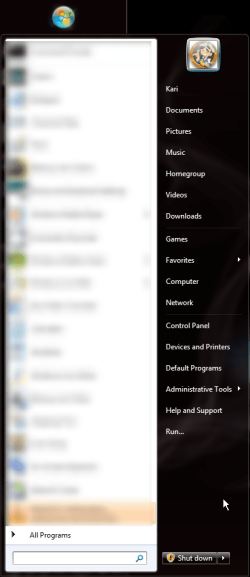
Sorry but on vertical taskbars (left or right), the Start button and menu are on top of the display, left or right upper corner, not bottom. Here's for instance my Taskbar and Start Menu:

Taskbar_01.png Taskbar_02.png
 

My Computer My Computer

At a glance

Windows 10 Pro x64 EN-GB1.6 GHz Intel Core i7-720QM Processor6 GBATI Mobility Radeon HD 5850 Graphics
Computer type
Laptop
Computer Manufacturer/Model Number
HP ENVY 17-1150eg
OS
Windows 10 Pro x64 EN-GB
CPU
1.6 GHz Intel Core i7-720QM Processor
Memory
6 GB
Graphics Card(s)
ATI Mobility Radeon HD 5850 Graphics
Sound Card
Beats sound system with integrated subwoofer
Monitor(s) Displays
17" laptop display, 22" LED and 32" Full HD TV through HDMI
Screen Resolution
1600*900 (1), 1920*1080 (2&3)
Hard Drives
Internal: 2 x 500 GB SATA Hard Disk Drive 7200 rpm
External: 2TB for backups, 3TB USB3 network drive for media
Cooling
As Envy runs a bit warm, I have it on a Cooler Master pad
Keyboard
Logitech diNovo Media Desktop Laser (bluetooth)
Mouse
Logitech Performance Mouse MX
Internet Speed
50/10 Mbps VDSL
Antivirus
Windows Defender 4.3.9431.0
Browser
Maxthon 3.5.2., IE11
.
Kubuntu uses the KDE desktop. Looks like Windows.
Interesting! do you recommand me Kubuntu rather than Ubuntu?
If Kubuntu looks like Windows, I would prefer it on Ubuntu!
Again, its the same OS.
Only difference is the default out-of-the-box look. Windows lookalike (Kubuntu) or Mac lookalike (Ubuntu).
And again, if you get one, its easy to make it the other.
But as this is a windows forum, as much as I'd like to, im not going to advocate another OS. There are other forums for that. Back to topic for me.

And Kari's right. Vertical bars, the menu is always at the top.
 

My Computer My Computer

At a glance

Windows 7 EnterpriseIntel Pentium Dual E2200 @2.2GHz4GBPalit GForce 9500GT 1GB
OS
Windows 7 Enterprise
CPU
Intel Pentium Dual E2200 @2.2GHz
Motherboard
Gigabyte II-G31
Memory
4GB
Graphics Card(s)
Palit GForce 9500GT 1GB
Sound Card
onBoard
Hard Drives
WesternDigital: 250GB + 1TB + 1TB + 2TB
PSU
450W
Case
CoolerMaster CM690
Cooling
Corsair H50
Mouse
Logitech MX518
Changing systems because you don't like the position of a Start Menu, seems a bit like taking a sledgehammer to crack a nut.
 

My Computer My Computer

At a glance

Vista Ultimate 32 bit, Win 7 Pro 32 bit, Win ...Intel i5 CPU 750 @ 2.67 GHZ, OC 3.7 GHZ4 GigNvidia GeForce GTS450
Computer Manufacturer/Model Number
Home build.
OS
Vista Ultimate 32 bit, Win 7 Pro 32 bit, Win 7 Pro 64 bit
CPU
Intel i5 CPU 750 @ 2.67 GHZ, OC 3.7 GHZ
Motherboard
Asus P7P55D
Memory
4 Gig
Graphics Card(s)
Nvidia GeForce GTS450
Monitor(s) Displays
Acer 24"
Screen Resolution
1440 x 900
Hard Drives
1000 GIG
1000 GIG
PSU
650
Case
Antec Nine Hundred Two
Internet Speed
14 MB (APPROX)
On my laptop, I like mine on the left near the desktop icons. It cramps the calender tho so I changed it to ddd/d. My desktop monitor is 23" which I use split-screen so it makes more sense on the bottom.

Looks nice with IE9.

7forum.jpg
 

My Computer My Computer

At a glance

Win7 64
OS
Win7 64
I can partially understand the right/left issue. In Photoshop, where I need access to the palettes very frequently, I have moved them to the right too. I'm using a big Wacom tablet, and reaching across to get the tools while painting feels weird. The issue is less noticeable when I use a mouse because that moves differently, needs less arm movement.

Many programs can switch between docked and floating toolbars, try to see if you can set yours to floating and move them where you want them.
You could also place shortcut icons on the right side of your desktop for the programs you need most frequently, or you could use a docklet. Then you'd need the start menu only for shutting down.
 

My Computer My Computer

At a glance

Win 7 Professional 64bitIntel i7-3930K @ 3.2GHz16 GBNVIDIA GeForce GTX 650
OS
Win 7 Professional 64bit
CPU
Intel i7-3930K @ 3.2GHz
Memory
16 GB
Graphics Card(s)
NVIDIA GeForce GTX 650
Monitor(s) Displays
1 CRT, 1 LCD
Hard Drives
3 hard drives
For setting up some sidebar options in Firefox;

All-in-One Sidebar :: Sidebar Extension for Mozilla Firefox :: firefox.eXXile.net

I like to have firefox set up on the left and top, and my windows taskbar on the right, both are set to autohide. This gives me maximum screen area in normal operation, but instant access to any options etc. I might want to use merely by moving the mouse to the left or right of the screen.

Both bars open;


Both bars closed ( Automatic when the cursor is moved away, or an item is selected etc. );


I also use some third party products to customise my menus etc;

True Launch Bar • Superior replacement for standard Quick Launch

( There is also a free version; Free Launch Bar - Free replacement for standard Quick Launch )

If you want most of your options on the bottom right of the screen, then you can use something like this;

SE-TrayMenu : Screenshots

There are many ways to customise the taskbars, menus, etc. But whatever you choose you will have to spend some time setting everything up to your personal taste.

Regards....Mike Connor
 

My Computer My Computer

At a glance

Several, including Windows 7 x64 Ultimate
OS
Several, including Windows 7 x64 Ultimate
The issue is less noticeable when I use a mouse because that moves differently, needs less arm movement.

Exactly! this is what I feel too!
Have the start menu on the right reduces the movement needed to reach programs, menus...etc.

You could also place shortcut icons on the right side of your desktop for the programs you need most frequently, or you could use a docklet. Then you'd need the start menu only for shutting down.
Good idea!

I think it should be available as a built-in option in windows that one can chose between a left or right location of the menus, toolbars, etc
 

My Computer My Computer

At a glance

Windows 7
OS
Windows 7
In the western world it is natural to read from left to right. Other societies differ.
 

My Computer My Computer

At a glance

windows 7Intel(R) Core(TM)i7 CPU 860 @ 2.8GHz 2.8GHz8.00 GBNVIDIA GeForce GT 220
Computer Manufacturer/Model Number
Pc Specialist
OS
windows 7
CPU
Intel(R) Core(TM)i7 CPU 860 @ 2.8GHz 2.8GHz
Memory
8.00 GB
Graphics Card(s)
NVIDIA GeForce GT 220
Monitor(s) Displays
HP LP 2065 LCD Monitor
Screen Resolution
1600 x 1200
Hard Drives
2x 500 GB'S
In any event, since the advent of wide screens, it makes sense to have the task-bar on the side. You get more vertical space and waste less on the sides, especially for web pages. Many web sites are still designed for 800x600, like this one. Even then, you need to zoom to 125% to make use of all the screen.

23" and larger monitor have the resolution to run a browser half-screen. Actually 95% zoom works best. No point in having the task-bar anywhere but at the bottom.
 

My Computer My Computer

At a glance

Win7 64
OS
Win7 64
In the western world it is natural to read from left to right. Other societies differ.
Yes but why this should be problem to have optimized products?
In western world we also drive on the right side, don't we? (except UK)!
Look, for example, at the scroll bar how is it friendly-user and handy on the right side!
Personally, I feel it is more logical to have the control settings on the right side!
When you use the mouse you should move over long distance from the right to left to reach your programs or menu start located on the left.
Anyway, it is personal issue.
 

My Computer My Computer

At a glance

Windows 7
OS
Windows 7
In the western world it is natural to read from left to right. Other societies differ.
Yes but why this should be problem to have optimized products?
In western world we also drive on the right side, don't we? (except UK)!
Look, for example, at the scroll bar how is it friendly-user and handy on the right side!
Personally, I feel it is more logical to have the control settings on the right side!
When you use the mouse you should move over long distance from the right to left to reach your programs or menu start located on the left.
Anyway, it is personal issue.

Correct a personal issue. In reality it isn't really one that needs discussing? If you place the start button on the right then all the things that were will then be on the left. Back to square one?:D
 

My Computer My Computer

At a glance

windows 7Intel(R) Core(TM)i7 CPU 860 @ 2.8GHz 2.8GHz8.00 GBNVIDIA GeForce GT 220
Computer Manufacturer/Model Number
Pc Specialist
OS
windows 7
CPU
Intel(R) Core(TM)i7 CPU 860 @ 2.8GHz 2.8GHz
Memory
8.00 GB
Graphics Card(s)
NVIDIA GeForce GT 220
Monitor(s) Displays
HP LP 2065 LCD Monitor
Screen Resolution
1600 x 1200
Hard Drives
2x 500 GB'S
Back
Top