Hi,
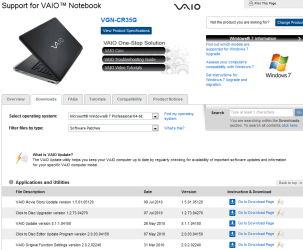
I own a VGNCR-35G/L Sony Vaio Laptop. Installed Win7 Ultimate x64 a few days back. Did a clean install since i wanted to get rid of viruses in case any.
But on doing so i've not been able to get the Fn keys to work and so havent been able to reset the brightness in my laptop.
I've tried installing all the Vista drivers especially
1) sony ddl utils
2) VAIO event service
3) shared library
Did anyone have this issue and solve it.
Any help would be great!
Thanks.
I own a VGNCR-35G/L Sony Vaio Laptop. Installed Win7 Ultimate x64 a few days back. Did a clean install since i wanted to get rid of viruses in case any.
But on doing so i've not been able to get the Fn keys to work and so havent been able to reset the brightness in my laptop.
I've tried installing all the Vista drivers especially
1) sony ddl utils
2) VAIO event service
3) shared library
Did anyone have this issue and solve it.
Any help would be great!
Thanks.
My Computer
At a glance
Windows 7 Ultimate x64
- OS
- Windows 7 Ultimate x64