My Computer
At a glance
Windows 7 Home Premium 64-bitNVIDIA GeForce G 105M
- OS
- Windows 7 Home Premium 64-bit
- Graphics Card(s)
- NVIDIA GeForce G 105M
- Sound Card
- Realtek High Definition Audio
- Screen Resolution
- 1366x768



@echo off
echo Your computer will restart after this, close all programs/save your work etc. and
pause
taskkill /IM explorer.exe /F
net stop "FontCache"
CD /d %windir%\system32
attrib -h -s -r Fntcache.dat
DEL Fntcache.dat /a
shutdown /r /t 5Open notepad, copy/paste the code below, save the file as cfc.BAT
Save all your work, close all open programs and thenCode:@echo off echo Your computer will restart after this, close all programs/save your work etc. and pause taskkill /IM explorer.exe /F net stop "FontCache" CD /d %windir%\system32 attrib -h -s -r Fntcache.dat DEL Fntcache.dat /a shutdown /r /t 5
right click on the file and select "Run as administrator...".
[B]taskkill [/B]- used for closing applications/processes
(you can't delete a file that's being used by an application
so you have to close the app first)

[B]net stop [/B]- stops a service
(you can see a list of running services if you hit Start-Run
and type in Services.msc)
(but don't change anything unless you know what you're
doing)

[B]cd [/B]- changes the current directory

[B]attrib [/B]- sets file attributes
(the "del" command below can't delete files that are marked
as read only or marked as a system file)

[B]del [/B]- delete a file from the current directory or from a
given path

[B]shutdown [/B]- used for shutting down, rebooting, logging off or
hibernating your pcI tested the code on my PC first and - surprisingly - it didn't cause any damage. :sarc:Whoever put this on your computer has deliberately wrecked your display fonts and you should ask them why they have done this.
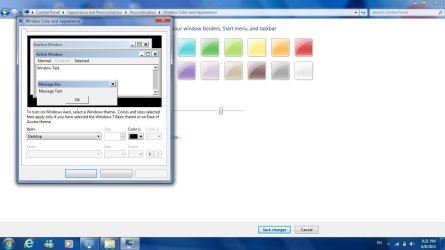
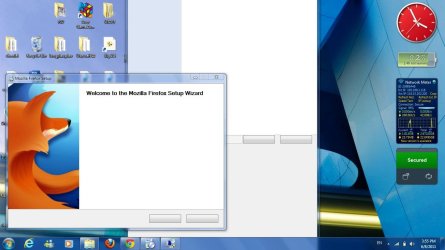
Sorry for late reply. The BAT file you gave me did not work. Still no fonts.Open notepad, copy/paste the code below, save the file as cfc.BAT
Save all your work, close all open programs and thenCode:@echo off echo Your computer will restart after this, close all programs/save your work etc. and pause taskkill /IM explorer.exe /F net stop "FontCache" CD /d %windir%\system32 attrib -h -s -r Fntcache.dat DEL Fntcache.dat /a shutdown /r /t 5
right click on the file and select "Run as administrator...".