
I unintentionally set a password that I don't remember

fishcad

New member
Local time
2:00 AM
Messages
16
I often get a message that I must submit permission to perform some action like delete a folder. Apparently I unintentionally set a password that I don't remember for the administrator account. Fortunately this is on my laptop which has no important files that are not also on my desktop so losing data is not a huge issue. I want to try the steps in the tutorial Brink suggests but I don't see an administrator account in the user accounts but there is a folder for it. I'm kind of lost at this point about where to work on the problem.

BTW: This is one of those machines that came with Vista with a free upgrade to Win7 so I don't have Vista installation disks.

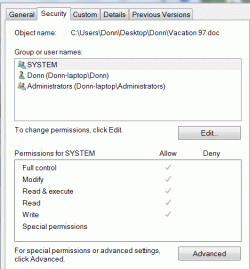
Accounts.gif Group user names.gif User folders.gif
 
Last edited by a moderator:

My Computer My Computer

At a glance

Windows 7 Home PremiumDual Core T42004 GB
Computer Manufacturer/Model Number
HP G60
OS
Windows 7 Home Premium
CPU
Dual Core T4200
Motherboard
HP
Memory
4 GB
First try to create another Admin account and name it Admin1, then try to delete the original Admin account. Second if that did not work. I am not sure if I should mention this or even advise this but I guess we will find out. Google "ophcrack" and down load to a cd or dvd disk. Then resart the laptop with the disk in and let it run and it shoud find your password. As for not having any Vista Discs you can purchase a set of discs for a very reasonable price from http://restorediscs.com .
These are just suggestions someone with more experience may have other advice or suggestions.

Stll learning, Learning Still

Curtis
 

My Computer My Computer

At a glance

XP
OS
XP
Enable the real hidden Administrator account as follows:

Open a Elevated Command Prompt. Click Start, All Programs, Accessories. Right click on Command Prompt and select Run as Administrator.

Enter net user administrator /active:yes and press Enter
Type exit and press Enter to close the Command Prompt window.

Click Start then click the Arrow to the right of Shutdown and select Logoff.
When the Login screen is shown, is Administrator there? If yes, click on it to login as Administrator (no password).

If not, login as yourself again then do a Restart.
Press F8 during Restart to bring up the Advanced Boot Options menu. Select Safe Mode.
Login as Administrator (no password).

Open Control Panel then User Accounts.
Click on Manage another account

Select the account you want to add or remove a password for then click on Change password or Remove password.
 

My Computer My Computer

At a glance

Windows 10 Pro X64Intel Quad Core i7-4770 @ 3.4Ghz16.0GB PC3-12800 DDR3 SDRAM 1600 MHzIntel Integrated HD Graphics
Computer type
PC/Desktop
Computer Manufacturer/Model Number
Lenovo IdeaCenter 450
OS
Windows 10 Pro X64
CPU
Intel Quad Core i7-4770 @ 3.4Ghz
Memory
16.0GB PC3-12800 DDR3 SDRAM 1600 MHz
Graphics Card(s)
Intel Integrated HD Graphics
Sound Card
Realtek HD Audio
Monitor(s) Displays
HP 22" LCD
Screen Resolution
1680 x 1050
Hard Drives
250GB Samsung EVO SATA-3 SSD
2TB Seagate ST2000DM001 SATA-2
1.5TB Seagate ST3150041AS SATA
Keyboard
Dell USB
Mouse
Lenovo USB
Internet Speed
Cable via Road Runner 3MB Upload, 30MB Download
Antivirus
Windows Defender, MBAM Pro, MBAE
Browser
Seamonkey
Other Info
UEFI/GPT
PLDS DVD-RW DH16AERSH
Back
Top