Hello there
I have a net book accer with Windows 7 starter which I bought in Italy while I was there.
Since I'm not a windows user, I instaled ubuntu on it but kept windows because this netbook isn't stay with me.
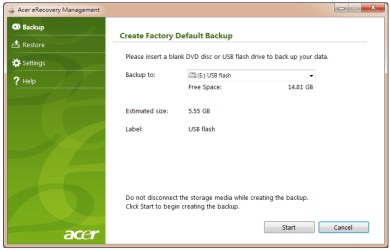
So once I came back I start the recovery proccess. But, surprisingly for me, the recovery didn't rewrote the MBR and now I'm unable to continue it.
Since it is a netbook, it doesn't had a opctical drive neither I had any instalation disk.
I've tried to recovery it with a pen drive with recover console for win xp, to no results.
fixmbr and fixboot didn't work. It say the proccess was successful but at the restart the grub recover continue to show.
So, I'm without option but to try and put a Lilo just to make it boot to windows, but I don't want such 'by-pass' solution.
Any clues?
I have a net book accer with Windows 7 starter which I bought in Italy while I was there.
Since I'm not a windows user, I instaled ubuntu on it but kept windows because this netbook isn't stay with me.
So once I came back I start the recovery proccess. But, surprisingly for me, the recovery didn't rewrote the MBR and now I'm unable to continue it.
Since it is a netbook, it doesn't had a opctical drive neither I had any instalation disk.
I've tried to recovery it with a pen drive with recover console for win xp, to no results.
fixmbr and fixboot didn't work. It say the proccess was successful but at the restart the grub recover continue to show.
So, I'm without option but to try and put a Lilo just to make it boot to windows, but I don't want such 'by-pass' solution.
Any clues?
My Computer
At a glance
Windows 7 Starter 32bit
- OS
- Windows 7 Starter 32bit