Good morning,
As usual after 69 years on God's green earth I still mess up things without really trying.
I recently bought an HP p7-1157c computer with Win 7 installed. Somehow while I was moving files around I have created a problem with saving sites to individual folders inside my Favorites.
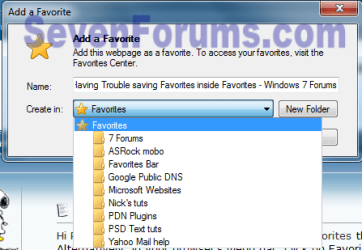
I can save something to the Favorites folder itself but NOT to any other folder inside the actual Favorties Folder.
From reading similar posts on this forum I think it has something to do with the Links folder. When I go to C:/users it has two folders. (Phil and Public)
The Phil folder has a 'yellow' lock on the folder icon. When I open the folder it shows a shortcut to Links as one of the entries. When I click on the Links short cut it shows:
Desktop
Downloads
Recent Places
When I open the Public folder it has about 9 folders one of which is called 'CyberLink' but it is empty.
Like the dummy I am I have been moving files around but for the life of me I can't tell you now what they were or where I moved them too.
I am hoping I can solve this without having to do a system restore. Any advice would be appreciated.
Thanks and regards,
2harts4ever
As usual after 69 years on God's green earth I still mess up things without really trying.
I recently bought an HP p7-1157c computer with Win 7 installed. Somehow while I was moving files around I have created a problem with saving sites to individual folders inside my Favorites.
I can save something to the Favorites folder itself but NOT to any other folder inside the actual Favorties Folder.
From reading similar posts on this forum I think it has something to do with the Links folder. When I go to C:/users it has two folders. (Phil and Public)
The Phil folder has a 'yellow' lock on the folder icon. When I open the folder it shows a shortcut to Links as one of the entries. When I click on the Links short cut it shows:
Desktop
Downloads
Recent Places
When I open the Public folder it has about 9 folders one of which is called 'CyberLink' but it is empty.
Like the dummy I am I have been moving files around but for the life of me I can't tell you now what they were or where I moved them too.
I am hoping I can solve this without having to do a system restore. Any advice would be appreciated.
Thanks and regards,
2harts4ever
My Computer
At a glance
Windows 7 Pro x64 SP1AMD A6-36008 GBsAMD Radeon HD
- Computer Manufacturer/Model Number
- HP Pavilion p7-1157c
- OS
- Windows 7 Pro x64 SP1
- CPU
- AMD A6-3600
- Motherboard
- Pagatron 2ACF 1.01
- Memory
- 8 GBs
- Graphics Card(s)
- AMD Radeon HD
- Sound Card
- Realtec High Definition Audio
- Monitor(s) Displays
- HP 2311 Wide LCD
- Screen Resolution
- 1920 x 1080
- Keyboard
- HID Keyboard Device
- Mouse
- Microsoft USB Wireless Mouse (IntelliPoint)
- Other Info
- BIOS: AMI 7.06