I had issues with Power DVD as well. I was using OEM version of PowerDvd 7 and it worked fine for a long while until I bought Pulp Fiction and it wouldn't play and there were no updates. I downloaded a trial of PowerDVD 11, but I didn't like it either. While it played it seemed really slow and CPU intensive. So I tried Win DVD Pro 11 trial and I've since bought it. It's much faster and uses much less CPU resources.
Kingston Hyper X 240GB SSD Win8 Pro 64bit 6GB/s Sata III
Intel 335 Series SSD 240GB Win8 Storage 6GB/s Sata III
Intel 320 Series SSD 600GB Storage 3GB/s Sata II
Western Digital Scorpio Black 1TB - Docked via Esata
I can't really help with the settings since I don't use it anymore.
I decided to just use a standalone player instead of the PC's.
Less headaches when you just want to watch a movie.
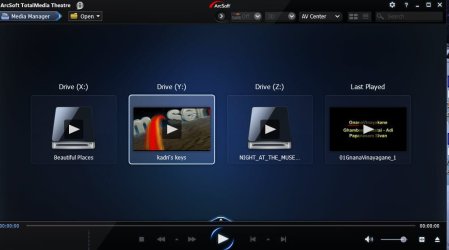
What gives? I updated it to .114 and now TMT won't play Blu-ray disks! It'll show the Disks warning screen for a moment, then kicks back to the "play disk" screen.
I can't go back as it has an annoying popup.
My Computer
At a glance
Windows 8 Pro (32-bit)1.83GHz Intel Core Duo2GB 667MHz DDR2 SDRAM (PC2-5300) (upgrade)ATI Radeon X1600 with 128MB GDDR3 memory
Computer type
PC/Desktop
Computer Manufacturer/Model Number
Apple 17" iMac MA199LL (Early 2006)
OS
Windows 8 Pro (32-bit)
CPU
1.83GHz Intel Core Duo
Memory
2GB 667MHz DDR2 SDRAM (PC2-5300) (upgrade)
Graphics Card(s)
ATI Radeon X1600 with 128MB GDDR3 memory
Monitor(s) Displays
17-inch TFT active-matrix LCD, millions of colors
Screen Resolution
1440 x 900
Hard Drives
Hitachi 320GB HDT721032SLA360 7200RPM SATA II (upgrade)
Completely uninstall the old version/versions - better with Revo Uninstaller - and then try the recent trial version. The current version is 5.2.1.119
( Just a day or two back I completely uninstalled the older version and installed the new version for which Arcsoft sent the new activation code for my licence. All those who have the old version are required to uninstall the old and install the new.)
I have been using PWDVD 10 for about a year now. To date I have not experienced any problems playing dvd's or blu-ray movies. Playing blu-ray movies requires that I first rip the disc to the iso format. Then I right click on the largest file and from the drop down menu I choose to play the movie with PWDVD 10.
When using PWDVD 10 to play back blu-ray films it is a good idea to keep the firmware to your blu-ray player up to date.
From what I can tell .114 fixed/enabled HDCP support (but doesn't give an error - only once I tried Corel WinDVD did I have any indication that it might be my use of VGA).
Unfoutunatly, it seems my cheap TV doesn't support 1:1 pixel mapping over HDMI. That'll be something to look for when I go to upgrade it.
My Computer
At a glance
Windows 8 Pro (32-bit)1.83GHz Intel Core Duo2GB 667MHz DDR2 SDRAM (PC2-5300) (upgrade)ATI Radeon X1600 with 128MB GDDR3 memory
Computer type
PC/Desktop
Computer Manufacturer/Model Number
Apple 17" iMac MA199LL (Early 2006)
OS
Windows 8 Pro (32-bit)
CPU
1.83GHz Intel Core Duo
Memory
2GB 667MHz DDR2 SDRAM (PC2-5300) (upgrade)
Graphics Card(s)
ATI Radeon X1600 with 128MB GDDR3 memory
Monitor(s) Displays
17-inch TFT active-matrix LCD, millions of colors
Screen Resolution
1440 x 900
Hard Drives
Hitachi 320GB HDT721032SLA360 7200RPM SATA II (upgrade)
One must be aware that Blu-ray standards have not been finalised yet and kept open. That's why newer protection algorithms are emerging as it ploughs on and such newer algorithms will require updates to the players to cope with them.
While the free players may play the current breed of commercial BDs, one day you may find that your brand new shiny BD will not play. It will require a patch from the developer and if he does promptly put out the patches to take into account the newer protection algorithms, it will be only for the licensed, and you will be forced to buy.
So be warned. Your free lunch may not hold forever.