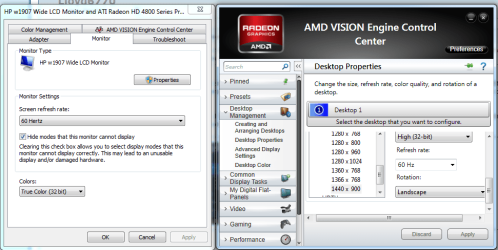
I have just started having this issue within the last few weeks. When I log out of Windows, the screen immediately goes black. It used to flash black, then it would turn back on and I'd be at the log-in screen.
Now, when I log in, the screen occasionally goes extremely dark. When I say extremely dark, I originally thought that the screen was actually going black, but looking at it in the right light, you can very lightly see outlines of what would be on the screen. If you hit the Windows key and the start menu comes up, you can very vaguely see the outline of the start menu. The computer functions normally, you just can't see anything.
I have tried updating drivers, swapping monitors, changing power/dim settings back to defaults as well as custom settings, and none of that has worked. I also went in to System Config and chose "Selective Startup", which seems to have helped a bit, but it didn't fix it completely.
The power light on the monitor is always green assuming the computer is turned on. It's never orange/amber.
I used to have to power-cycle the monitor 8-10 times before it would stay bright like normal. Now I only have to do it 3-4 times, but it's still obviously not right.
I am at a loss as to what to try. The build of the computer is:
Model: HP 500B Microtower
OS: Win7
Version: Professional Edition Service Pack 1 Build 7601
RAM: 2013 MB
CPU: (2) Intel(R) Core(TM)2 Duo CPU E7500 @ 2.93GHz, Model 23 Stepping 10
Monitor: Acer 19" v223w
Chipset: G41 Graphics Chip Set (Windows 7 compatible)
Now, when I log in, the screen occasionally goes extremely dark. When I say extremely dark, I originally thought that the screen was actually going black, but looking at it in the right light, you can very lightly see outlines of what would be on the screen. If you hit the Windows key and the start menu comes up, you can very vaguely see the outline of the start menu. The computer functions normally, you just can't see anything.
I have tried updating drivers, swapping monitors, changing power/dim settings back to defaults as well as custom settings, and none of that has worked. I also went in to System Config and chose "Selective Startup", which seems to have helped a bit, but it didn't fix it completely.
The power light on the monitor is always green assuming the computer is turned on. It's never orange/amber.
I used to have to power-cycle the monitor 8-10 times before it would stay bright like normal. Now I only have to do it 3-4 times, but it's still obviously not right.
I am at a loss as to what to try. The build of the computer is:
Model: HP 500B Microtower
OS: Win7
Version: Professional Edition Service Pack 1 Build 7601
RAM: 2013 MB
CPU: (2) Intel(R) Core(TM)2 Duo CPU E7500 @ 2.93GHz, Model 23 Stepping 10
Monitor: Acer 19" v223w
Chipset: G41 Graphics Chip Set (Windows 7 compatible)
My Computer
- OS
- Windows 7 32-bit