
You are using an out of date browser. It may not display this or other websites correctly.
You should upgrade or use an alternative browser.
You should upgrade or use an alternative browser.
How do I can turn on my loved patterns in Windows 7?
- Thread starter dragun97yu
- Start date

mickey megabyte
мιи∂вℓσ	
?
do you mean wallpapers?
do you mean wallpapers?
My Computer
- Computer Manufacturer/Model Number
- mickey megabyte 1234
- OS
- ultimate 64 sp1
- CPU
- i5 2500K [email protected]
- Motherboard
- MSI P67A-GD53
- Memory
- 8 gigs GSkill Ripjaws 1600
- Graphics Card(s)
- amd hd6950
- Sound Card
- creative x-fi gamer
- Monitor(s) Displays
- samsung 24"
- Screen Resolution
- 1920x1080
- Hard Drives
- ocz vertex 2e 60 gig, samsung f3 1tb, buffalo 2tb ext
- PSU
- antec 550
- Case
- antec three hundred
- Cooling
- i'm a cooling fan
- Keyboard
- saitek eclipse ii
- Mouse
- logitech g3
- Internet Speed
- about 4 Mbps
- Other Info
- i love win7
dragun97yu
New member
?
do you mean wallpapers?
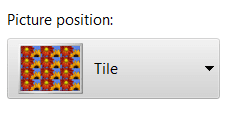
No. I mean only desktop patterns, that were till XP.
My Computer
- OS
- Windows 7 Enterprice
mickey megabyte
мιи∂вℓσ	
My Computer
- Computer Manufacturer/Model Number
- mickey megabyte 1234
- OS
- ultimate 64 sp1
- CPU
- i5 2500K [email protected]
- Motherboard
- MSI P67A-GD53
- Memory
- 8 gigs GSkill Ripjaws 1600
- Graphics Card(s)
- amd hd6950
- Sound Card
- creative x-fi gamer
- Monitor(s) Displays
- samsung 24"
- Screen Resolution
- 1920x1080
- Hard Drives
- ocz vertex 2e 60 gig, samsung f3 1tb, buffalo 2tb ext
- PSU
- antec 550
- Case
- antec three hundred
- Cooling
- i'm a cooling fan
- Keyboard
- saitek eclipse ii
- Mouse
- logitech g3
- Internet Speed
- about 4 Mbps
- Other Info
- i love win7
dragun97yu
New member
Not those. In Windows 2000 they were named like 50% Gray, for example.
My Computer
- OS
- Windows 7 Enterprice
mickey megabyte
мιи∂вℓσ	
sorry, i haven't got a version of win 2000 to see what you mean.
do you want a pattern, or just one colour on your desktop?
do you want a pattern, or just one colour on your desktop?
My Computer
- Computer Manufacturer/Model Number
- mickey megabyte 1234
- OS
- ultimate 64 sp1
- CPU
- i5 2500K [email protected]
- Motherboard
- MSI P67A-GD53
- Memory
- 8 gigs GSkill Ripjaws 1600
- Graphics Card(s)
- amd hd6950
- Sound Card
- creative x-fi gamer
- Monitor(s) Displays
- samsung 24"
- Screen Resolution
- 1920x1080
- Hard Drives
- ocz vertex 2e 60 gig, samsung f3 1tb, buffalo 2tb ext
- PSU
- antec 550
- Case
- antec three hundred
- Cooling
- i'm a cooling fan
- Keyboard
- saitek eclipse ii
- Mouse
- logitech g3
- Internet Speed
- about 4 Mbps
- Other Info
- i love win7

logicearth
New member
Are you talking about solid colors? Personalization > Desktop Background > Picture Location > Solid Colors
My Computer
- Computer type
- PC/Desktop
- Computer Manufacturer/Model Number
- Alienware Aurora ALX R4
- OS
- Windows 10 Pro (x64)
- CPU
- Intel Core i7-3930K (3.2GHz - 4.5GHz)
- Motherboard
- Alienware Aurora-R4 x79
- Memory
- 4x Samsung 4GB PC3-12800 DDR3 (16GB 1600MHz)
- Graphics Card(s)
- Nvidia Geforce GTX 690
- Sound Card
- SteelSeries Siberia Elite
- Monitor(s) Displays
- Dell UltraSharp U3011
- Screen Resolution
- 2560x1600
- Hard Drives
- Samsung 850 Pro 256 GB, Seagate 1TB Desktop Hybrid HDD, 2x Western Digital 4TB Green HDD
- PSU
- 875W Some Dell PSU <.<
- Case
- Alienware Aurora ALX
- Cooling
- Custom Liquid Cooling (EK CPU & GPU blocks) dual EK 480RAD
- Keyboard
- Logitech G710+ Mechanical
- Mouse
- Logitech G700s
- Internet Speed
- Verizon Fios (50 mbps average)
- Other Info
- Server: Intel NUC D54250WYK: i5-4250U, 16GB, 256 GB mSATA, Windows Server 2012 R2
dragun97yu
New member
I've found it.
First of all make one-color background.
At the second, rename in the HKEY_CURRENT_USER\Control Panel\Desktop branch "Pattern" to, for example, "Patternъ".
At the third, create string registry named "Pattern". Then you must record (or how it is in English) one of those values, listed here
Desktop Patterns from Previous Windows Versions
I use 0 102 0 18 26 20 28 16
There will be the Happy Penguin Face <^v^>
Ah! And reboot after changes!!!111oneoneone
Thanks.
First of all make one-color background.
At the second, rename in the HKEY_CURRENT_USER\Control Panel\Desktop branch "Pattern" to, for example, "Patternъ".
At the third, create string registry named "Pattern". Then you must record (or how it is in English) one of those values, listed here
Desktop Patterns from Previous Windows Versions
I use 0 102 0 18 26 20 28 16
There will be the Happy Penguin Face <^v^>
Ah! And reboot after changes!!!111oneoneone
Thanks.
My Computer
- OS
- Windows 7 Enterprice