sunnyimran
New member
- Local time
- 1:27 PM
- Messages
- 24
As mentioned in the title, I have this problem with my windows live mail 2011.
Unable to send or receive messages for the Hotmail ([email protected]) account.
Server Error: 5102
Server: 'https://mail.services.live.com/DeltaSync_v2.0.0/Sync.aspx'
Windows Live Mail Error ID: 0x8DE00002
I have been using WLM for quite some time and my hotmail account is configured in it and approx 2GB+ of my local HDD space has been piled up in it in all previous mails etc stuff.
Occasionally my WLM 2011 did gave me similar synchronization fails but I was ok after trying little tricks ( found on searching net) like closing and re-opening WLM any times, like making IE default browser and resetting its all setting to default( even though already default) then launching WLM and many other similars.
Perhaps after WLM updated recently, it is not synching with my emails and no such above trick is working. I am stuck up. ( my hotmail account on web is working finen
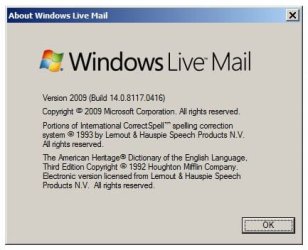
Windows LIve mail 'Version 2011 (Build 15.4.3555.0308)' is showing up at the moment in WLM.
By searching on net recently feels to me like I am not alone and many others have had same issue after the WLM update.
After reading several posts two common solutions available i-e either delete your email account in WLM and re configure it or your account need to be adjusted by somebody.
I am quite uncomfortable in deleting my account to reconfigure it, it has piled up and I do'nt want to start from scratch downloading everything from my hotmail server to local system provided if the issue is resolved.
as said my hotmail on web is working fine.
also in WLM my calender is updating correctly as 'calender updated' message is appearing
please provide some better solution for the issue soon.
thanks
Unable to send or receive messages for the Hotmail ([email protected]) account.
Server Error: 5102
Server: 'https://mail.services.live.com/DeltaSync_v2.0.0/Sync.aspx'
Windows Live Mail Error ID: 0x8DE00002
I have been using WLM for quite some time and my hotmail account is configured in it and approx 2GB+ of my local HDD space has been piled up in it in all previous mails etc stuff.
Occasionally my WLM 2011 did gave me similar synchronization fails but I was ok after trying little tricks ( found on searching net) like closing and re-opening WLM any times, like making IE default browser and resetting its all setting to default( even though already default) then launching WLM and many other similars.
Perhaps after WLM updated recently, it is not synching with my emails and no such above trick is working. I am stuck up. ( my hotmail account on web is working finen
Windows LIve mail 'Version 2011 (Build 15.4.3555.0308)' is showing up at the moment in WLM.
By searching on net recently feels to me like I am not alone and many others have had same issue after the WLM update.
After reading several posts two common solutions available i-e either delete your email account in WLM and re configure it or your account need to be adjusted by somebody.
I am quite uncomfortable in deleting my account to reconfigure it, it has piled up and I do'nt want to start from scratch downloading everything from my hotmail server to local system provided if the issue is resolved.
as said my hotmail on web is working fine.
also in WLM my calender is updating correctly as 'calender updated' message is appearing
please provide some better solution for the issue soon.
thanks
My Computer
At a glance
windows 7 ultimateIntel Core 2 Quad Q6400Corsair DDR2 1GBx2 KitXFX ATI RADEON H4500
- Computer Manufacturer/Model Number
- ASUS
- OS
- windows 7 ultimate
- CPU
- Intel Core 2 Quad Q6400
- Motherboard
- ASUS P5QL-PRO
- Memory
- Corsair DDR2 1GBx2 Kit
- Graphics Card(s)
- XFX ATI RADEON H4500
- Sound Card
- Realtek ALC1200 integrated
- Monitor(s) Displays
- Mistubishi Diamond Plus 230SB 22inches
- Hard Drives
- Seagate 250GB sata
Seagate 40GB IDE
Maxtro 40GB IDE
- PSU
- DELL-745 ( spare utilized)
- Case
- Legend
- Cooling
- Stock cooling
- Keyboard
- Microsoft Wireless 1000 (combo)
- Mouse
- Microsoft wireless 1000 (combo)