need some help... sky high cpu usage after clean install. read for inf

brianjohnstone

New member
hi guys,

i'm at a bit of a dead end here and pulling my hair out!
i'll start with my specs:

hp g62 laptop
win 7 ultimate
8gb ram.
60gb ocz vertex ssd (os)
500gb wd green (drive bay for music)
i3 cpu

ok so here goes, i think i had picked up a virus a few weeks ago as everything spiked and i was getting issues, i did several boot time scans with avast for and pup's that may not be picked up when os is running and it didnt find anything.
at this point i was running 7 home premium, i tried a format and fresh re-install with that but the problem did not cease. so i then sanitized the drive twice with parted magic which was recommended to me by a few other sources and purchased 7 ultimate, installed it and hoped for the best.

I dj severral times weekly with this machine, the only programs that are installed are serato scratch live, ableton Live 8, internet explorer and vlc media player.

the laptop will run sweet as a nut for a while with cpu idling between 0 & 1% then all of a sudden the fan will go mental and cpu will jump upto 60/70% and stay there until i reboot

i did a system restore back to literally just the os installed and internet explorer and it is exactly the same.

does anyone have any ideas/suggestions that can please help me out... i have very important gigs on weds and thursdays with celebrity acts supporting and im starting to really worry about this.

ANY ideas much appreciated i will try all of them!!

many thanks in advance,

Brian.
 

My Computer

Computer Manufacturer/Model Number
hp g62-450sa Laptop
OS
MS Windows 7 Ultimate 64-bit SP1
CPU
i3 350M 2.27ghz
Motherboard
hp 1425
Memory
8.00 GB Dual-Channel DDR3 @ 532MHz (7-7-7-20)
Graphics Card(s)
Intel HD Graphics
Sound Card
Realtek High Definition Audio
Screen Resolution
1366x768@60hz
Hard Drives
59GB OCZ Vertex Plus
488gb Western Digital WDC WD5000BEVT-60AORTO
PSU
laptop
Case
laptop
Cooling
laptop
Keyboard
Standard PS/2 Keyboard
Mouse
Synaptics PS/2 Port TouchPad
just noticed that this post has been moved, thanks mods, i wasnt sure where it should have gone :)
 

My Computer

Computer Manufacturer/Model Number
hp g62-450sa Laptop
OS
MS Windows 7 Ultimate 64-bit SP1
CPU
i3 350M 2.27ghz
Motherboard
hp 1425
Memory
8.00 GB Dual-Channel DDR3 @ 532MHz (7-7-7-20)
Graphics Card(s)
Intel HD Graphics
Sound Card
Realtek High Definition Audio
Screen Resolution
1366x768@60hz
Hard Drives
59GB OCZ Vertex Plus
488gb Western Digital WDC WD5000BEVT-60AORTO
PSU
laptop
Case
laptop
Cooling
laptop
Keyboard
Standard PS/2 Keyboard
Mouse
Synaptics PS/2 Port TouchPad
Post a screenshot of your task manager, showling processes from all users and sorted by cpu usage.
 

My Computer

Computer type
PC/Desktop
OS
Microsoft Windows 10 Professional / Windows 7 Professional
CPU
Intel i5-3570
Motherboard
Lenovo Mahobay
Memory
16GB DDR3
Graphics Card(s)
AMD Radeon HD 7850 2GB
Sound Card
(1) Realtek HD Audio (2) AMD HD Audio
Monitor(s) Displays
LG LS192WS
Screen Resolution
1440 x 900 @ 32bit color
Hard Drives
(1) SUV300S37A/120G (2) ST3500413AS SATA Disk Device AHCI mode enabled.
PSU
Corsair HX620
Case
Thermaltake V4 Black Edition
Cooling
Cooler Master Hyper 212 + Artic Silver 5 on CPU/GPU
Keyboard
Dell SK-8115
Mouse
Razer Copperhead with MAPED mat (awesome!)
Internet Speed
100 Mbps up/down
Browser
Chrome
here ya go, it seems to be system idle process
 

Attachments

  • tsk mgr sshot.jpg
    tsk mgr sshot.jpg
    207.7 KB · Views: 111

My Computer

Computer Manufacturer/Model Number
hp g62-450sa Laptop
OS
MS Windows 7 Ultimate 64-bit SP1
CPU
i3 350M 2.27ghz
Motherboard
hp 1425
Memory
8.00 GB Dual-Channel DDR3 @ 532MHz (7-7-7-20)
Graphics Card(s)
Intel HD Graphics
Sound Card
Realtek High Definition Audio
Screen Resolution
1366x768@60hz
Hard Drives
59GB OCZ Vertex Plus
488gb Western Digital WDC WD5000BEVT-60AORTO
PSU
laptop
Case
laptop
Cooling
laptop
Keyboard
Standard PS/2 Keyboard
Mouse
Synaptics PS/2 Port TouchPad
System Idle Process, "The CPU time attributed to the idle process is therefore indicative of the amount of CPU time that is not needed or wanted by any other processes in the system." Aka, reports how free the processor is.
 

My Computer

Computer type
PC/Desktop
Computer Manufacturer/Model Number
Alienware Aurora ALX R4
OS
Windows 10 Pro (x64)
CPU
Intel Core i7-3930K (3.2GHz - 4.5GHz)
Motherboard
Alienware Aurora-R4 x79
Memory
4x Samsung 4GB PC3-12800 DDR3 (16GB 1600MHz)
Graphics Card(s)
Nvidia Geforce GTX 690
Sound Card
SteelSeries Siberia Elite
Monitor(s) Displays
Dell UltraSharp U3011
Screen Resolution
2560x1600
Hard Drives
Samsung 850 Pro 256 GB, Seagate 1TB Desktop Hybrid HDD, 2x Western Digital 4TB Green HDD
PSU
875W Some Dell PSU <.<
Case
Alienware Aurora ALX
Cooling
Custom Liquid Cooling (EK CPU & GPU blocks) dual EK 480RAD
Keyboard
Logitech G710+ Mechanical
Mouse
Logitech G700s
Internet Speed
Verizon Fios (50 mbps average)
Other Info
Server: Intel NUC D54250WYK: i5-4250U, 16GB, 256 GB mSATA, Windows Server 2012 R2
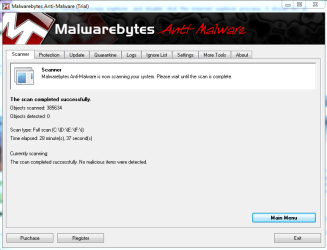
Problem is your Internet Explorer, remove previous versions of java and adobe flash and install latest versions, also check for malware with Malwarebytes Antimalware.
 

My Computer

Computer type
PC/Desktop
OS
Microsoft Windows 10 Professional / Windows 7 Professional
CPU
Intel i5-3570
Motherboard
Lenovo Mahobay
Memory
16GB DDR3
Graphics Card(s)
AMD Radeon HD 7850 2GB
Sound Card
(1) Realtek HD Audio (2) AMD HD Audio
Monitor(s) Displays
LG LS192WS
Screen Resolution
1440 x 900 @ 32bit color
Hard Drives
(1) SUV300S37A/120G (2) ST3500413AS SATA Disk Device AHCI mode enabled.
PSU
Corsair HX620
Case
Thermaltake V4 Black Edition
Cooling
Cooler Master Hyper 212 + Artic Silver 5 on CPU/GPU
Keyboard
Dell SK-8115
Mouse
Razer Copperhead with MAPED mat (awesome!)
Internet Speed
100 Mbps up/down
Browser
Chrome
Brian,
Let's go at this systematically.


First: Update your System Specs. Use the procedure I provide. Use SPECCY.
2nd: Run WDO. Use the link in my Signature.

============================================================
============================================================
HOW TO POST A SNAPSHOT OF DISK MANAGEMENT DISPLAY
Run disk management:
WIN |
type DISKMGMT.MSC | ENTER
This method gives you a display without the unneeded navigation pane.
WIN=key with Microsoft logo on top.


Maximize the output of Disk Management:
ALT-Spacebar
key combo | X key (selects Maximize) |
Drag the field separators (such as between Status and Capacity) to show entire field.


Make a snapshot:
WIN |
type SNIPPING | ENTER | New
Drag the cursor around the area you want to snip.
File | Save as | select save location and name | Save


Post the snapshot:
Post a File or Screenshot in Seven Forums

=================================================
=================================================

HOW TO USE WINDOWS DEFENDER OFFLINE ON A USB STICK
Windows Defender Offline
· is a free standalone, bootable malware and virus remover from Microsoft.
· performs an offline scan of an infected PC to remove viruses, rootkits and other advanced malware.

Download Windows Defender Offline (about 764 kB)

You will have the choice of downloading the 32bit version (x86) or the 64 bit version (x64).
The link will help you determine whether you are running a 32 bit version or 64 bit version of Windows

NOTE!! You can download and prepare a 32 bit version using a 64 bit version of Windows
NOTE!! You can download and prepare a 64 bit version using a 32bit version of Windows.

You run the 32 bit version on a 32 bit version of Windows.
You run the 64 bit version on a 64 bit version of Windows.

The 32 bit download file name is: mssstool32.exe
The 64 bit download file name is: mssstool64.exe

For the curious, this program was originally name Microsoft Standalone System Sweeper.


INSTALLATION:
You will need an Internet Connection.
Insert 512 mB (Microsoft’s 256 mB is no longer accurate) or larger USB stick into a usb port.
Run the downloaded program--mssstool64.exe or mssstool32.exe
NEXT button
Choose the option On a USB flash drive that is not password protected
NEXT button
NEXT button
.
The install program will format the usb stick using the NTFS format.
The install program will download about 210 mB.
The install program will name the USB stick WDO_Media32 or WDO_Media64
The WDO_Media32 usb stick will have used space of 255 mB (268,140,544 bytes)
The WDO_Media64 usb stick will have used space of 282 mB (296,165,376 bytes)
You can expect the number of mB to increase as more malware appears.

UPDATE Windows Defender Offline USB stick:
· reinsert the usb stick
· run the installation program, mssstool64.exe or mssstool32.exe, again.
· the update will download about 66 mB (mssstool32.exe) and 68 mB (mssstool64.exe).

Since the malware database is sometimes updated several times in a day, always update before running.

PERFORM AN OFFLINE SCAN
Bootup your computer from the USB stick
Windows Defender Offline will automatically perform a quick scan.
After the quick scan finishes, Choose Full Scan
Select all of your drives

The initial, full scan can easily take several hours, but
Remember, your computer is being very thoroughly checked for all types of malware.


RESULTS OF THE SCAN
The results will be in 4 log files on your computer's disk in:
\Windows\Microsoft Antimalware\Support
Upload the four log files please.
========================================
========================================


Will await those log files.
karl
 

My Computer

Computer Manufacturer/Model Number
Toshiba Satellite S875D-S7239 laptop
OS
MS Windows 7 Ultimate SP1 64-bit
CPU
AMD A10-4600M
Motherboard
AMD Pumori (Socket FT1)
Memory
6.00 GB Dual-Channel DDR3 @ 798MHz (11-11-12-28)
Graphics Card(s)
AMD Radeon HD 7660G
Sound Card
High Definition Audio Device
Monitor(s) Displays
Generic PnP Monitor (1600x900@60Hz)
Screen Resolution
1600x900@60Hz
Hard Drives
SSD 119GB Corsair CSSD-V128GB2 ATA Device
Keyboard
Standard PS/2 Keyboard
Mouse
HP Wireless Optical Mobile Mouse Model FHA-3410
Internet Speed
What the local pub, local coffee shop offers.
Other Info
Optical Drive:MATSHITA BD-CMB UJ160B ATA Device


Also have an Asus ha1002xp netbook with Win 7 Ultimate installed.
I agree, there are multiple IE tasks consumong large memory allotments.

@oldmx: How did you arrive at java and flash? I don't see anything related those processes. I'm not questioning your reasoning, it makes sense to me, just curious.
Problem is your Internet Explorer, remove previous versions of java and adobe flash and install latest versions, also check for malware with Malwarebytes Antimalware.

@brianjohnstone: I see you have an HP laptop, so do I. I'm looking into an issue regarding Coolsense errors on my machine. I don't have a whole lot of information yet, but I have some of the same symptoms - CPU spikes and fan activity. I'm going to see if HP has an update for it, then dig deeper. I'll post back here when I have more definitive information.

Good luck with your rig and your gig.
 

My Computer

Computer type
Laptop
Computer Manufacturer/Model Number
HP Pavilion dv6-6c10us
OS
x64 (6.3.9600) Win8.1 Pro & soon dual boot x64 (6.1.7601) Win7_SP1 HomePrem
CPU
AMD A6-3420M APU with Radeon(tm) HD Graphics
Motherboard
Hewlett-Packard 1805
Memory
6.00 GB
Graphics Card(s)
AMD Radeon(TM) HD 6520G
Sound Card
(1) AMD High Definition Audio Device (2) IDT High Definiti
Monitor(s) Displays
HP W2072a 20" LCD (1600 x 900) @ 60 Hz
Screen Resolution
1366 x 768 x 32 bits (4294967296 colors) @ 60 Hz
Hard Drives
ST640LM0 00 HM641JI SATA Disk Device
Keyboard
Logitech k520 wireless KB
Mouse
Logitech m320 wireless mouse (bundled with KB)
Internet Speed
15/5 | 54 MB Wireless 'n'
Antivirus
Realtime: Defender or Avast | On-demand: Malwarebytes, ESET
Browser
IE 11 on Win8, IE 10 on win 7
Other Info
Media: [Gimp, Audacity, VLC] || Comm: [WEmail 2012, Skype] || Productivity: [OpenOffice,| Textpad] || Utils: [Sysinternals, cCleaner, Speccy, Defraggler]
@brian: So, I tried launching Coolsense from the Start menu - nothing. I looked at the Coolsense log in my appdata and found numerous errors, as well as the statement that Coolsense isn't for this machine. I tried a repair though Control Panel, it failed. found the following on HP (not where I expected - not in drivers, I had to look for it).

How to get HP Coolsense software working again after clean install (win7)
HP Community - Coolsense 2.1
Download Coolsense 2.0 (backlevel)

I've already uninstalled Coolsense and I'm going to try the back level version. Note on the 1st link it states that you need to have HP support assistant - I removed that first thing after getting this machine. So, I might just end up without Coolsense. I'll let you know....

Not sure this has anything to do with your issue, but thanks for motivating me on my Coolsense issue.
 

My Computer

Computer type
Laptop
Computer Manufacturer/Model Number
HP Pavilion dv6-6c10us
OS
x64 (6.3.9600) Win8.1 Pro & soon dual boot x64 (6.1.7601) Win7_SP1 HomePrem
CPU
AMD A6-3420M APU with Radeon(tm) HD Graphics
Motherboard
Hewlett-Packard 1805
Memory
6.00 GB
Graphics Card(s)
AMD Radeon(TM) HD 6520G
Sound Card
(1) AMD High Definition Audio Device (2) IDT High Definiti
Monitor(s) Displays
HP W2072a 20" LCD (1600 x 900) @ 60 Hz
Screen Resolution
1366 x 768 x 32 bits (4294967296 colors) @ 60 Hz
Hard Drives
ST640LM0 00 HM641JI SATA Disk Device
Keyboard
Logitech k520 wireless KB
Mouse
Logitech m320 wireless mouse (bundled with KB)
Internet Speed
15/5 | 54 MB Wireless 'n'
Antivirus
Realtime: Defender or Avast | On-demand: Malwarebytes, ESET
Browser
IE 11 on Win8, IE 10 on win 7
Other Info
Media: [Gimp, Audacity, VLC] || Comm: [WEmail 2012, Skype] || Productivity: [OpenOffice,| Textpad] || Utils: [Sysinternals, cCleaner, Speccy, Defraggler]
Ok, try running process explorer, and double click the internet explorer process, it should list all modules running fron IE sorted by cpu usage, see whats causing the high load.
 

My Computer

Computer type
PC/Desktop
OS
Microsoft Windows 10 Professional / Windows 7 Professional
CPU
Intel i5-3570
Motherboard
Lenovo Mahobay
Memory
16GB DDR3
Graphics Card(s)
AMD Radeon HD 7850 2GB
Sound Card
(1) Realtek HD Audio (2) AMD HD Audio
Monitor(s) Displays
LG LS192WS
Screen Resolution
1440 x 900 @ 32bit color
Hard Drives
(1) SUV300S37A/120G (2) ST3500413AS SATA Disk Device AHCI mode enabled.
PSU
Corsair HX620
Case
Thermaltake V4 Black Edition
Cooling
Cooler Master Hyper 212 + Artic Silver 5 on CPU/GPU
Keyboard
Dell SK-8115
Mouse
Razer Copperhead with MAPED mat (awesome!)
Internet Speed
100 Mbps up/down
Browser
Chrome
@oldMX: I still agree with your assessment of it being IE related. I'm looking at it from the standpoint of my HP machine and similar symptoms.

@brian: follow through with oldMX and karlsnooks. I'm not having much success with Coolsense. Here's where I am on my machine. After cleaning up the previous Coolsense, I installed Coolsense 2.0 - Windows Program Compatibility Assistant complained and I clicked reinstall with recommended settings. It seemed to complete, yet there was nothing in my Start Menu, no Coolsense.cpl (Control Panel) and nothing in Programs and Features to uninstall.
Setup log:
[2012-05-29 14:48:09] GetThermalControl(): Get ThermalDiags.ThermalControl Failed 0x800401F3
[2012-05-29 14:48:09] Install: This system does not support HP CoolSense.
[2012-05-29 14:51:05] GetThermalControl(): Get ThermalDiags.ThermalControl Failed 0x800401F3
[2012-05-29 14:51:05] Install: This system does not support HP CoolSense.
This is probably due to the services (HP Auto, HP ClientSvc, HP Services) all in a stopped state (I most likely did that when I first got the machine - HP bloat).

I'm just going to give up on Coolsense, it seems to be tied too closely to other HP software, Support Assistant in particular. I'll revisit at some point after talking to HP, although I'm not sure it's all that important to have running - cool (sorry) perhaps, but necessary?

Good luck, I'll keep on eye on this thread - the solution to your issue might have relevance to my own.
 
Last edited:

My Computer

Computer type
Laptop
Computer Manufacturer/Model Number
HP Pavilion dv6-6c10us
OS
x64 (6.3.9600) Win8.1 Pro & soon dual boot x64 (6.1.7601) Win7_SP1 HomePrem
CPU
AMD A6-3420M APU with Radeon(tm) HD Graphics
Motherboard
Hewlett-Packard 1805
Memory
6.00 GB
Graphics Card(s)
AMD Radeon(TM) HD 6520G
Sound Card
(1) AMD High Definition Audio Device (2) IDT High Definiti
Monitor(s) Displays
HP W2072a 20" LCD (1600 x 900) @ 60 Hz
Screen Resolution
1366 x 768 x 32 bits (4294967296 colors) @ 60 Hz
Hard Drives
ST640LM0 00 HM641JI SATA Disk Device
Keyboard
Logitech k520 wireless KB
Mouse
Logitech m320 wireless mouse (bundled with KB)
Internet Speed
15/5 | 54 MB Wireless 'n'
Antivirus
Realtime: Defender or Avast | On-demand: Malwarebytes, ESET
Browser
IE 11 on Win8, IE 10 on win 7
Other Info
Media: [Gimp, Audacity, VLC] || Comm: [WEmail 2012, Skype] || Productivity: [OpenOffice,| Textpad] || Utils: [Sysinternals, cCleaner, Speccy, Defraggler]
cheers for the inputs guys, im going through them all one by one and will post all results.
 

My Computer

Computer Manufacturer/Model Number
hp g62-450sa Laptop
OS
MS Windows 7 Ultimate 64-bit SP1
CPU
i3 350M 2.27ghz
Motherboard
hp 1425
Memory
8.00 GB Dual-Channel DDR3 @ 532MHz (7-7-7-20)
Graphics Card(s)
Intel HD Graphics
Sound Card
Realtek High Definition Audio
Screen Resolution
1366x768@60hz
Hard Drives
59GB OCZ Vertex Plus
488gb Western Digital WDC WD5000BEVT-60AORTO
PSU
laptop
Case
laptop
Cooling
laptop
Keyboard
Standard PS/2 Keyboard
Mouse
Synaptics PS/2 Port TouchPad

My Computer

Computer Manufacturer/Model Number
hp g62-450sa Laptop
OS
MS Windows 7 Ultimate 64-bit SP1
CPU
i3 350M 2.27ghz
Motherboard
hp 1425
Memory
8.00 GB Dual-Channel DDR3 @ 532MHz (7-7-7-20)
Graphics Card(s)
Intel HD Graphics
Sound Card
Realtek High Definition Audio
Screen Resolution
1366x768@60hz
Hard Drives
59GB OCZ Vertex Plus
488gb Western Digital WDC WD5000BEVT-60AORTO
PSU
laptop
Case
laptop
Cooling
laptop
Keyboard
Standard PS/2 Keyboard
Mouse
Synaptics PS/2 Port TouchPad
here's the snapshop of speccy summary

Capture speccy.PNG
 

My Computer

Computer Manufacturer/Model Number
hp g62-450sa Laptop
OS
MS Windows 7 Ultimate 64-bit SP1
CPU
i3 350M 2.27ghz
Motherboard
hp 1425
Memory
8.00 GB Dual-Channel DDR3 @ 532MHz (7-7-7-20)
Graphics Card(s)
Intel HD Graphics
Sound Card
Realtek High Definition Audio
Screen Resolution
1366x768@60hz
Hard Drives
59GB OCZ Vertex Plus
488gb Western Digital WDC WD5000BEVT-60AORTO
PSU
laptop
Case
laptop
Cooling
laptop
Keyboard
Standard PS/2 Keyboard
Mouse
Synaptics PS/2 Port TouchPad
for some reason disk management will not open, it did work prior to the clean install... any ideas??

Capture management.PNG
 

My Computer

Computer Manufacturer/Model Number
hp g62-450sa Laptop
OS
MS Windows 7 Ultimate 64-bit SP1
CPU
i3 350M 2.27ghz
Motherboard
hp 1425
Memory
8.00 GB Dual-Channel DDR3 @ 532MHz (7-7-7-20)
Graphics Card(s)
Intel HD Graphics
Sound Card
Realtek High Definition Audio
Screen Resolution
1366x768@60hz
Hard Drives
59GB OCZ Vertex Plus
488gb Western Digital WDC WD5000BEVT-60AORTO
PSU
laptop
Case
laptop
Cooling
laptop
Keyboard
Standard PS/2 Keyboard
Mouse
Synaptics PS/2 Port TouchPad
first:
Follow this procedure precisely. Thanks for your understanding and cooperation:
UPDATING YOUR WIN 7
1. ASSURE THAT YOU RECEIVE ALL UPDATES
WIN | type WINDOWS UPDATE | ENTER |
Change settings (left-hand column) |
checkmark all four of the boxes | OK
button

Approve any dialog boxes presented. Let Windows install any update features.

WIN is the key with the Microsoft flag on top.

2. INSTALL CRITICAL UPDATES
Check for Updates
(left-hand column)
Install ALL critical updates.
Restart your computer (even if not prompted)

Repeat this procedure until there are no more critical updates.

DO NOT TRUST the “Windows is up to date” in center of dialog. until you see that TWICE IN A ROW!

3. INSTALL IMPORTANT UPDATES
Use the “critical update” procedure until all important updates are installed.

4. INSTALL OPTIONAL UPDATES
Use the “critical update” procedure until all optional updates are installed.

Under Optional updates you will be presented with a list of about 34 language updates.
You can hide those updates so that aren't continually notified of those updates. When you click on 34 optional updates are available, then you
a) highlight all of the language updates,
b) right-click anywhere in the highlighted list.
c) click on Hide Updates,
d) OK button.


UPDATE GOLDEN RULES

Install ALL, yes, ALL updates.
This is Win 7 and not Vista or XP (eXPired).

UPDATE IS HUNG –TAKING FOREVER
Hung is very doubtful unless you interrupted updates.

CTRL + SHIFT + ESC key combo will pop-up the Task Manager.
Lo and behold, Windows Update is still running!

You hold down the CTRL and SHIFT keys.
While holding them down, tap the ESC key once.
=================================================
 

My Computer

Computer Manufacturer/Model Number
Toshiba Satellite S875D-S7239 laptop
OS
MS Windows 7 Ultimate SP1 64-bit
CPU
AMD A10-4600M
Motherboard
AMD Pumori (Socket FT1)
Memory
6.00 GB Dual-Channel DDR3 @ 798MHz (11-11-12-28)
Graphics Card(s)
AMD Radeon HD 7660G
Sound Card
High Definition Audio Device
Monitor(s) Displays
Generic PnP Monitor (1600x900@60Hz)
Screen Resolution
1600x900@60Hz
Hard Drives
SSD 119GB Corsair CSSD-V128GB2 ATA Device
Keyboard
Standard PS/2 Keyboard
Mouse
HP Wireless Optical Mobile Mouse Model FHA-3410
Internet Speed
What the local pub, local coffee shop offers.
Other Info
Optical Drive:MATSHITA BD-CMB UJ160B ATA Device


Also have an Asus ha1002xp netbook with Win 7 Ultimate installed.
cheers for getting back to me so quickly, im just installing wdo to a flash drive, befor i do that i will run all updates as you said and then run wdo.

i'll get back as soon as this is complete.

one thing i noticed before reinstall my windows experience rating for my ssd was 7.3 it has now dropped to 5.9 that seems like a very drastic drop.... could that be to do with the data erase that i performed on it??
 

My Computer

Computer Manufacturer/Model Number
hp g62-450sa Laptop
OS
MS Windows 7 Ultimate 64-bit SP1
CPU
i3 350M 2.27ghz
Motherboard
hp 1425
Memory
8.00 GB Dual-Channel DDR3 @ 532MHz (7-7-7-20)
Graphics Card(s)
Intel HD Graphics
Sound Card
Realtek High Definition Audio
Screen Resolution
1366x768@60hz
Hard Drives
59GB OCZ Vertex Plus
488gb Western Digital WDC WD5000BEVT-60AORTO
PSU
laptop
Case
laptop
Cooling
laptop
Keyboard
Standard PS/2 Keyboard
Mouse
Synaptics PS/2 Port TouchPad
ok, ive just encountered an issue, i installed updates that were there and windows has acted a bit strange, my themes are disabled, wifi and sound are not working and the brightness is dim and i cannot access power options?????

any ideas??
 

My Computer

Computer Manufacturer/Model Number
hp g62-450sa Laptop
OS
MS Windows 7 Ultimate 64-bit SP1
CPU
i3 350M 2.27ghz
Motherboard
hp 1425
Memory
8.00 GB Dual-Channel DDR3 @ 532MHz (7-7-7-20)
Graphics Card(s)
Intel HD Graphics
Sound Card
Realtek High Definition Audio
Screen Resolution
1366x768@60hz
Hard Drives
59GB OCZ Vertex Plus
488gb Western Digital WDC WD5000BEVT-60AORTO
PSU
laptop
Case
laptop
Cooling
laptop
Keyboard
Standard PS/2 Keyboard
Mouse
Synaptics PS/2 Port TouchPad

My Computer

Computer Manufacturer/Model Number
Toshiba Satellite S875D-S7239 laptop
OS
MS Windows 7 Ultimate SP1 64-bit
CPU
AMD A10-4600M
Motherboard
AMD Pumori (Socket FT1)
Memory
6.00 GB Dual-Channel DDR3 @ 798MHz (11-11-12-28)
Graphics Card(s)
AMD Radeon HD 7660G
Sound Card
High Definition Audio Device
Monitor(s) Displays
Generic PnP Monitor (1600x900@60Hz)
Screen Resolution
1600x900@60Hz
Hard Drives
SSD 119GB Corsair CSSD-V128GB2 ATA Device
Keyboard
Standard PS/2 Keyboard
Mouse
HP Wireless Optical Mobile Mouse Model FHA-3410
Internet Speed
What the local pub, local coffee shop offers.
Other Info
Optical Drive:MATSHITA BD-CMB UJ160B ATA Device


Also have an Asus ha1002xp netbook with Win 7 Ultimate installed.
sh*t im getting bored of doing this now! i just ran startup repair, and it said problems could not be repaired, however when i restarted, it had fixed the problems, im just burning wdo and doing the final updates then i will get back to you.
 

My Computer

Computer Manufacturer/Model Number
hp g62-450sa Laptop
OS
MS Windows 7 Ultimate 64-bit SP1
CPU
i3 350M 2.27ghz
Motherboard
hp 1425
Memory
8.00 GB Dual-Channel DDR3 @ 532MHz (7-7-7-20)
Graphics Card(s)
Intel HD Graphics
Sound Card
Realtek High Definition Audio
Screen Resolution
1366x768@60hz
Hard Drives
59GB OCZ Vertex Plus
488gb Western Digital WDC WD5000BEVT-60AORTO
PSU
laptop
Case
laptop
Cooling
laptop
Keyboard
Standard PS/2 Keyboard
Mouse
Synaptics PS/2 Port TouchPad
Back
Top