Sony Vaio VPCEE2E1E Freezes at Login Screen

memoman

New member
Local time
8:04 PM
Messages
7
Hello all,

My laptop was working really well until Friday night, when I turned it on and logged on. Then when I launched up google chrome, the system froze, after a few minutes it was still frozen so I did a dirty shutdown and held down the power button.

Since then, it's been a nightmare. I've twice done a system repair which both times took about 7 hours.

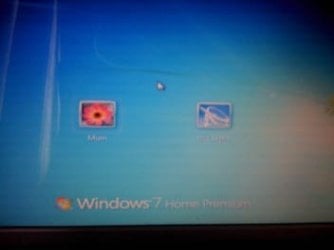
Now I'm stuck with this situation, whether I start windows normally or in safe mode, I cannot get past the logon screen as it just freezes almost within a couple of seconds.

Can anyone suggest what to do? I'm not that good with the technical aspect so you may need to explain things in a bit more detail.

Many thanks
Ollie.
 

Attachments

  • ImageUploadedBySevenForums1339924104.147175.jpg
    ImageUploadedBySevenForums1339924104.147175.jpg
    6.9 KB · Views: 12

My Computer My Computer

At a glance

Windows 7 Home Premium 64 bit.
OS
Windows 7 Home Premium 64 bit.
Hello memoman and welcome to Seven Forums.

I'm not quite sure what you mean by "system repair". There's System Restore that can (hopefully) restore your computer to an earlier date/time before the problem began.

http://www.sevenforums.com/tutorials/700-system-restore.html

There's Startup Repair that may fix certain problems, such as a missing or damaged MBR boot file that might prevent Windows from starting correctly.

http://www.sevenforums.com/tutorials/681-startup-repair.html

Then there are diagnostic/repair scans that can sometimes fix startup issues.

http://www.sevenforums.com/tutorials/1538-sfc-scannow-command-system-file-checker.html

http://www.sevenforums.com/tutorial...ation-conflicts-performing-clean-startup.html

And then there's something called a Repair Install where you try to rebuild the entire Windows 7 operating system without affecting your user accounts, personal data, programs, system drivers, etc.

http://www.sevenforums.com/tutorials/3413-repair-install.html

Did you try using one or more of these tools and if so, which one(s)?
 

My Computer My Computer

At a glance

Win 7 Pro 64-bitIntel i5 2.4 Ghz8GB DDR3Intel HD 3000
Computer type
Laptop
Computer Manufacturer/Model Number
Sony Vaio VPCEB47GM Laptop
OS
Win 7 Pro 64-bit
CPU
Intel i5 2.4 Ghz
Memory
8GB DDR3
Graphics Card(s)
Intel HD 3000
Sound Card
IDT High Definition
Monitor(s) Displays
15.6 WGXA Anti-Glare LED
Screen Resolution
1280x800
Hard Drives
640Gb 7200rpm
Antivirus
MSE
Browser
Opera (primary) with IE9 backup
Sorry, what I meant to say was startup repair. I've done this twice for seven hours a time and it doesn't appear to have helped.

I tried a system restore yesterday but it came up with an error code. I'm not sure of the exact error code but it started with rf.

I have also ran the memory diagnostics tool this morning and it says no issues were found.
 

My Computer My Computer

At a glance

Windows 7 Home Premium 64 bit.
OS
Windows 7 Home Premium 64 bit.
Try running the System File Checker scan from an elevated command prompt (option two, above tutorial.) If any problems are found, run the scan 3 times, rebooting in between each scan. If still no joy, try the Clean Startup to see if any startup conflicts can be detected.

If still no joy, I'd suggest the Repair Install. If it doesn't work all you've lost is about 90 minutes of your time. But if it does work you should be good to go without any loss of personal data, programs, etc. The only thing you'd have to reinstall are your Windows Updates. If repair install doesn't fix things you've probably got a decision to make: use the built-in Vaio recovery option to restore your machine to factory specs (like the day you bought it) or do a clean install.
 

My Computer My Computer

At a glance

Win 7 Pro 64-bitIntel i5 2.4 Ghz8GB DDR3Intel HD 3000
Computer type
Laptop
Computer Manufacturer/Model Number
Sony Vaio VPCEB47GM Laptop
OS
Win 7 Pro 64-bit
CPU
Intel i5 2.4 Ghz
Memory
8GB DDR3
Graphics Card(s)
Intel HD 3000
Sound Card
IDT High Definition
Monitor(s) Displays
15.6 WGXA Anti-Glare LED
Screen Resolution
1280x800
Hard Drives
640Gb 7200rpm
Antivirus
MSE
Browser
Opera (primary) with IE9 backup
Thanks marsmimar, appreciate it. Will let you know how I get on.
 

My Computer My Computer

At a glance

Windows 7 Home Premium 64 bit.
OS
Windows 7 Home Premium 64 bit.
Is there any way I can do a repair install with just a recovery disc? I don't have an installation disc as there wasn't one with laptop.
 

My Computer My Computer

At a glance

Windows 7 Home Premium 64 bit.
OS
Windows 7 Home Premium 64 bit.
You cannot use an OEM Windows 7 "Factory" Restore/Recoverytype of installation disc that came with or was created from a store bought computer to do a repair install with. These can only be used do a clean install or restore your machine to factory specs.. However, you can download the appropriate ISO file to your desktop from here:

Official Windows 7 SP1 ISO from Digital River « My Digital Life

You would then have to burn the ISO image to a blank DVD to create the actual Windows 7 with SP1 install media. The finished product can then be used to perform a repair install or clean install.
 

My Computer My Computer

At a glance

Win 7 Pro 64-bitIntel i5 2.4 Ghz8GB DDR3Intel HD 3000
Computer type
Laptop
Computer Manufacturer/Model Number
Sony Vaio VPCEB47GM Laptop
OS
Win 7 Pro 64-bit
CPU
Intel i5 2.4 Ghz
Memory
8GB DDR3
Graphics Card(s)
Intel HD 3000
Sound Card
IDT High Definition
Monitor(s) Displays
15.6 WGXA Anti-Glare LED
Screen Resolution
1280x800
Hard Drives
640Gb 7200rpm
Antivirus
MSE
Browser
Opera (primary) with IE9 backup
With regard to the built in Vaio recovery tool, how can I access that?
 

My Computer My Computer

At a glance

Windows 7 Home Premium 64 bit.
OS
Windows 7 Home Premium 64 bit.

My Computer My Computer

At a glance

Windows 7 Professional x64 Service Pack 1AMD Athlon X4 6456GB DDR3 1066Sapphire Radeon HD 5670 512MB GDDR5
Computer type
PC/Desktop
Computer Manufacturer/Model Number
HP Pavilion P7-1010
OS
Windows 7 Professional x64 Service Pack 1
CPU
AMD Athlon X4 645
Motherboard
Foxxcon N-Alvorix RS880
Memory
6GB DDR3 1066
Graphics Card(s)
Sapphire Radeon HD 5670 512MB GDDR5
Sound Card
Realtek Integrated Audio
Monitor(s) Displays
HP 2011x
Screen Resolution
1600x900
Hard Drives
1. Crucial M4 128GB SSD
2. 1TB Seagate Barracuda 7200.12 RPM
3. 1TB Western Digital Caviar Green 5400RPM
PSU
Seasonic S12 II Bronze 380 Watt
Case
HP OEM
Cooling
Coolermaster Heatsink, AVC Case Fan
Keyboard
HP OEM- Made by Chicony
Mouse
HP OEM- Made by Logitech
Internet Speed
20MBit Down/4 Up
Antivirus
Microsoft Security Essentials
Browser
Internet Explorer 10
memoman,
Go to another Win 7 64bit system. The win 7 does NOT need to be the same as yours, but must be 64 bit.

Make a System Repair Disc:

=========================================================
=========================================================
CREATE A SYSTEM REPAIR DISC

START | type System Repair | Enter key | Create Disc button


Now you can boot from that CD and run System Repair

[FONT=&quot]SYSTEM RECOVERY / REPAIR[/FONT]
[FONT=&quot] [/FONT]
[FONT=&quot]OPTION 1[/FONT]
[FONT=&quot]VIA THE ADVANCED BOOT OPTIONS[/FONT]
[FONT=&quot] [/FONT]
[FONT=&quot]Shutdown [/FONT][FONT=&quot]your computer[/FONT]
[FONT=&quot]Power up [/FONT][FONT=&quot]your computer[/FONT]
[FONT=&quot]SPACEBAR [/FONT][FONT=&quot](Immediatelystart tapping)[/FONT]
[FONT=&quot] [/FONT]
[FONT=&quot]After the dialog appears:[/FONT]
[FONT=&quot]F8 key [/FONT][FONT=&quot](selects Advanced Options)[/FONT]
[FONT=&quot]Repair your Computer [/FONT][FONT=&quot](near top of page)[/FONT]
[FONT=&quot] [/FONT]
[FONT=&quot]When a dialog window appears:[/FONT]
[FONT=&quot]Select your language preference | [/FONT][FONT=&quot]NEXT[/FONT]
[FONT=&quot]Select your user name and enter your password | OK button[/FONT]
[FONT=&quot] [/FONT]
[FONT=&quot]Select the desired repair option[/FONT][FONT=&quot]
Startup Repair
System Restore
System Image Recovery
Windows Memory Diagnostic
Command Prompt
[/FONT]
[FONT=&quot] [/FONT]
[FONT=&quot] [/FONT]
[FONT=&quot]OPTION 2[/FONT][FONT=&quot][/FONT]
[FONT=&quot]VIA A WIN 7 DVD[/FONT]
[FONT=&quot] [/FONT]
[FONT=&quot]Insert Win 7 DVD into the optical reader.[/FONT]
[FONT=&quot] [/FONT]
[FONT=&quot]Shutdown[/FONT][FONT=&quot] your computer.[/FONT]
[FONT=&quot]Power up [/FONT][FONT=&quot]your computer.[/FONT]
[FONT=&quot] [/FONT]
[FONT=&quot]A dialog window will appear:[/FONT]
[FONT=&quot]Select your Language Preference | NEXT button[/FONT][FONT=&quot][/FONT]
[FONT=&quot] [/FONT]
[FONT=&quot]Lower left you will have two choices:[/FONT]
[FONT=&quot]What to know before installing Windows[/FONT]
[FONT=&quot]Repair your Computer[/FONT]
[FONT=&quot] [/FONT]
[FONT=&quot]Click on Repair your Computer[/FONT][FONT=&quot][/FONT]
[FONT=&quot] [/FONT]
[FONT=&quot]Select your operating system | NEXT button[/FONT][FONT=&quot][/FONT]
[FONT=&quot](If no operating system shown | NEXT button)[/FONT]
[FONT=&quot] [/FONT]
[FONT=&quot]Select the desired repair option[/FONT][FONT=&quot]
Startup Repair
System Restore
System Image Recovery
Windows Memory Diagnostic
Command Prompt
[/FONT]
[FONT=&quot] [/FONT]
[FONT=&quot] [/FONT]
[FONT=&quot]OPTION 3[/FONT]
[FONT=&quot]VIA A SYSTEM REPAIR DISC[/FONT]
[FONT=&quot] [/FONT]
[FONT=&quot]Insert Win 7 SYSTEM REPAIR DISC into the optical reader.[/FONT]
[FONT=&quot] [/FONT]
[FONT=&quot]Shutdown[/FONT][FONT=&quot] your computer.[/FONT]
[FONT=&quot]Power up [/FONT][FONT=&quot]your computer.[/FONT]
[FONT=&quot] [/FONT]
[FONT=&quot]A dialog window will appear:[/FONT]
[FONT=&quot]Select your Language Preference | NEXT button[/FONT][FONT=&quot][/FONT]
[FONT=&quot] [/FONT]
[FONT=&quot]Select desired operating system if more than 1 shown |
Use recovery tools... Radio
button | NEXT button[/FONT]
[FONT=&quot] [/FONT]
[FONT=&quot]Select the desired repair option[/FONT][FONT=&quot]
Startup Repair
System Restore
System Image Recovery
Windows Memory Diagnostic
Command Prompt
[/FONT]
[FONT=&quot] [/FONT]
[FONT=&quot]===============================[/FONT]
[FONT=&quot]===============================[/FONT]
[FONT=&quot]For Startup Repair[/FONT][FONT=&quot]
[/FONT][FONT=&quot]1) [/FONT][FONT=&quot]Click on System Repair and run system repair[/FONT][FONT=&quot]
[/FONT][FONT=&quot]2) [/FONT][FONT=&quot]Reboot[/FONT][FONT=&quot]
[/FONT][FONT=&quot]3) [/FONT][FONT=&quot]Repeat this sequence 3 times[/FONT][FONT=&quot]

[/FONT]
[FONT=&quot] [/FONT]
[FONT=&quot]===============================[/FONT]
[FONT=&quot]===============================[/FONT]
[FONT=&quot]For System Restore [/FONT][FONT=&quot]
[/FONT][FONT=&quot]Choose a different restore point[/FONT][FONT=&quot] radio button | NEXT
Show more restore points
checkbox (lower left) |
Highlight the desired restore point |
Scan for affected programs
(lower right) |
When you find a usable restore point, then CLOSE | NEXT |
YES
| Your computer will restart to finish the restore |
After the computer has restarted, FINISH

[/FONT][FONT=&quot]
===============================[/FONT]
[FONT=&quot]===============================[/FONT]
[FONT=&quot]To restore your computer using an image you created using Win 7 Backup[/FONT][FONT=&quot]
Click on System Image Recovery[/FONT]
[FONT=&quot] [/FONT]
[FONT=&quot]===============================[/FONT]
[FONT=&quot]===============================[/FONT]
[FONT=&quot]NOTE: [/FONT]
[FONT=&quot]You may need to tell your computer to boot from [/FONT][FONT=&quot]the optical drive.
Power Up your computer.[/FONT][FONT=&quot]
Immediately start hitting the F12 key
Choose CD/DVD from the menu

If your computer doesn’t offer this capability, try tapping the F2 key to get to the BIOS to change the boot order.[/FONT][FONT=&quot][/FONT]
[FONT=&quot]===============================[/FONT]
[FONT=&quot]===============================[/FONT]
 

My Computer My Computer

At a glance

MS Windows 7 Ultimate SP1 64-bitAMD A10-4600M6.00 GB Dual-Channel DDR3 @ 798MHz (11-11-12-28)AMD Radeon HD 7660G
Computer Manufacturer/Model Number
Toshiba Satellite S875D-S7239 laptop
OS
MS Windows 7 Ultimate SP1 64-bit
CPU
AMD A10-4600M
Motherboard
AMD Pumori (Socket FT1)
Memory
6.00 GB Dual-Channel DDR3 @ 798MHz (11-11-12-28)
Graphics Card(s)
AMD Radeon HD 7660G
Sound Card
High Definition Audio Device
Monitor(s) Displays
Generic PnP Monitor (1600x900@60Hz)
Screen Resolution
1600x900@60Hz
Hard Drives
SSD 119GB Corsair CSSD-V128GB2 ATA Device
Keyboard
Standard PS/2 Keyboard
Mouse
HP Wireless Optical Mobile Mouse Model FHA-3410
Internet Speed
What the local pub, local coffee shop offers.
Other Info
Optical Drive:MATSHITA BD-CMB UJ160B ATA Device


Also have an Asus ha1002xp netbook with Win 7 Ultimate installed.
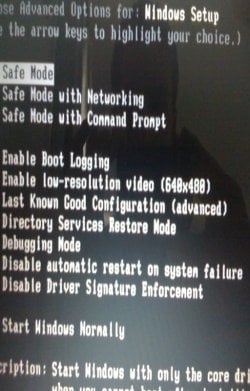
I've found my recovery disc that I made 6 months ago, put it in, kept pressing space and it's come up with these advanced boot options (see pic)

Which one do I select?

I've never done this before so don't really know what I'm doing.

Btw, I'm pressing F8 but it doesn't do anything.

Thanks
 

Attachments

  • ImageUploadedBySevenForums1339955941.786936.jpg
    ImageUploadedBySevenForums1339955941.786936.jpg
    55.3 KB · Views: 2

My Computer My Computer

At a glance

Windows 7 Home Premium 64 bit.
OS
Windows 7 Home Premium 64 bit.
I've found my recovery disc that I made 6 months ago, put it in, kept pressing space and it's come up with these advanced boot options (see pic)

Which one do I select?

I've never done this before so don't really know what I'm doing.

Btw, I'm pressing F8 but it doesn't do anything.

Thanks
Choose Start Windows Normally. Also, this will deete all of your data, so be sure you have bbacked up your data!!
 

My Computer My Computer

At a glance

Windows 7 Professional x64 Service Pack 1AMD Athlon X4 6456GB DDR3 1066Sapphire Radeon HD 5670 512MB GDDR5
Computer type
PC/Desktop
Computer Manufacturer/Model Number
HP Pavilion P7-1010
OS
Windows 7 Professional x64 Service Pack 1
CPU
AMD Athlon X4 645
Motherboard
Foxxcon N-Alvorix RS880
Memory
6GB DDR3 1066
Graphics Card(s)
Sapphire Radeon HD 5670 512MB GDDR5
Sound Card
Realtek Integrated Audio
Monitor(s) Displays
HP 2011x
Screen Resolution
1600x900
Hard Drives
1. Crucial M4 128GB SSD
2. 1TB Seagate Barracuda 7200.12 RPM
3. 1TB Western Digital Caviar Green 5400RPM
PSU
Seasonic S12 II Bronze 380 Watt
Case
HP OEM
Cooling
Coolermaster Heatsink, AVC Case Fan
Keyboard
HP OEM- Made by Chicony
Mouse
HP OEM- Made by Logitech
Internet Speed
20MBit Down/4 Up
Antivirus
Microsoft Security Essentials
Browser
Internet Explorer 10
I've found my recovery disc that I made 6 months ago, put it in, kept pressing space and it's come up with these advanced boot options (see pic)

Which one do I select?

I've never done this before so don't really know what I'm doing.

Btw, I'm pressing F8 but it doesn't do anything.

Thanks
Choose Start Windows Normally. Also, this will deete all of your data, so be sure you have bbacked up your data!!

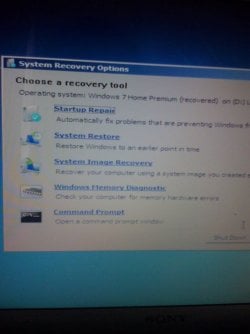
I've done that, then it came up with the 'select keyboard input' and language bit, now it's come up with this bit again (see pic) which one do I choose?

Note, I've already done a startup repair twice, took 7 hours each time. First time fixed something but didn't second time around.

Thanks
 

Attachments

  • ImageUploadedBySevenForums1339957319.732901.jpg
    ImageUploadedBySevenForums1339957319.732901.jpg
    47.6 KB · Views: 1

My Computer My Computer

At a glance

Windows 7 Home Premium 64 bit.
OS
Windows 7 Home Premium 64 bit.
Perform the System Repair using a Win 7 System Repair Disc, make as I described. This is NOT a system recovery disc. This a System Repair Disc which you can use to repair your Win 7.

Run System Repair. REBOOT!, Perform this sequence three times!
 

My Computer My Computer

At a glance

MS Windows 7 Ultimate SP1 64-bitAMD A10-4600M6.00 GB Dual-Channel DDR3 @ 798MHz (11-11-12-28)AMD Radeon HD 7660G
Computer Manufacturer/Model Number
Toshiba Satellite S875D-S7239 laptop
OS
MS Windows 7 Ultimate SP1 64-bit
CPU
AMD A10-4600M
Motherboard
AMD Pumori (Socket FT1)
Memory
6.00 GB Dual-Channel DDR3 @ 798MHz (11-11-12-28)
Graphics Card(s)
AMD Radeon HD 7660G
Sound Card
High Definition Audio Device
Monitor(s) Displays
Generic PnP Monitor (1600x900@60Hz)
Screen Resolution
1600x900@60Hz
Hard Drives
SSD 119GB Corsair CSSD-V128GB2 ATA Device
Keyboard
Standard PS/2 Keyboard
Mouse
HP Wireless Optical Mobile Mouse Model FHA-3410
Internet Speed
What the local pub, local coffee shop offers.
Other Info
Optical Drive:MATSHITA BD-CMB UJ160B ATA Device


Also have an Asus ha1002xp netbook with Win 7 Ultimate installed.
Back
Top
