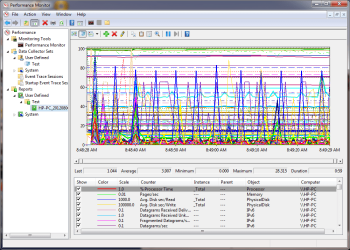
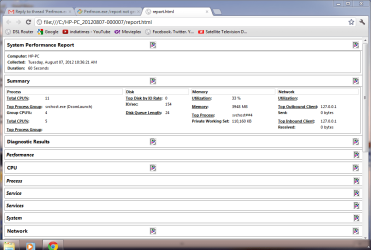
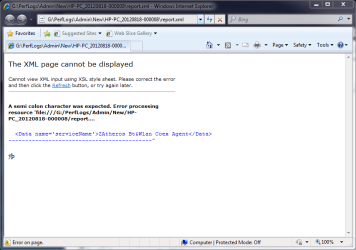
I have a HP 630 notebook with win7 Ultimate 64 bit.When I tried to generate a system health report I am getting a time out error. So I went through many threads here about this problem but could not find a solution. Finally I made a clean Install and ran the perfmon.exe and found that I could generate the report. But when I installed the recommended driver Atheros Bluetooth driver(64) from HP's site, the report generation failed and gives time out error. My dilemma is that if I uninstall the bluetooth driver I can run system health report but bluetooth will not work. What am I to do to get both?
My Computer
- Computer Manufacturer/Model Number
- HP 630 Notebook PC
- OS
- MS Windows 7 Ultimate 64-bit SP1
- CPU
- Intel Core i3 2310M @ 2.10GHz Sandy Bridge 32nm Techno
- Motherboard
- Hewlett-Packard 3672 (CPU1)
- Memory
- 4.00 GB Dual-Channel DDR3 @ 665MHz (9-9-9-24)
- Graphics Card(s)
- Generic PnP Monitor (1366x768@60Hz) Intel(R) HDGraphics Fam
- Sound Card
- Realtek High Definition Audio Intel(R) Display Audio
- Monitor(s) Displays
- Generic PnP Monitor on Intel HD Graphics Family 1366x768
- Hard Drives
- Hitachi HTS545050B9A300
Manufacturer Hitachi
Product Family Travelstar
Series Prefix Standard
Model Capacity For This Specific Drive 500GB
Heads 16
Cylinders 16383
SATA type SATA-II 3.0Gb/s
Device type Fixed
ATA Standard ATA8-ACS
Serial Num
- Keyboard
- Standard PS/2 Keyboard
- Mouse
- HID-compliant mouse
- Internet Speed
- 512 MB download
- Other Info
- Connected through Atheros AR9285 802.11b/g/n WiFi Adapter