terryoregon
New member
Went into the W7 control panel to make a 'system repair disk' (boot disk), just in case I ever needed it. Making the disk went OK, with W7 telling me it had successfully finished, and to label the CD.
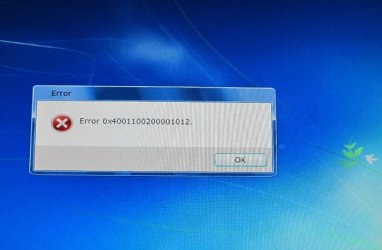
I then put the boot CD into my DVD drive to make sure it worked OK. Computer boots from the CD and W7 says it has started loading files. Then the pretty blue background screen started (just like the one in the F8 repair console), and then there was a long pause and then I get the error code shown on the photo below. Clicking OK reboots the computer, and no repair options ever load.
I made two separate boot disks to rule out a bad CD, but still get the same error #
This is a brand new Dell computer, both DVD drives work fine, and burn CDs without problems.
I then put the boot CD into my DVD drive to make sure it worked OK. Computer boots from the CD and W7 says it has started loading files. Then the pretty blue background screen started (just like the one in the F8 repair console), and then there was a long pause and then I get the error code shown on the photo below. Clicking OK reboots the computer, and no repair options ever load.
I made two separate boot disks to rule out a bad CD, but still get the same error #
This is a brand new Dell computer, both DVD drives work fine, and burn CDs without problems.
Attachments
My Computer
At a glance
Windows 7 Home Premium 64-bit (pre-installed ...Intel i7-920 (quad) 2.66GHz12GB Tri-Channel DDR3nVidia GeForce GTS 240
- Computer Manufacturer/Model Number
- Dell XPS 9000 (purchased Oct 09)
- OS
- Windows 7 Home Premium 64-bit (pre-installed by Dell)
- CPU
- Intel i7-920 (quad) 2.66GHz
- Memory
- 12GB Tri-Channel DDR3
- Graphics Card(s)
- nVidia GeForce GTS 240
- Sound Card
- Soundblaster X-Fi Xtreme Audio
- Hard Drives
- 1TB 7200RPM SATA
- Keyboard
- Dell USB Consumer Multimedia
- Mouse
- Dell Studio Optical


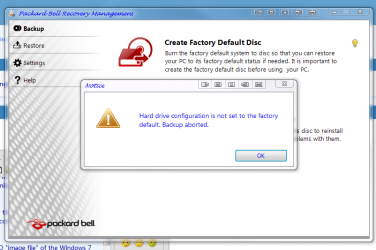
 i cant make a packard bell recovery system disc when it went in for repair then came back the first thing i went to do was make the system disc using packard bells software but it just gave me the pop up here that i have posted.