

- Local time
- 11:12 PM
- Messages
- 4,772
Windows 7 has some fine in-built diagnostic tools to help you trouble-shoot Windows Media Player issues, which you may be facing.
To open these specific troubleshooting & diagnostic modules do the following:
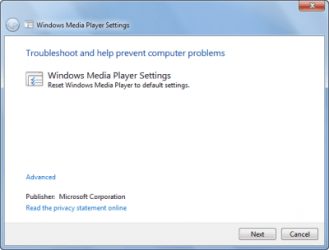
Type msdt.exe -id WindowsMediaPlayerConfigurationDiagnostic in Start Search and hit Enter to open the troubleshooting wizard which will help you reset WMP to default settings.
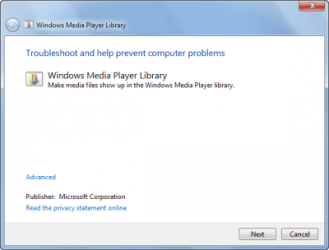
Type msdt.exe -id WindowsMediaPlayerLibraryDiagnostic in Start Search and hit Enter to open the troubleshooting wizard which will help make Media files show up in WMP library.
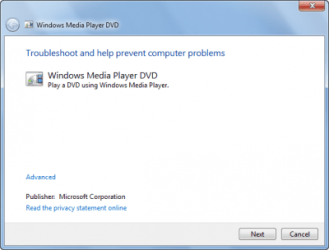
Type msdt.exe -id WindowsMediaPlayerDVDDiagnostic in Start Search and hit Enter to open the troubleshooting wizard which will help trouble-shoot DVD playing problems.
You could also use the Fix WMP Utility which re-registers all concerned dll’s required for the smooth functioning of Windows Media Player. I have attached here
View attachment 43730
Hope this helps
Source: http://www.thewindowsclub.com/troubleshooting-windows-media-player-in-windows-7
To open these specific troubleshooting & diagnostic modules do the following:
Type msdt.exe -id WindowsMediaPlayerConfigurationDiagnostic in Start Search and hit Enter to open the troubleshooting wizard which will help you reset WMP to default settings.
Type msdt.exe -id WindowsMediaPlayerLibraryDiagnostic in Start Search and hit Enter to open the troubleshooting wizard which will help make Media files show up in WMP library.
Type msdt.exe -id WindowsMediaPlayerDVDDiagnostic in Start Search and hit Enter to open the troubleshooting wizard which will help trouble-shoot DVD playing problems.
You could also use the Fix WMP Utility which re-registers all concerned dll’s required for the smooth functioning of Windows Media Player. I have attached here
View attachment 43730
Hope this helps
Source: http://www.thewindowsclub.com/troubleshooting-windows-media-player-in-windows-7
My Computer
At a glance
Windows 7 Ultimate - 64-bit | Windows 8 Pro -...Intel® Core™ i7 Processor 3,610QM (2.30Hz, 6M...8 GBNVIDIA® GeForce® GT 650M 2GB Graphics, Optimu...
- Computer Manufacturer/Model Number
- Samsung NP550P5C-S02IN
- OS
- Windows 7 Ultimate - 64-bit | Windows 8 Pro - 64-bit
- CPU
- Intel® Core™ i7 Processor 3,610QM (2.30Hz, 6MB L3 Cach
- Memory
- 8 GB
- Graphics Card(s)
- NVIDIA® GeForce® GT 650M 2GB Graphics, Optimus™ techno
- Sound Card
- SoundAlive™ JBL 3 Speakers (With sub-Woofer)
- Monitor(s) Displays
- 39.62cm (15.6) SuperBright 300nit HD+ LED Display
- Screen Resolution
- 1,600 x 900, Anti-Reflective
- Hard Drives
- 1TB S-ATA II Hard Drive (5,400RPM)


