Can't get dual monitor wallpaper to span both monitors

agent154

New member
Local time
1:02 PM
Messages
14
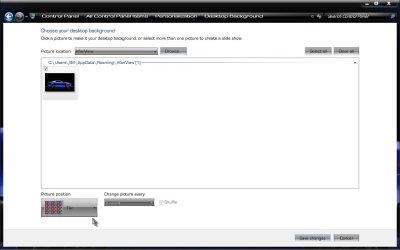
I don't know if I'm doing something wrong, but I have a wallpaper that is 3200x1200 resolution, and my two monitors are 1600x1200 each. The wallpaper will only mirror on both screens instead of half being on one screen and half being on the other... How can I get this to work properly?
 

My Computer My Computer

At a glance

Windows 7 Professional x64Intel Core2 Duo 2.2 GHz4GBNvidia 8800 GT
Computer Manufacturer/Model Number
Dell Dimension 9200
OS
Windows 7 Professional x64
CPU
Intel Core2 Duo 2.2 GHz
Motherboard
Dell
Memory
4GB
Graphics Card(s)
Nvidia 8800 GT
Sound Card
Onboard
Hard Drives
320GB + 500GB SATA2
PSU
Dell
Case
Dell
Cooling
Dell
Nevermind - the wallpaper I downloaded was a smaller version of the one I thought I was getting, so it was actually *not* the full resolution. I got the larger one, and now its working.
 

My Computer My Computer

At a glance

Windows 7 Professional x64Intel Core2 Duo 2.2 GHz4GBNvidia 8800 GT
Computer Manufacturer/Model Number
Dell Dimension 9200
OS
Windows 7 Professional x64
CPU
Intel Core2 Duo 2.2 GHz
Motherboard
Dell
Memory
4GB
Graphics Card(s)
Nvidia 8800 GT
Sound Card
Onboard
Hard Drives
320GB + 500GB SATA2
PSU
Dell
Case
Dell
Cooling
Dell
Doesn't work for me

I downloaded dual monitor wallpaper, but it still shows same wallpaper on each monitor, not spanning them. I seen no setting for this. I tried "center", "fill", etc., but nothing works. What specifically did you do to get it to work? Are you working in "Personalize"? Or your video card's control panel?
 

My Computer My Computer

At a glance

Windows 7 RC (7100)AMD Phenom 9950 Quad-Core8 Gigs DDR2 1066mhz (2x4)GeForce 9600 GT 512MB
Computer Manufacturer/Model Number
Custom
OS
Windows 7 RC (7100)
CPU
AMD Phenom 9950 Quad-Core
Motherboard
ASUS M3A79-T Deluxe
Memory
8 Gigs DDR2 1066mhz (2x4)
Graphics Card(s)
GeForce 9600 GT 512MB
Monitor(s) Displays
Dell 2208WFP
Screen Resolution
1680 x 1050
Hard Drives
4 x 250GB 1 mirror, 1 stripe
PSU
Corsair 750W
Case
CoolerMaster RC-690-KKN1-GP
Internet Speed
13m x 5m
Other Info
This is my work system. I designed the IT department's PC's, all are like this. My home system is an Intel i7 based system with 6gigs of DDR trichannel ram, a LianLi aluminum case, and 3 500gb drives in a raid 5. It blows away my work PC. I built the work pc's in October '08, my home pc around Feb 09, and they ended up costing about the same!
Right click on the background and select Personalization

Click on Desktop Background

Select a background image that is at least as wide as the combined resolution of both of your monitors.

Now, this is the trick: Select the Tile picture positioning option

Tile.jpg

Click OK

See if that doesn't work for you. (I know, tile seems strange, try it). A Guy
 

My Computer My Computer

At a glance

Windows 10 Home x64INTEL Core i5-750 Quad-Core 3.37GHzHyperX Fury Black Series 8GB (2 x 4GB) 1866MhzEVGA GeForce GTX 750 Superclocked 1GB 128-Bit...
Computer type
PC/Desktop
OS
Windows 10 Home x64
CPU
INTEL Core i5-750 Quad-Core 3.37GHz
Motherboard
ASUS P7P55D
Memory
HyperX Fury Black Series 8GB (2 x 4GB) 1866Mhz
Graphics Card(s)
EVGA GeForce GTX 750 Superclocked 1GB 128-Bit GDDR5
Monitor(s) Displays
LG 32MA68HY 32" IPS
Screen Resolution
1920 x 1080
Hard Drives
Samsung 840 Evo 120GB, SEAGATE 500GB Barracuda® 7200.12, SATA 3 Gb/s, 7200 RPM, 16MB cache
PSU
ANTEC TruePower New TP-550, 80 PLUS, 550W
Case
ANTEC Three Hundred Illusion
Cooling
COOLER MASTER Hyper 212 Plus, 4 x 120mm 1 x 140mm Noctua's
Internet Speed
85 + Mbps
Antivirus
Avast
Browser
Vivaldi
Aguy - I actually smirked at your solution. I was awe struck when it worked for me.
You are awesome!
 

My Computer My Computer

At a glance

Windows 7 64 bitCore i78GB
Computer type
Laptop
Computer Manufacturer/Model Number
Dell E6430
OS
Windows 7 64 bit
CPU
Core i7
Memory
8GB
Browser
Chrome
Back
Top