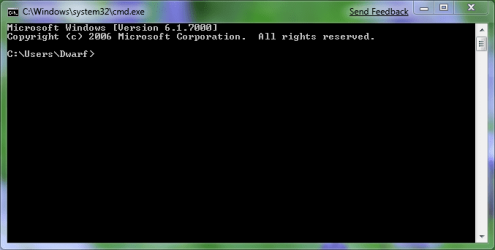
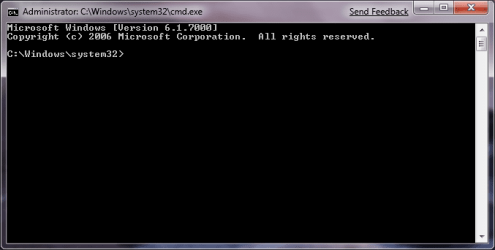
And this issue is quite bothersome - so much so that I filed the following as Feedback for Windows 7:
me said:I have been a major fan of the Snipping tool in both Vista as well as Windows 7 - but I have run into a minor inconvenience of sorts.
Trying to get the snipping tool to take images of an application that is running with elevated privileges does not work unless the snipping tool is started with administrative privileges. This can be problematic for those of us testing AV / AM / AS programs in Windows 7, or, for that matter, any program that requires elevated privileges. However, the big problem here is that there is absolutely no feedback - you try to click on an image and nothing happens - the image is still outlined by the selection ink color, and nothing else happens.
Could the Snipping tool be enhanced to check for applications windows that are running with elevated privileges so that a notification will appear informing the user that the Snipping tool needs to be elevated as well in order to work? Could it also give the user to option to elevate 'on the fly' so as to make the process more streamlined?
My Computers
-
At a glance
Windows 11 21H2 Current buildAMD Ryzen 9 3950X4 * 32 GB - Corsair Vengeance 3600 MHzEVGA GeForce RTX 3080 Ti XC3 ULTRA GAMING (12...- Computer type
- PC/Desktop
- Computer Manufacturer/Model Number
- The Beast Model A (homebrew)
- OS
- Windows 11 21H2 Current build
- CPU
- AMD Ryzen 9 3950X
- Motherboard
- MSI MEG X570 GODLIKE
- Memory
- 4 * 32 GB - Corsair Vengeance 3600 MHz
- Graphics Card(s)
- EVGA GeForce RTX 3080 Ti XC3 ULTRA GAMING (12G-P5-3955-KR)
- Sound Card
- Realtek® ALC1220 Codec
- Monitor(s) Displays
- 2x Eve Spectrum ES07D03 4K Gaming Monitor (Matte) | Eve Spec
- Screen Resolution
- 3x 3840 x 2160
- Hard Drives
- 3x Samsung 980 Pro NVMe PCIe 4 M.2 2 TB SSD (MZ-V8P2T0B/AM) } 3x Sabrent Rocket NVMe 4.0 1 TB SSD
- PSU
- PC Power & Cooling’s Silencer Series 1050 Watt, 80 Plus Plat
- Case
- Fractal Design Define 7 XL Dark ATX Full Tower Case
- Cooling
- SteelSeries Apex Pro Wired Gaming Keyboard
- Keyboard
- SteelSeries Apex Pro
- Mouse
- Logitech MX Master 3S | MX Master 3 for business
- Internet Speed
- AT&T LightSpeed Gigabit Duplex Ftth
- Antivirus
- Windows Defender + MB 3
- Browser
- Nightly (default) + Firefox (stable),Chrome, Edge
-
At a glance
ChromeOS Flex Dev Channel (current)Intel(R) Core(TM) i5-6300U CPU @ 2.40GHz, 250...16 GBIntel(R) HD Graphics 520- Computer type
- PC/Desktop
- System Manufacturer/Model Number
- Dell Latitude E5470
- OS
- ChromeOS Flex Dev Channel (current)
- CPU
- Intel(R) Core(TM) i5-6300U CPU @ 2.40GHz, 2501 Mhz, 2 Core(s), 4 Logical Processor(s)
- Motherboard
- Dell
- Memory
- 16 GB
- Graphics Card(s)
- Intel(R) HD Graphics 520
- Sound Card
- Intel(R) HD Graphics 520 + RealTek Audio
- Monitor(s) Displays
- Dell laptop display 15"
- Screen Resolution
- 1920 * 1080
- Hard Drives
- Toshiba 128GB M.2 22300 drive
INTEL Cherryville 520 Series SSDSC2CW180A 180 GB SATA III SSD
- PSU
- Dell
- Case
- Dell
- Cooling
- Dell
- Keyboard
- Dell
- Mouse
- Logitech MX Master 3S (shared w. Sys 1) | Dell TouchPad
- Internet Speed
- AT&T LightSpeed Gigabit Duplex Ftth

 .
.