JMH
Banned
- Local time
- 4:12 PM
- Messages
- 6,448
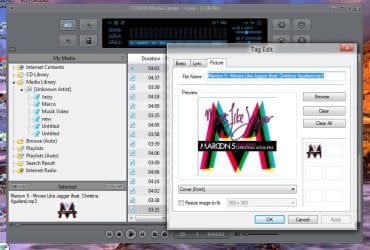
Ever wondered how some of your mp3 files show up with the album art icon instead of the standard mp3 icon, when browsing through the mp3 collection on hard disk? Also, does the cover image appear at the background when playing an mp3 file using Windows Media Player or any other music player?

Thumbnail image of the mp3 files as seen in Windows Explorer.

The thumbnail image can come from JPG album art images (super-hidden) within that folder, or from pictures embedded into each mp3 file. If you need to remove the mp3 album art/images for some reason, first configure Windows Explorer to show hidden and protected Operating System files. Use these steps:
Press WinKey + R to launch the Run dialog. Type control folders and hit {ENTER}
Click the View tab
Enable Show hidden files, folders, and drives
Uncheck Hide protected operating system files (Recommended)

Click OK.
Open the folder that contains the mp3 album, and delete the AlbumArt_{GUID}_Large.jpg, AlbumArt_{GUID}_Small.jpg and Folder.jpg images.

Source -
How to Remove Album Art Images Embedded In MP3 Files? - The Winhelponline Blog
My Computer
At a glance
Win 7 Ultimate 64-bit. SP1.Intel i7 -720QM.[1.6GHz Turbo Boost 2.8GHz. 6...8 DDR 3 RAM. 1066MHZATI 1024 MB. DDR3. Radeon HD5650
- Computer Manufacturer/Model Number
- LAPTOP. HP Pavilion dv7-4010TX .
- OS
- Win 7 Ultimate 64-bit. SP1.
- CPU
- Intel i7 -720QM.[1.6GHz Turbo Boost 2.8GHz. 6MB Cache.]
- Memory
- 8 DDR 3 RAM. 1066MHZ
- Graphics Card(s)
- ATI 1024 MB. DDR3. Radeon HD5650
- Monitor(s) Displays
- 17.3" High Definition Brightview LCD. LED Backlit.
- Screen Resolution
- 1600 x 900.
- Hard Drives
- 640GB
- Case
- Laptop / notebook.
- Mouse
- Logitech Anywhere mouse. MX.
- Internet Speed
- ADSL [ but too slow ]