Windows 7 Forums Search
Welcome to Windows 7 Forums. Our forum is dedicated to helping you find solutions with any problems, errors or issues you are experiencing with Windows 7. The Windows 7 forum also covers news and updates and has an extensive Windows 7 tutorial section that covers a wide range of tips and tricks.


Windows 7 - cant complete windows live installation on win7

 
12-30-2008   #1


win7


cant complete windows live installation on win7

hello

i tried a few times now but i cant get the windows live mail, ,messenger ect. to run.

allway get the errorcode
microsoft vc80.crt,version="8.0.50727.42",type="win32",proc
(hr:0x80070643)

perhaps someone can help me ?

firstry

My System SpecsSystem Spec
12-30-2008   #2


Windows 7


hello firstry
I didn't have this error when I installed windows live, but today Messenger doesn't work normally (error 0xc0000005).
The only solution for me is launch the application as an administrator and with Vista compatibility mode.
Try installing windows live with this parameters...
My System SpecsSystem Spec
12-30-2008   #3
Joe


Windows 7 RC


So far (fingers crossed) my live apps are working. Hopefully we can get yours working as well. I'm just running straight apps, no compatibility.
My System SpecsSystem Spec
.


01-01-2009   #4


XP/Vista/7


The only issue I experience installing Live apps was that it would almost ALWAYS fail on the first attempt then install correctly on the second attempt. I did 5 re-installs on the same day and it was exactly the same case each time. Fail, then click retry and it works.
My System SpecsSystem Spec
01-01-2009   #5


Windows 7 Ultimate Vista Ultimate x64


I have only had that happen when I tried installing more than one thing at a time.
My System SpecsSystem Spec
01-01-2009   #6


Vista and now 7 in 32 and 64 bit.


Same as JOe - No probs (so far)
My System SpecsSystem Spec
01-02-2009   #7


Windows 7 Enterprise x64 SP1 | Windows 8 build 7989


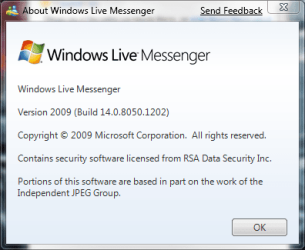
My own $.02 - I have had no problems *installing* WLM in any of the Windows 7 builds - but it refuses to reside in the system tray anymore.
My System SpecsSystem Spec
01-02-2009   #8


Windows 7 Ultimate Vista Ultimate x64


Quote   Quote: Originally Posted by johngalt View Post
My own $.02 - I have had no problems *installing* WLM in any of the Windows 7 builds - but it refuses to reside in the system tray anymore.
I know, I don't like it that you haven't at least got the option, I am using the beta is that the same as you or is it the same with the old version as well.
My System SpecsSystem Spec
01-02-2009   #9


Windows 7 Enterprise x64 SP1 | Windows 8 build 7989


The latest Beta, I believe...

cant complete windows live installation on win7-wlm-beta.png
My System SpecsSystem Spec
01-02-2009   #10


Vista x64 / 7 X64


The only Live app. I am using is Live Mail - took several attempts to get it to install on 6801, but installed fine first time on 7000.

Strangely, when right clicking on something in the junk mail folder, the only option is to Mark as not Junk - the other options are greyed out.

Also , occasionally and randomly, received emails go into the Drafts Folder as well as the Inbox - but not all of them - maybe just one or two out of ten or twenty received.

This might be something to do with IE8 - had issues with Live Mail on Vista when IE8 was installed.

SIW2
My System SpecsSystem Spec
Reply

 cant complete windows live installation on win7 problems?


Thread Tools


Similar Threads for: cant complete windows live installation on win7
Thread Forum
Windows cannot complete the installation Installation & Setup
Solved WIN7-I can't complete win7 installation in AHCI. Installation & Setup
Sudden Reboot (Win7 64bit) after Installation Complete & Black Screen Installation & Setup
Solved Windows 7 Cannot complete installation. Installation & Setup
Help - Cannot complete Windows 7 installation. Installation & Setup


All times are GMT -5. The time now is 10:04 PM.


Windows 7 Forums is an independent web site and has not been authorized,
sponsored, or otherwise approved by Microsoft Corporation.
"Windows 7" and related materials are trademarks of Microsoft Corp.
© Designer Media Ltd
  

1 2 3 4 5 6 7 8 9 10 11 12 13 14 15 16 17 18 19 20 21 22 23 24 25 26 27 28 29 30