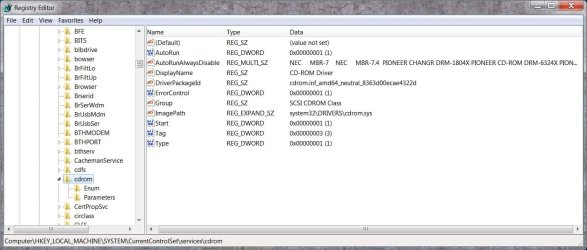
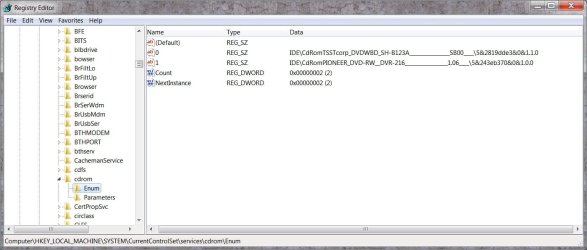
Running Win 7 Home Prem 64 bit and autoplay will not run a software instal CD/DVD.
I have reset all autoplay defaults to "Take No Action" except Software and Games which is set to "Instal or run prog". I have restarted Win to ensure these stick. When I try to install a prog from the CD the Mixed Media options come up and then disappear. After that nothing. I can't even run the Win install CD to refresh Windows.
If I try to run Setup.exe or similar I get an error that this is not a Win installer.
Any help appreciated. A fresh instal of Win is a worry - I'm a software junkie with over 200 apps installed.
I have reset all autoplay defaults to "Take No Action" except Software and Games which is set to "Instal or run prog". I have restarted Win to ensure these stick. When I try to install a prog from the CD the Mixed Media options come up and then disappear. After that nothing. I can't even run the Win install CD to refresh Windows.
If I try to run Setup.exe or similar I get an error that this is not a Win installer.
Any help appreciated. A fresh instal of Win is a worry - I'm a software junkie with over 200 apps installed.
My Computer
At a glance
Win 7 Home Premium 64 bitPhenom II X4 955 BE8GB Kingston DDR2 800Sapphire HD5670 1GB.
- Computer Manufacturer/Model Number
- Mixture
- OS
- Win 7 Home Premium 64 bit
- CPU
- Phenom II X4 955 BE
- Motherboard
- GA-MA785GM-US2H
- Memory
- 8GB Kingston DDR2 800
- Graphics Card(s)
- Sapphire HD5670 1GB.
- Sound Card
- Asus Xonar Essence ST
- Monitor(s) Displays
- Samsung P2350
- Screen Resolution
- 1920x1080
- Hard Drives
- Seagate 1TB
Hitachi 1TB
WD 500GB external
- PSU
- Corsair VX550W
- Case
- Cooler Master Silio 500
- Cooling
- Noctua NH-U9B SE2
- Keyboard
- Logitech
- Mouse
- Evoluent Vertimouse 3 (wireless)
- Internet Speed
- ADSL2+