peter32909
New member
- Local time
- 11:34 PM
- Messages
- 5
Overlay clock that will be on top while running Windows Media Player?
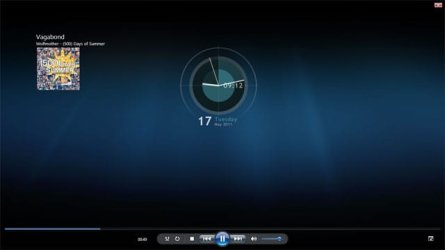
I have found several programs that overlay an analog clock and it looks great. When I run Windows Media Player, VLC or iTunes and go full screen it blocks the clock from showing.
Is there a clock program that ignores Windows Media Player and stays on top in full screen mode or is there a way to tweak Windows to do what I want?
Thanks
I have found several programs that overlay an analog clock and it looks great. When I run Windows Media Player, VLC or iTunes and go full screen it blocks the clock from showing.
Is there a clock program that ignores Windows Media Player and stays on top in full screen mode or is there a way to tweak Windows to do what I want?
Thanks
My Computer
At a glance
Windows 7 64-bit
- Computer Manufacturer/Model Number
- HP desktop
- OS
- Windows 7 64-bit