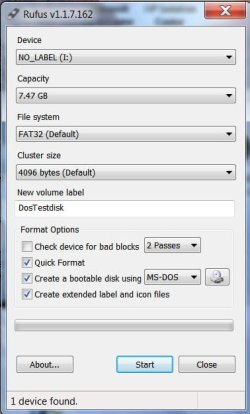
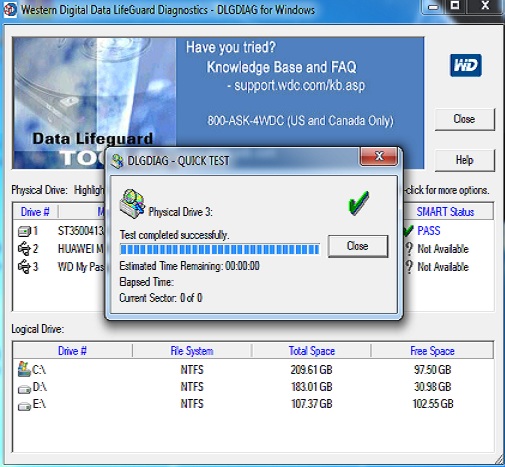
definitely on the right path: get the data off, wipe it securely, do a test using their test tool, record the result, apply for RMA online, send in for replace.
My external hdd is western digital my passport. Its model is wd 0740. Whenever I plugged it in the usb interface it gives a clicking sound and after a minute or two the sound went away and i can feel a weak spinning from inside. by the way my external hdd is 3-week old.
My Computer
At a glance
Windows XP Pro SP3, Windows 7 Pro 32-bit, Win...Pentium 4 3.2GHz, Pentium 4 3.4GHz 64bit, Atom,4GB matched, 1GB, 2.5GB, 4.0 GBGeforce 8400 GS and others
- Computer Manufacturer/Model Number
- HP DC7600, HP DC7600[2], HP DC7100, Samsung NC10
- OS
- Windows XP Pro SP3, Windows 7 Pro 32-bit, Windows 7 Ultimate 64bit, Windows XP Home SP3
- CPU
- Pentium 4 3.2GHz, Pentium 4 3.4GHz 64bit, Atom,
- Motherboard
- Dunno
- Memory
- 4GB matched, 1GB, 2.5GB, 4.0 GB
- Graphics Card(s)
- Geforce 8400 GS and others
- Sound Card
- RealteK ALC260 and others
- Monitor(s) Displays
- Asus HD
- Screen Resolution
- 1920x1080
- Hard Drives
- WD Caviar 640gb SATA
- Cooling
- We Be Cool