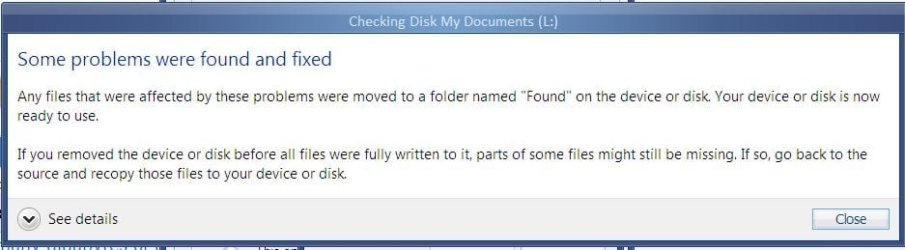
How many gigabytes of data was there to check. My external Hard Disk has 248 gigs of data and it took 114 seconds to finish running Check Disk. In the end I got the following message.
View attachment 197582
4 hours seems a lot on the high side and needs to be further investigated.
I only have 16 GB of data on the 60 GB HDD.
If CHKDSK is taking forever, does it also mean that my HDD is gonna fail?
If chkdsk is taking forever, it's usually because your disk has a lot of errors which check disk is trying to correct or read from. Let it run. Check the logs to see what the scan found. Sometimes you can get away with a few bad blocks, other times it's a sign of impending doom. If you keep using the drive, make sure you back up religiously!
This was what i got:
Chkdsk was executed in read/write mode.
Checking file system on D:
Volume label is Software.
CHKDSK is verifying files (stage 1 of 5)...
6400 file records processed. File verification completed.
4 large file records processed. 0 bad file records processed. 0 EA records processed. 0 reparse records processed. CHKDSK is verifying indexes (stage 2 of 5)...
7246 index entries processed. Index verification completed.
CHKDSK is verifying security descriptors (stage 3 of 5)...
6400 file SDs/SIDs processed. Security descriptor verification completed.
424 data files processed. CHKDSK is verifying Usn Journal...
12792072 USN bytes processed. Usn Journal verification completed.
CHKDSK is verifying file data (stage 4 of 5)...
6384 files processed. File data verification completed.
CHKDSK is verifying free space (stage 5 of 5)...
10471669 free clusters processed. Free space verification is complete.
Adding 6524 bad clusters to the Bad Clusters File.
Correcting errors in the master file table's (MFT) BITMAP attribute.
Correcting errors in the Volume Bitmap.
Windows has made corrections to the file system.
58602495 KB total disk space.
16625820 KB in 5885 files.
3056 KB in 425 indexes.
86943 KB in use by the system.
65536 KB occupied by the log file.
41860580 KB available on disk.
4096 bytes in each allocation unit.
14650623 total allocation units on disk.
10465145 allocation units available on disk.



 + 1
+ 1


