| Windows 7: Seagate Freeagent Go Not Working Properly. |
01 Sep 2012
|
#1 | | windows 7 home premium 64 bit |
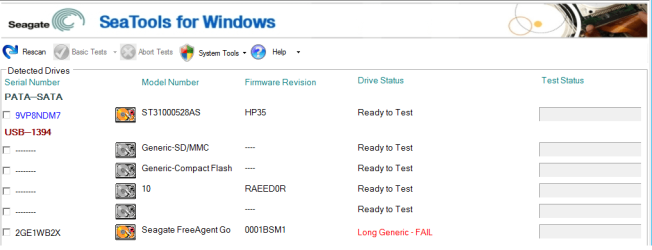
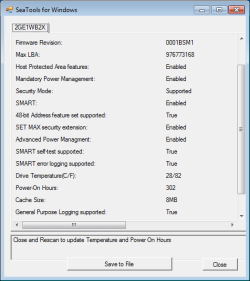
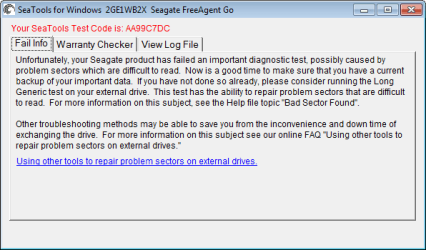
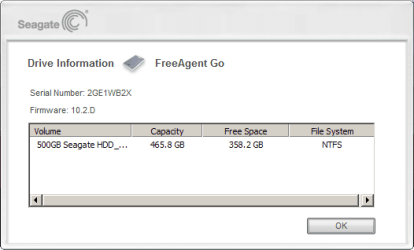
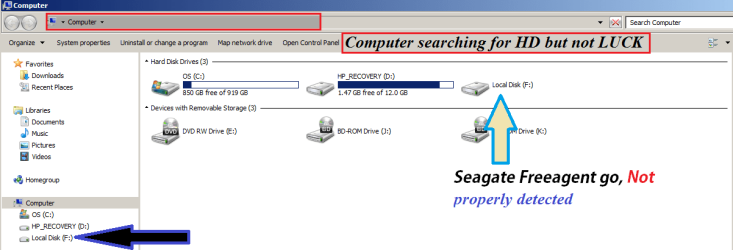
Seagate Freeagent Go Not Working Properly. Please feal free to click the pictures that will GIVE YOU a better view. Thanks. Seagate Freeagent go 0.2 family
Model Number: ST905003FBA2E1-RK
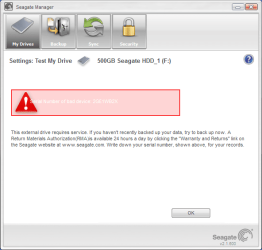
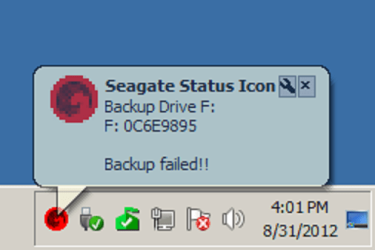
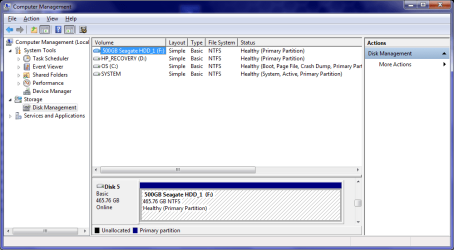
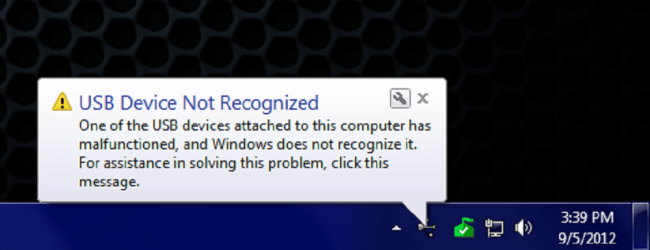
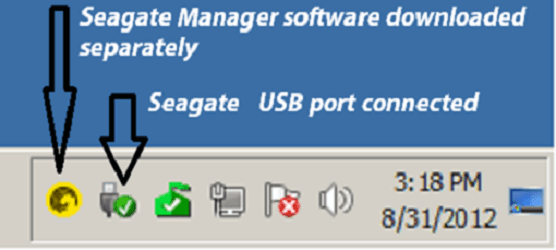
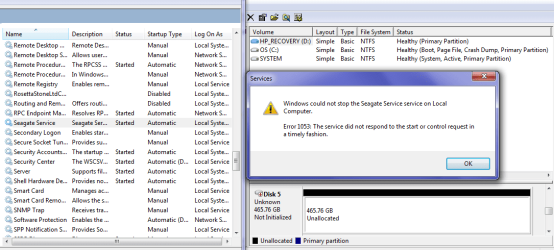
software version: 2.01.0600 i have windows 7-64bit OS, HP P6604Y, 6gb Ram, 1 Tb harddisk. I purchased seagate freeagent go 500GB HDD. all my data was stored in it, recently it was not getting detected, even if it gets detected it takes a lot of time and the whole system gets slowed down,any other operation also cannot be done when the harddrive is connected to the system it freezes the whole system: Many posts say to go to Computer and right click, an option called Manage, select that. Then among the choices, click on Disk Management. Once here, the hard drive does show, but no option to open exists with most people: (small window) I was traying to stop seagate of runing on services. SOMETIMES I get this message when i try to open the "Freeagent go":  And when I try to CLOSE IT I get this one:  Have you fix this problem with your Seagate Freeagent go?
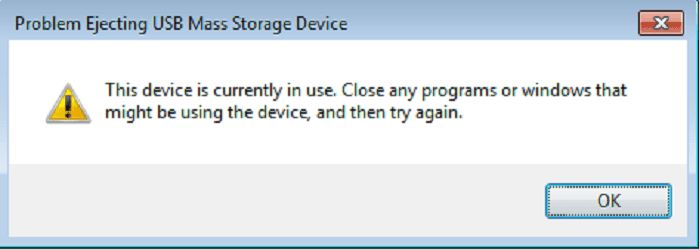
What can you tell?
Thansk for your time. Have a great day.
Last edited by Holmes20; 03 Sep 2012 at 02:23 PM..
| My System Specs |
| OS windows 7 home premium 64 bit |
02 Sep 2012
|
#2 | | |
I just went trough the same thing ended in a RMA SEAGATE RMA
your drive is dying a...back up your data if possible and contact Seagate | My System Specs | | System Manufacturer/Model Number Unforgiven!! OS Windows 7 Ultimate x64 CPU AMD X6 1090T Motherboard ASUS m4a79xtd evo Memory 16 Gig Kingston HyperX Graphics Card Saphire Radeon 6700 Sound Card O/B Monitor(s) Displays 23" Acer 19"Acer Screen Resolution 1920x1080 Native Keyboard Razer Black Widow Ultimate Mouse Razer D/A 3500dpi PSU OCZ 650 watt 80+ Modular Case Cooler Master 690 Basic Cooling Cooler Master Hyper 212+ Push/Pull Hard Drives M4 64 Gig SSD
W/D Cav Black 1 T/B
W/D Scorpio Blue 500 Gig X2 Internet Speed Meh...it's okay |
02 Sep 2012
|
#3 | | Windows 7 Home Premium 64 bit. SP-1 Northern Ohio |
If I understand you correctly you are trying to stop Seagate from running. Try this.
Go to Start and type msconfig and then select Start Up. Uncheck Seagate and then go to Services and in the lower left corner check Hide All Microsoft Services. What is left are 3rd part Services. Uncheck all except any security services that might be there. Boot your computer and check, Seagate should not be running.
As Mrhiab has suggested, back up everything you want to save while you can. | My System Specs | | Computer type PC/Desktop System Manufacturer/Model Number Home made Desktop OS Windows 7 Home Premium 64 bit. SP-1 CPU Intel i7-960-3.2 @ 4.25 Motherboard ASUS P6X58D-E Memory KINGSTON KHX2000C9, Hyper X,12 GIGS Graphics Card MSI/Nvidia/460GTX-Cyclone 1GD5/OC Monitor(s) Displays DYNEX 40 IN. Screen Resolution 1920-1080 or 1280-720 HDMI Keyboard M/S 3000 v 2.0 wireless Mouse M/S 5000 wireless PSU Corsair AX-850 Plus Gold Case Corsair 600T (Black) + side panel with 2 140 mm Noctua fans Cooling Corsair H50/2 Noctua NF-P12 (120 mm) Push/Pull- Hard Drives INTEL SSD 120GB-SER 510
Seagate 1TB SATA 600 7200 rpm Hard Drive Internet Speed 3.0 mb Antivirus Microsoft Security Eesentials Browser I.E. 10 default/Firefox Other Info LG BluRay-Read/Write
Sound system
KLipsch-THX
Asus Router RTN-12
2 Noctua 140 added on top of 600t case
Malwarebytes Anti Malware Professional
Windows 7 Firewall |
03 Sep 2012
|
#4 | | windows 7 home premium 64 bit |
Hello guys. Thanks for REPLAYING, yesterday I tried to back up all my files to a CD but mu PC froze so I cudn't do anything, the funny thing is that i checked: ComputerManager > Disk Manager > and this is what i got: Seagate is driving me NUTS!!!!!!!!!!!! | My System Specs | | OS windows 7 home premium 64 bit |
05 Sep 2012
|
#5 | | Win 7 Pro 64-bit 7601 Italy |
what about doing a good through disk check on it? If there are filesystem errors in that disk you may have issues like that, with programs not finding their stuff and getting stuck.
Follow the tutorial linked and select "Automatically fix file system errors", be warned that it should take a long while, like say overnight, if it tries to annoy you saying "running programs preventing access", select "schedule disk check" and then reboot, it will do it reagrdless. But with an ugly dos-like text-on-black-screen interface that does not let you do nothing else until it's finished, still taking the same pretty long while.
Also uninstall all seagate stuff and use other programs to do and schedule backups. Nothing against Seagate, but I've had issues with such programs bundled with the USB HDD more than once.
You can try to connect it to a powered USB hub and see if it's a power issue, otherwise it should give you some chances to access the files and copy them back if it's really dying. | My System Specs | | Computer type PC/Desktop System Manufacturer/Model Number custom built OS Win 7 Pro 64-bit 7601 CPU AMD Phenom 9650 QuadCore, revision DR-B3 Motherboard ASUS M4A78 Memory 4,00 GB Graphics Card NVIDIA GeForce 9800 GT Sound Card Realtek High Definition Audio Monitor(s) Displays Fujitsu Siemens P19-3P Screen Resolution 1280 x 1024 x 32 bits @ 60 Hz Oh yeah, 4:3 rocks! Keyboard Microsoft, whatever. Mouse Optical, logitec. PSU whatever, around 450w Case Scavenged from old company PC, 10+ years old Cooling CPU fan, GPU fan, case fan, nothing fancy Hard Drives (1) MAXTOR S TM3320613AS SATA Disk Device (2) STM35004 18AS SATA Disk Device (3) TOSHIBA USB 2.5"-HDD Internet Speed effective max speeds: 70-ish kB/s down 30-ish kB/s up Antivirus Avira, free endition. Browser Firefox with FXChrome to make it look like Google Chrome Other Info Was discarded by previous owner due to "horrible performance".
Was running Win Xp from a IDE drive. Yeah. Was a pain.
SATA II drive and Win7 and it zips away! Yay! |
07 Sep 2012
|
#6 | | windows 7 home premium 64 bit |
Hello, bobafetthotmail thanks for your Reply, I tried to fallow the steps that you suggested but didn't go too far. Step One: disk check. Hard Drive didn't open so I couldn't do anything else. Step Two: a powered USB hub. But Windows didn't recognize USB divice. Step Three: uninstall all seagate stuff. Done successfully. Any other Idea? Thank You For Your Valuable Time.
Last edited by Holmes20; 07 Sep 2012 at 12:25 PM..
| My System Specs | | OS windows 7 home premium 64 bit |
07 Sep 2012
|
#7 | | Win 7 Pro 64-bit 7601 Italy |
That is a cable with double USB power, not a powered hub. Not the same thing. Still better than nothing if you have no powered USB hub at hand, though.
Is it still under warranty? This is the appropriate time to RMA it back and get it repaired/swapped at their expense.
If it is not under warranty, and none posts better ideas (I really hope someone else does, but if the computer cannot even connect to the drive... there isn't a lot to do), you can try opening the case and taking out the HDD, and then connecting it to a desktop computer as if it was an internal HDD (because it is an internal hdd without the case)
and then see if it works there.
If it works fine (and hopefully your files should still be there), then you buy an External enclosure of your liking (even a fancy USB 3.0 or eSata one if you have the right ports on your laptop) and place the HDD into it.
It is a bit time-intensive and you may not be able to open the original case without damaging it, so it's really the last thing to do before putting everything in the trash. | My System Specs | | Computer type PC/Desktop System Manufacturer/Model Number custom built OS Win 7 Pro 64-bit 7601 CPU AMD Phenom 9650 QuadCore, revision DR-B3 Motherboard ASUS M4A78 Memory 4,00 GB Graphics Card NVIDIA GeForce 9800 GT Sound Card Realtek High Definition Audio Monitor(s) Displays Fujitsu Siemens P19-3P Screen Resolution 1280 x 1024 x 32 bits @ 60 Hz Oh yeah, 4:3 rocks! Keyboard Microsoft, whatever. Mouse Optical, logitec. PSU whatever, around 450w Case Scavenged from old company PC, 10+ years old Cooling CPU fan, GPU fan, case fan, nothing fancy Hard Drives (1) MAXTOR S TM3320613AS SATA Disk Device (2) STM35004 18AS SATA Disk Device (3) TOSHIBA USB 2.5"-HDD Internet Speed effective max speeds: 70-ish kB/s down 30-ish kB/s up Antivirus Avira, free endition. Browser Firefox with FXChrome to make it look like Google Chrome Other Info Was discarded by previous owner due to "horrible performance".
Was running Win Xp from a IDE drive. Yeah. Was a pain.
SATA II drive and Win7 and it zips away! Yay! |
09 Sep 2012
|
#8 | | windows 7 home premium 64 bit |
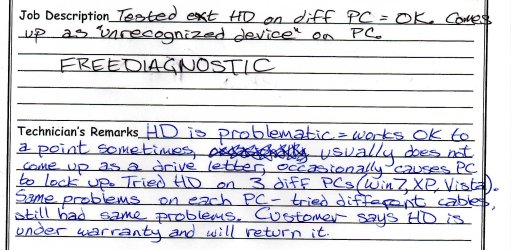
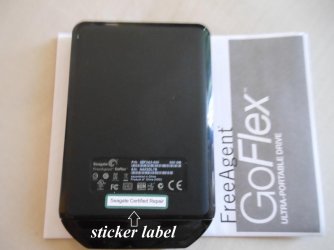
Hello, I just want to Thank all of you for your support in this THREAD I finally took my seagate to a computer repair shop and they run a FreeDiagnostic. When you do a RMA you'll get someone else's Hard Drive and it comes with a sticker that says "seagate Certified Repair"  Thank you so much. Windows 7 Forum You Rock!!!!
Last edited by Holmes20; 09 Sep 2012 at 05:35 PM..
| My System Specs | | OS windows 7 home premium 64 bit Seagate Freeagent Go Not Working Properly. problems? All times are GMT -5. The time now is 07:47 AM. | |