|
Welcome to Windows 7 Forums. Our forum is dedicated to helping you find solutions with any problems, errors or issues you are experiencing with Windows 7. The Windows 7 forum also covers news and updates and has an extensive Windows 7 tutorial section that covers a wide range of tips and tricks.
Windows 7 - Tune-up Utilities 2009 |
10-05-2009
|
#31 | | |

Quote: Originally Posted by DarkForceX 
Quote: Originally Posted by VoX Thanks TOF, will check it out. VoX Dude, when you try to install Tuneup 2009 on Windows 7, it gives a error like: '' this version of tuneup utilities is not compitable with your current OS, check the tuneup website for the updates '' something like this, however you can choose by the propeties of the setup file to run the setup with XP SP2 or SP3 mode and it installs, and you can use it, some thing works, and some not, and dont try to use Disk Doctor, becouse that gives a big damage to your pc, i was lucky to close it quicly, well i have downloaded TuneUp 2010 Beta 2, ( i didnt even know that Beta 1 was released ), and the language of the beta software is german, i think i may not give links out so if you want to try it go to google and typ '' Tuneup 2010 Beta 2 '', and its in 1 of the topics, NOTE: the first topic you will get from google belongs to Sevenforums.com, and it says to me you do not have permission to acces this page, so i had found another topic with the setup file, page me if you can't find it and ill figure a way out to send it to you. and well it fixed some serious problems in Windows 7 however its still beta. the full version is coming soon in this month.
Greats
DarkForceX
Thanks DarkForce
Will give it a go | My System Specs | | System Manufacturer/Model Number Custom Build OS Windows 7 x64 CPU Core2 Quad Q8200 2.33GHz Motherboard EP43-UD3L Memory 2x2Gb Corsair Dominator @ 1066MHz Graphics Card XFX GTX 295 1792Mb Sound Card Onboard : Realtek Monitor(s) Displays Samsung T260 Screen Resolution 1920x1200 Keyboard Razer Lycosa Mouse Razer Deathadder PSU EZCool 1200w Case Antec 1200 Cooling 3x120mm intake 3spd;2x120mm exhaust 3spd;1x200mm exhaust Hard Drives 1x Seagate 320Gb (Operating System); 2x WD 1Tb; 1x Seagate 500Gb; 2x Seagate 1.5Tb - all are sata drives Internet Speed DSL 4Mb connection Other Info Thermaltake Blue Orb CPU cooling system |
10-06-2009
|
#32 | | |

Quote: Originally Posted by DarkForceX 
Quote: Originally Posted by Element7 I installed Tuneup utilities 2009 2 days ago and it installed without errors. I then tested it and it worked without problems so far. My friend also installed it without problems. So far i'm satisfied. That might be becouse your current OS is '' Windows 7 Ultimate RC Built 7100 '' and not 7600 RTM, i think 7600 got more updates like that error message. well it does not work with the version 7600 and im pretty sure it wont work with the orginal version too, so download the TuneUp 2010 Beta 2, or wait for the full version. but dont use TuneUp 2009 on Windows 7, just a tip. i dont say everything you try to do with tuneup2009 on windows 7 goes wrong but, some changes that Tuneup2009 want to chance are not compitable and goes wrong in your system.
Greats That's not true,i have tuneup 2009 on Windows 7 rtm build 7600 16385 ultimate,and works without errors though. | My System Specs | | System Manufacturer/Model Number HP OS WIN,XP,7,VISTA,SERVER CPU DualCore Intel Pentium D 925, 3000 MHz Motherboard Asus P5LP-LE (Leonite) Memory 3072 MB (DDR2 SDRAM) Graphics Card NVIDIA GeForce 7500 LE (256 MB) Sound Card Creative SB X-Fi Xtreme Audio Monitor(s) Displays 19", 1024x768 Screen Resolution 1024x768 Hard Drives WDC WD2500AAKS-00L9A0
SAMSUNG HD250HJ (250 Internet Speed 100.0 mbps |
10-06-2009
|
#33 | | |

Quote: Originally Posted by King64 
Quote: Originally Posted by DarkForceX 
Quote: Originally Posted by Element7 I installed Tuneup utilities 2009 2 days ago and it installed without errors. I then tested it and it worked without problems so far. My friend also installed it without problems. So far i'm satisfied. That might be becouse your current OS is '' Windows 7 Ultimate RC Built 7100 '' and not 7600 RTM, i think 7600 got more updates like that error message. well it does not work with the version 7600 and im pretty sure it wont work with the orginal version too, so download the TuneUp 2010 Beta 2, or wait for the full version. but dont use TuneUp 2009 on Windows 7, just a tip. i dont say everything you try to do with tuneup2009 on windows 7 goes wrong but, some changes that Tuneup2009 want to chance are not compitable and goes wrong in your system.
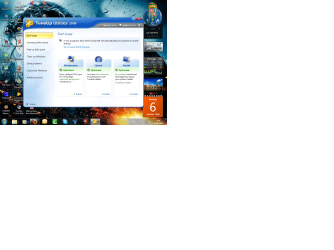
Greats That's not true,i have tuneup 2009 on Windows 7 rtm build 7600 16385 ultimate,and works without errors though. Attachment 30516 Well what is this then ??? .....
My OS language is Dutch, it says '' this version of TuneUp 2009 is not compitable with windows 7 check the tuneup website for the updates''.
Greats | My System Specs | | OS Windows 7 Ultimate 64Bit CPU Intel i7 950 3.2 GHZ Motherboard Asus P6X58D-E Extreme Desing Superspeed Motherboard Memory 6GB DDR3 Kingston Hyper-X 1600MHZ. Graphics Card Nvidia Geforce GTX 480 1.5 GB Sound Card Realtek HD Audio Monitor(s) Displays Samsung 21.5 Inc Full HD LCD Screen Resolution 1920x1080 Keyboard Compaq Mouse Logitech Hard Drives (C:) Kingston SSDNow 128GB Intern Drive. Internet Speed Ziggo 122MB Internet. |
10-06-2009
|
#34 | | |
And TuneUp 2010 Beta 2 works without any problem. | My System Specs | | OS Windows 7 Ultimate 64Bit CPU Intel i7 950 3.2 GHZ Motherboard Asus P6X58D-E Extreme Desing Superspeed Motherboard Memory 6GB DDR3 Kingston Hyper-X 1600MHZ. Graphics Card Nvidia Geforce GTX 480 1.5 GB Sound Card Realtek HD Audio Monitor(s) Displays Samsung 21.5 Inc Full HD LCD Screen Resolution 1920x1080 Keyboard Compaq Mouse Logitech Hard Drives (C:) Kingston SSDNow 128GB Intern Drive. Internet Speed Ziggo 122MB Internet. |
10-06-2009
|
#36 | | Windows 7 Home Premium x64 - Mac OS X 10.6.4 x64 |
Let me emphasize that Tune-Up 2009 is not for Windows 7...if 10b2 is than that is great. King64 probably got it to install due to setting it to run in compatibility mode for Vista.
If you get it to run on 7 than cheers for you but I have to make it clear that due to the nature of what Tune-Up does (Registry Editor, Settings Editor, File Cleaner, etc...) it shouldn't be used. The program was based on the structure of Vista and even-though they both are similar...7 IS NOT Vista
I just don't want folks blaming anyone but themselves if using an unsupported program on 7 breaks their install | My System Specs | | System Manufacturer/Model Number Compal JFT02 (Custom Build Laptop) OS Windows 7 Home Premium x64 - Mac OS X 10.6.4 x64 CPU Intel Core 2 Duo T9300 2.5 GHz Motherboard JFT02 Memory 4GB Kingston DDR2-800 Graphics Card NVIDIA Geforce 8600M GT (512MB Model) Sound Card Realtek HD Audio Monitor(s) Displays WUXGA Standard Laptop Display Screen Resolution 1680*1050 Keyboard Standard Laptop 105 Key-Keyboard Mouse Synaptics Touchpad PSU Standard Laptop Power Supply Case Standard Laptop Case Cooling Standard Laptop Cooling Hard Drives Toshiba 320GB 5400RPM Laptop HD Internet Speed Verizion Online DSL 3360/864 kbs (dl/up) |
10-10-2009
|
#37 | | |
hi how do i gain the beta updates? | My System Specs | | OS windows 7 ultimate x86 CPU intel core 2 duo Motherboard asus something Memory 4gb ddr2 Graphics Card 7950 i think Sound Card nope Monitor(s) Displays asus 21" Screen Resolution 1680x something Hard Drives 2x 750 sata Internet Speed 8mb Tune-up Utilities 2009 problems? All times are GMT -5. The time now is 11:54 PM. |  |