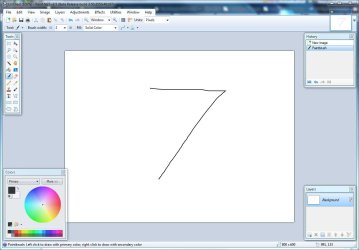
Refreshed user interface with new icons and visual styling. On Windows 7 and Vista, it is enhanced for Aero and "glass".
Now uses and requires .NET 3.5 SP1, which has many built-in performance improvements.
New effect: Blurs -> Surface Blur, by Ed Harvey
New effect: Distort -> Dents, by Ed Harvey
New effect: Distort -> Crystalize, by Ed Harvey
Effect dialog responsiveness has been greatly improved.
Images open much faster, especially on single CPU systems.
Selection outline is no longer animated. Instead of "dancing ants", an antialiased and stippled "XOR" outline is drawn.
Startup performance on most systems will be better by about 20%.
Memory usage has been greatly reduced when more than one image is open.
The font system for the Text tool has been completely rewritten, and problems with missing fonts and crashes should be a thing of the past.
On Windows XP and Vista, the Text tool has improved text rendering quality (it uses GDI instead of GDI+).
On Windows 7, the Text tool will use DirectWrite (instead of GDI) which gives even better performance and quality.
The toolbar font list has improved usability, rendering quality, and significantly improved performance.
The toolbar font list no longer requires an application restart to recognize newly installed fonts.
When many fonts are installed, both memory usage and startup performance have been greatly improved.
Installation prerequisites are now installed automatically, such as .NET Framework and Windows Installer.
Updates can now be downloaded in the background, and installed automatically once you exit the application.
General rendering quality has been improved when zoomed in.
Added a "Utilities" menu. Updates, Languages, and Plugin Errors have been moved here.
Added a "Manage Fonts" command to the Utilities menu.
Clicking the middle mouse button on an image thumbnail will now close the image.
Improved the Unfocus effect.
The DirectDraw Surface (.DDS) file type now allows you to select the resampling algorithm for auto-generated mip-maps.
A processor that supports SSE is now required (almost all CPUs purchased this decade satisfy this).
Fixed an issue with Gaussian Blur and its treatment of alpha values.
Fixed a crash with the "Units" selector in the toolbar.
When zoomed in, it is now much easier to resize a very small selection.
Now includes a Russian translation.