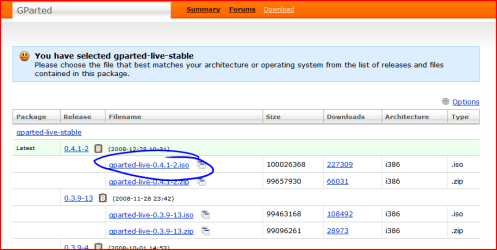
The reason why you are having problems is because the partitions are not contiguous. A way round it would be to create a partition on
D, move the existing contents of
D to the new partition and then extend
C into the space previously occupied by
D. Finally, rename the partition that now holds the contents of
D as
D as it will have been given another letter during this procedure.
Shrink
D Partition or Volume - Shrink
Copy contents of
D over to new partition after you have formatted it. Accept the default drive letter - you can change it to
D after you have carried out the next step.
Delete old partition
D Partition or Volume - Delete
Extend
C into newly unallocated space
Partition or Volume - Extend Clarification: Although the procedure in this post is correct (to the best of my knowledge), I was writing and posting it BEFORE I saw the preceding 2 posts. In fact, the most recent post in the thread at the time was this one, which is what I based my reply on.

Quote: Originally Posted by
garysgold The unallocated space must be to the immediate right of the drive being extended. The only way to do this in Windows is to shrink D:/Format the new space. Move files from D: to the new space. Delete D: and extend C: If you have a lot of data on D: this may be prohibitive. Third party apps should be able to do this without loss of data.