Brink,
Sorry for the late reply but this is what I have check out since then.
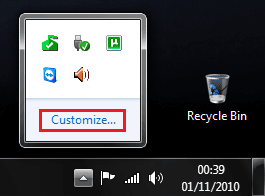
Were you able to turn on the Volume icon as posted above?
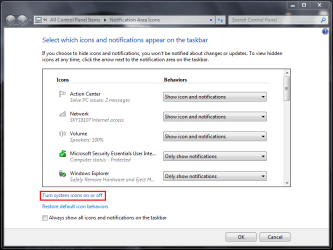
If not, was it grayed out? yes it is gray out, have try turn all on it still does not enable the speaker to be turn on
System Icons - Enable or Disable
---------------
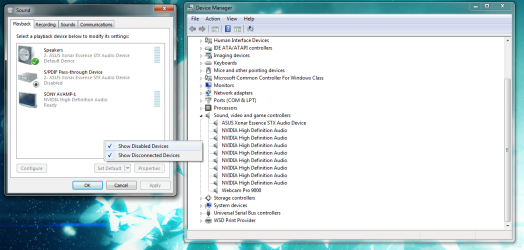
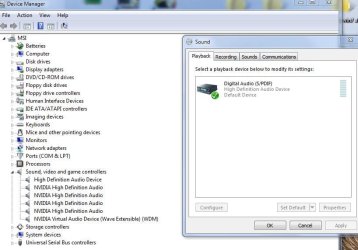
Do you have you audio drivers installed? yes new installed both new video driver have try 8 new version, for the audio have try 2 version still no speaker icon, seems to me that it could be window system maybe how would you check if it is turn on on not.???
---------------
Have try opition number two no sucess there,
------------
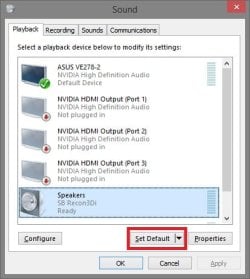
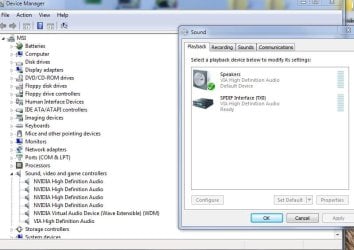
have try option number one it now put a speaker icon only when you open the sound icon in the control panel, but it is not enable still gray out, system still think the digital audio s/pdif is the main sound device. How to you switch it over ???
I click on the audio driver file VIA HD deck, when in the control panel does nothing also no sound output or open the file for audio, any idea where to go from here???
----------------
Have try the enable volume notification icon registry file, it says it is done, but I have check with regedit. it show no value change, I not sure on this one..
Brink, I download the enable registry notifaction icon, then check with regedit at the location it shows nothing default value set