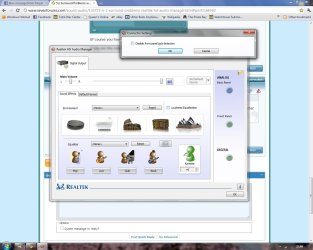
Hi everyone! First post on the forums =P
What the title says. Basically I have had to remove my soundcard (a Creative X-Fi Soundblaster) as it was completely blocking off the fan on my new graphics card (ATI Radeon HD 5850 - and yes there is no space left on my motherboard!). As a result I have to use my onboard sound. My motherboard is a Biostar A760G M2+ but the problem is that with Realtek HD Audio Manager installed my computer just wont play anything but stereo. I have 5.1 speakers but only the far left and far right speakers are playing, regardless of multiple configurations and switches between jack inputs ¬_¬
Im at a complete loss what to do; I know that my motherboard onboard sound supports 5.1 but its just a pain making it work =/
What the title says. Basically I have had to remove my soundcard (a Creative X-Fi Soundblaster) as it was completely blocking off the fan on my new graphics card (ATI Radeon HD 5850 - and yes there is no space left on my motherboard!). As a result I have to use my onboard sound. My motherboard is a Biostar A760G M2+ but the problem is that with Realtek HD Audio Manager installed my computer just wont play anything but stereo. I have 5.1 speakers but only the far left and far right speakers are playing, regardless of multiple configurations and switches between jack inputs ¬_¬
Im at a complete loss what to do; I know that my motherboard onboard sound supports 5.1 but its just a pain making it work =/
My Computer
At a glance
Windows 7 Ultimate (64-bit)AMD Athlon X2 250 Processor (3GHZ)2x 2GB DDR2 RAM (667mhz)ATI Radeon 5850
- OS
- Windows 7 Ultimate (64-bit)
- CPU
- AMD Athlon X2 250 Processor (3GHZ)
- Motherboard
- Biostar A760G M2+
- Memory
- 2x 2GB DDR2 RAM (667mhz)
- Graphics Card(s)
- ATI Radeon 5850
- Sound Card
- n/a
- Hard Drives
- 2 x 500gb
- PSU
- 500w (soon to be 600w)