Windows 7 Forums


Windows 7: Built-in microphone not working.

18 Oct 2011   #1

Windows 7 Professional x32
 
 
Built-in microphone not working.

Hello,


I have installed Windows 7 Professional from Home Basic in my laptop about 3 months ago. The problem is, I cannot record any sound from my internal microphone after the installation. I think I have installed all the right drivers in my notebook and I have searched for troubleshooting my microphone. But the result is still the same. I only hear a hissing sound whenever I record a video.

Please help.
My System SpecsSystem Spec

18 Oct 2011   #2

Windows 7 Ultimate x64


Can you add your hardware specs please? Laptop make and model, soundcard details etc.
My System SpecsSystem Spec
29 Oct 2011   #3

Windows 7 Professional x32


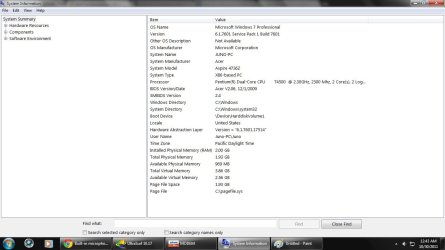
Built-in microphone not working.-make-model.jpg

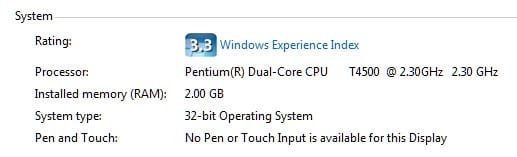
Built-in microphone not working.-specs.jpg

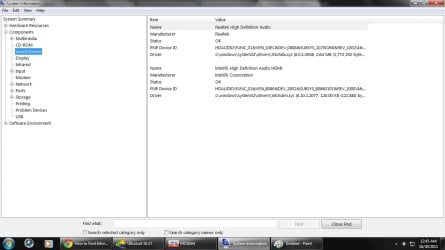
Built-in microphone not working.-sound-device.jpg


Tell me what more do you need sir. I can't fix my laptop microphone problem so please help me. Thanks.
My System SpecsSystem Spec
.


30 Oct 2011   #4

Windows 8 Pro with Media Center x64
Southern California, USA


do you know what kind of motherboard you have? if so, look up its website, support>drivers and download all its drivers for your particular board (be sure to get the bits and versions right). Do you have an internal microphone because you own a laptop?
My System SpecsSystem Spec
03 Nov 2011   #5

Windows 7 Professional x32


Thank you for your reply DustSailor. I downloaded all of the necessary drivers my laptop needed. And yes, my laptop has an internal mic that won't work. Any suggestions how can I fix this?
My System SpecsSystem Spec
03 Nov 2011   #6

Windows 8 Pro with Media Center x64
Southern California, USA


okay, you'll need to download the drivers/software for the camara (aren't they connected, mic and camara?)

is it only a particular application that you can't record your voice on, or does everything not work?

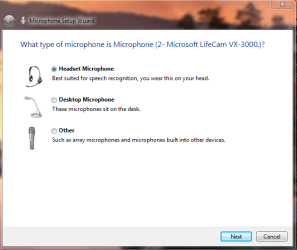
type, "Set up a microphone" into Windows search and you could try your hand at the wizard that pops up.
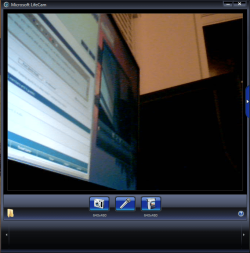
Built-in microphone not working.-capture.png
Look up your microphone and see if there are any settings you can play with. Here is mine (mic and camara)
Built-in microphone not working.-captured.png

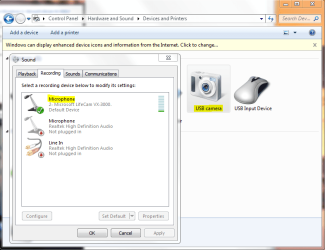
Go into your sound and check recording devices and see if the bar moves when you make noise:
Built-in microphone not working.-captures.png

Let me know how it goes and I'll help you further depending on what you tell me
My System SpecsSystem Spec
Reply

 Built-in microphone not working. problems?


Thread Tools


Similar help and support threads for: Built-in microphone not working.
Thread Forum
Built in Microphone does not work Sound & Audio
My laptop's built-in microphone is not working! Help! General Discussion
Built in microphone not working after upgrading to Window 7 Sound & Audio
Built-in Webcam Microphone and Microphone Line-in Not Working Hardware & Devices
built in microphone for Latitude E5510 not working Sound & Audio


All times are GMT -5. The time now is 01:11 AM.


Seven Forums Android App Seven Forums IOS App Follow us on Facebook

Windows 7 Forums is an independent web site and has not been authorized,
sponsored, or otherwise approved by Microsoft Corporation.
"Windows 7" and related materials are trademarks of Microsoft Corp.
© Designer Media Ltd
  

1 2 3 4 5 6 7 8 9 10 11 12 13 14 15 16 17 18 19 20 21 22 23 24 25 26 27 28 29 30 31 32