

mynameislyndee
New member
It's my first post here so please bear with me. I'm not a super techie person so pardon my terms. 
I got a Toshiba Dynabook AX/940LS laptop with Windows XP before and installed Windows 7 on it. Everything has been working so far except for the microphone. I can't seem to perform any recordings, or use Skype and other Video Calling plug-ins because I kept getting an error that "No audio devices are installed". The speakers are working fine though. Again, I just recently purchased it and installed a different OS immediately, I did not know if the microphone was working fine before. But I was thinking, if it has a microphone port then I guess it has a built-in mic, right? Well, I performed some TS and here are some of them:
I checked the devices for Sound and here is what I get:

I checked "Show disabled devices" and "Show disconnected devices" but nothing still shows.

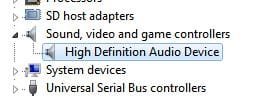
I went to Device Manager > Sounds, Video and Game Controllers and got "High Definition Audio Device"..not very helpful with that one..
anyway, I "Updated the Driver Software" and got:
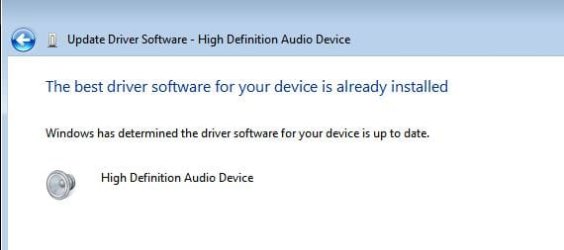
So, I "Disabled" and "Re-enabled" the High Definition Audio Device Sound Card, "Uninstalled" and "Re-installed" it, yet it's still the same.
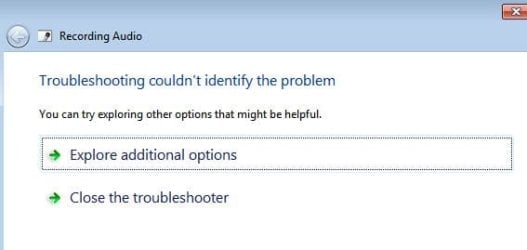
Next, I went to Control Panel, typed "Troubleshooting" in the Search bar. Went to "Troubleshoot Audio Recording" and got:
Lastly, I performed a step that I found online, going to DXDIAG > Sound to get the "name" of my Sound Card, because I was thinking of performing a manual search for its updated drivers and here is what I got:
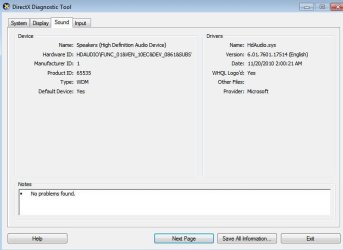
Still, it's not giving me a "name"...and I don't really know what to do anymore.. I guess I'm out of options, hopefully someone here can enlighten me and help my issue.
Sorry for the very long post! Thanks in advance!
I got a Toshiba Dynabook AX/940LS laptop with Windows XP before and installed Windows 7 on it. Everything has been working so far except for the microphone. I can't seem to perform any recordings, or use Skype and other Video Calling plug-ins because I kept getting an error that "No audio devices are installed". The speakers are working fine though. Again, I just recently purchased it and installed a different OS immediately, I did not know if the microphone was working fine before. But I was thinking, if it has a microphone port then I guess it has a built-in mic, right? Well, I performed some TS and here are some of them:
I checked the devices for Sound and here is what I get:
I checked "Show disabled devices" and "Show disconnected devices" but nothing still shows.
I went to Device Manager > Sounds, Video and Game Controllers and got "High Definition Audio Device"..not very helpful with that one..
anyway, I "Updated the Driver Software" and got:
So, I "Disabled" and "Re-enabled" the High Definition Audio Device Sound Card, "Uninstalled" and "Re-installed" it, yet it's still the same.
Next, I went to Control Panel, typed "Troubleshooting" in the Search bar. Went to "Troubleshoot Audio Recording" and got:
Lastly, I performed a step that I found online, going to DXDIAG > Sound to get the "name" of my Sound Card, because I was thinking of performing a manual search for its updated drivers and here is what I got:
Still, it's not giving me a "name"...and I don't really know what to do anymore.. I guess I'm out of options, hopefully someone here can enlighten me and help my issue.
Sorry for the very long post!
Thanks in advance!My Computer
At a glance
Windows 7 Ultimate 32bit
- Computer Manufacturer/Model Number
- Toshiba Dynabook AX/940LS
- OS
- Windows 7 Ultimate 32bit

