First of all, forgive any english mistakes. It is not my primary language.
Notice: Some options may not have exactly the same description shown here. Please use common sense to figure out wich option to choose based on the information contained in this text.
I've consulted many forum posts around the world about making a 5.1 usb sound card output 5.1 sound through spdif(optical) on windows 7 (win7) and found very little information about it.
After two long days of trial and error, I've finally made it work. So here is the full story/process:
I've bought a sound card like this one:
Premium USB 2.0 External Sound Card Box with 7.1-Speaker SPDIF Optical Output - Free Shipping - DealExtreme
And connected it through optical spdif to a 5.1 samsung home theater.
The first step was to download this driver for the cm106 chip:
Download C-Media CM-106 Windows 7 Driver v.6.12.8.2131 | CM-106 | Catalog - News, articles, free drivers and firmware catalog: X-DRIVERS.COM
Once installed the driver and the sound card connected, it will show a systray icon that when double clicked opens an interface for configuring the sound input and output for the card. The options that worked were 8 channel for input and 8 channel for output. The interface will display 8 speakers (front left and right, center, middle left and right, back left and right and lfe/subwoofer).
On windows settings for the device (displayed when you right click on the speaker icon on systray and select "show audio devices"), there is a tab for "supported formats" shown after clicking on "properties" for the "digital/optical output usb device", I've unmarked everything but "dolby surround". Right beside it there is a button for testing the sound card configuration, click it and you should hear a sound that will start on the lfe/subwoofer and will play around each speaker in sequence, separatedly.
The tricky part was to play correctly ac3 and dts encoded audio from movies on my preferred media player: kmplayer.
On kmplayer, at first I needed to go on options and turn off every internal codec and make kmplayer use external codecs for audio. I then chose ffdshow for audio decompression. (Other media players like media player classic (home cinema or not) already use external codecs by default).
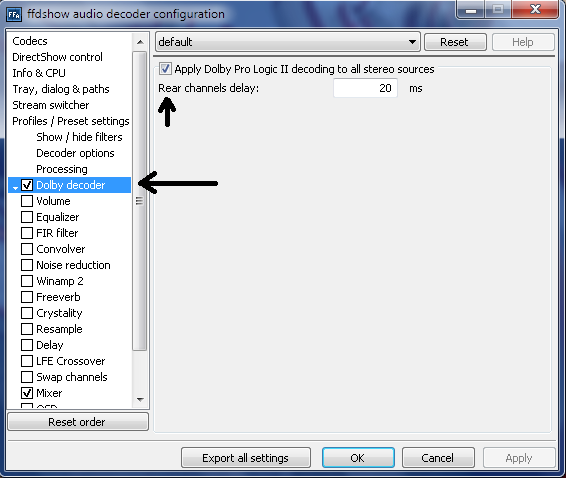
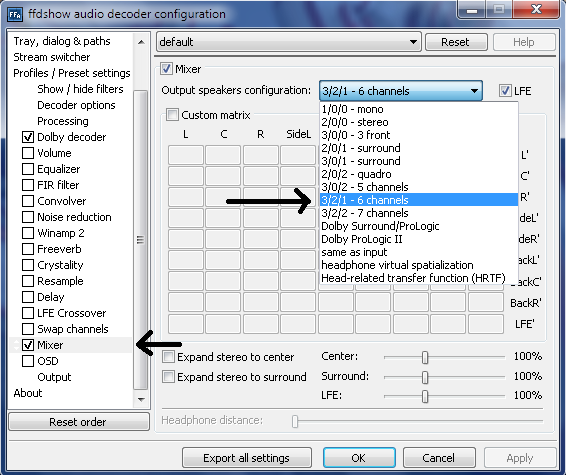
The key change was to configure the output on ffdshow. For my sound card and home theater configuration, on "Output format for uncompressed or decoded streams" box I've checked "AC3 (s/pdif encode mode)" and "encode 5.1 streams only". And selected only "Dolby Digital (AC3)" on the "Pass through" box.
The ffdshow screen for making these changes is this one:
http://www.homecinema-hd.com/images/ffdshow/ffdshow13.png
ATTENTION!!!: The screen from the link above DOES NOT reflect the marked/unmarked boxes that were chosen. It is for reference only!
After doing this, ac3 and dts audio encoded from avi and mkv files worked perfectly on the 5.1 home theater system.
Hope it can help someone!

If you have any doubt or trouble, feel free to contact me at
www.lantis at gmail dot com. (and yes, it CONTAINS the www, lol)
(Typed, but not revised, by lantis.)





 . I have had trouble with these speakers since I left XP. I couldn't see getting rid of them because they still sounded good, and I don't really have money to throw away.


