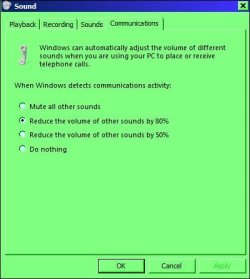
Ok never mind I found out how to fix it but I still have a question that I will say at the end.
I had the default device and default communication device both on Speakers (USB PnP Sound Device). I switched both the default device and the default communication device to Digital Output (USB PnP Sound Device). That seemed to fix the problem, somehow.
My question is that on the Speakers setting there is a configure button that allowed me to have it on 7.1 surround sound while the Digital Output has the configure grayed out. Since I have to use the Digital Output instead of Speakers, I don't know if having the configure button grayed out means I can't have it on 7.1 Surround sound. I tried using a youtube test but since I'm using headphones that has virtual 7.1 surround sound. It is hard for me to tell if it is using 7.1 surround sound. I have it enabled through my sound cards settings though. Does this mean that even though the configure button for Digital Output in the manage audio device section is grayed out, will I still have surround sound or will I only be able to have surround sound if I use the Speakers option?