Windows 7 Forums Search
Welcome to Windows 7 Forums. Our forum is dedicated to helping you find solutions with any problems, errors or issues you are experiencing with Windows 7. The Windows 7 forum also covers news and updates and has an extensive Windows 7 tutorial section that covers a wide range of tips and tricks.


Windows 7 - Logitech Z 506 5.1 stereo>surround

 
12-27-2011   #1


Win 7 X64


Logitech Z 506 5.1 stereo>surround

how can i make all of the 5 speakers play at the same time stereo files?
i know it wont be a real surround because stereo not supports it, but at least that all of them will provide sound

My System SpecsSystem Spec
12-28-2011   #2


Win 7 X64


/?/

BTW

all of them working correctly when testing in audio settings tests

Last edited by subwoffer; 12-28-2011 at 09:38 AM..
My System SpecsSystem Spec
12-28-2011   #3


Win 7 X64


help...
My System SpecsSystem Spec
.


12-28-2011   #4


Windows 7 Pro-x64


Post pictures of your sound (Playback) panel and your speaker configuration screen.
My System SpecsSystem Spec
12-29-2011   #5


Win 7 X64


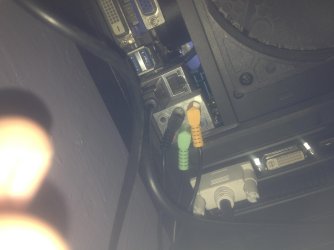
Logitech Z 506 5.1 stereo>surround-img_0542.jpg
My System SpecsSystem Spec
12-29-2011   #6


Win 7 Ultimate x64


Have you checked the speaker fill option in the Via Audio Deck?
My System SpecsSystem Spec
12-29-2011   #7


Windows 7 Pro-x64


LOL... Sorry, I didn't mean your speaker connections. I meant the Properties screens. The Speaker Configuration screen defines how the speakers will be used.
What type of speakers are you using? (2.0, 2.1, 5.1 or what make and model)
You mention "stereo". Are you connecting the speakers to an external amplifier/receiver? Or to the PC?
Most newer PCs support 5.1 so I suspect you need to Configure the speakers.
My System SpecsSystem Spec
12-29-2011   #8


Win 7 X64


Quote   Quote: Originally Posted by carwiz View Post
LOL... Sorry, I didn't mean your speaker connections. I meant the Properties screens. The Speaker Configuration screen defines how the speakers will be used.
What type of speakers are you using? (2.0, 2.1, 5.1 or what make and model)
You mention "stereo". Are you connecting the speakers to an external amplifier/receiver? Or to the PC?
Most newer PCs support 5.1 so I suspect you need to Configure the speakers.

dude,have you red the title?
My System SpecsSystem Spec
12-29-2011   #9


Win 7 X64


omg i was so stupid!!!!!!!!!!!!!!!!!!!!!!!!!!!!!!!!!!!!!!!!!!!!!!!!!!!!!!!!!!!!!!!!!!!!!!!!!!!!!!!!!!!!!!!!!!!!!! !!!!!!!!!!!!!!!

(sorry just pissed myself off)

there is an option to fill the speakers (in the drivers audio tool )

sorry to bother you guys, thannks for the answers !
My System SpecsSystem Spec
12-29-2011   #10


Windows 7 Pro-x64


Hmmmmmm. Don't know how I missed the title.

Glad you found the fix.
My System SpecsSystem Spec
Reply

 Logitech Z 506 5.1 stereo>surround problems?


Thread Tools


Similar Threads for: Logitech Z 506 5.1 stereo>surround
Thread Forum
Stereo vs surround headset Sound & Audio
Solved Logitech 5.1 surround question and soundcard question IDT and Realtek Sound & Audio
Realtek 5.1 Surround "Device In Use" problem (only stereo works) Sound & Audio
5.1 Setup Right Surround Playing Through Left Surround Sound & Audio
Stereo to Surround Sound & Audio


All times are GMT -5. The time now is 11:29 PM.


Windows 7 Forums is an independent web site and has not been authorized,
sponsored, or otherwise approved by Microsoft Corporation.
"Windows 7" and related materials are trademarks of Microsoft Corp.
© Designer Media Ltd
  

1 2 3 4 5 6 7 8 9 10 11 12 13 14 15 16 17 18 19 20 21 22 23 24 25 26 27 28 29 30