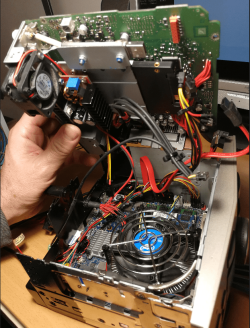
Unfortunately, I do not have a cable, I suppose it should be on a pc case,but I built this motherboard in a car
and I planned 4.1 sound
yes analog line-level via an internal heder -but in the realtek manager there is no option for only stereo
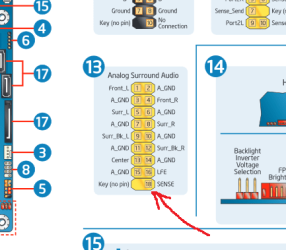
I suppose I need something like this

the problem is in jeck detection, realtek does not see that something is connected
and I planned 4.1 sound
yes analog line-level via an internal heder -but in the realtek manager there is no option for only stereo
I suppose I need something like this
the problem is in jeck detection, realtek does not see that something is connected
Last edited:
My Computer
At a glance
Windows 7 Ultimate x64i38ghd4000
- Computer type
- PC/Desktop
- Computer Manufacturer/Model Number
- intel
- OS
- Windows 7 Ultimate x64
- CPU
- i3
- Motherboard
- DH61AG
- Memory
- 8g
- Graphics Card(s)
- hd4000
- Hard Drives
- 500gb
- Antivirus
- avast
- Browser
- firefox