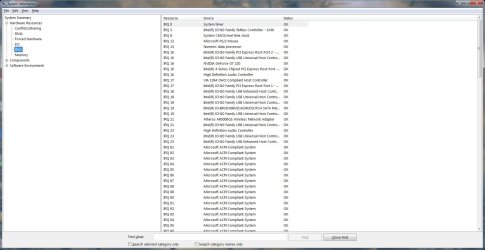
Thanks to the contributors on this forum I was able to get the cracking to go away on my Win7x64 system with the Realtek HD audio. This also cured another symptom that I had with playing video in Itunes in which the audio would get further and further behind the video.
After trying several drivers this one change worked for me:
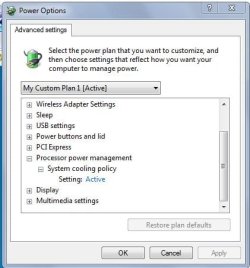
Control Panel --> All Control Panel Items --> Power Options
Select "Change Plan Settings" on the power plan you are using will take you to
Control Panel --> All Control Panel Items --> Power Options --> Edit Plan Settings
Select "Change advanced power settings" which will bring up a Power Options settings box
Expand "Processor power Management"
Expand "Minimum Processor state"
Set to "100%"
Apply That is all.
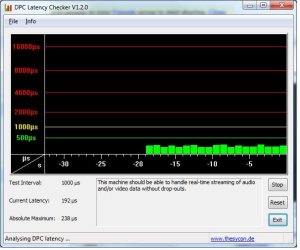
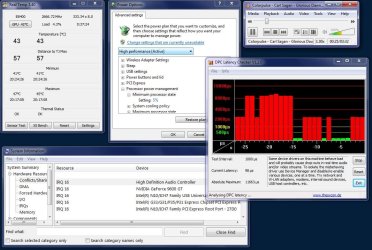
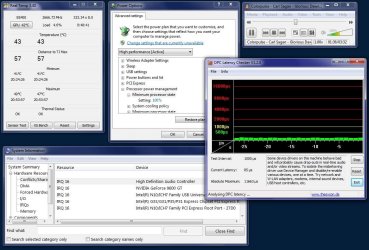
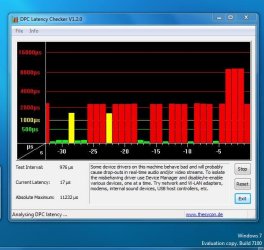
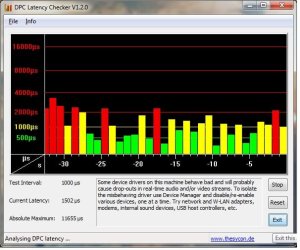
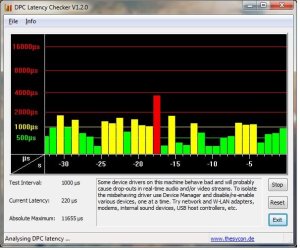
That worked for me. I later used the DPC Latency Checker tool (mentioned a couple of pages back) to verify that, on my system at least, any setting below 70% caused high DPC latency and a return of cracking and delays.
This issue came close to making me ditch Win7 and go back to XP. This thread lead me to the solution.
Thanks
Using realtek R2.34 drivers C2D E8400 on G31 gigabyte MB
After trying several drivers this one change worked for me:
Control Panel --> All Control Panel Items --> Power Options
Select "Change Plan Settings" on the power plan you are using will take you to
Control Panel --> All Control Panel Items --> Power Options --> Edit Plan Settings
Select "Change advanced power settings" which will bring up a Power Options settings box
Expand "Processor power Management"
Expand "Minimum Processor state"
Set to "100%"
Apply That is all.
That worked for me. I later used the DPC Latency Checker tool (mentioned a couple of pages back) to verify that, on my system at least, any setting below 70% caused high DPC latency and a return of cracking and delays.
This issue came close to making me ditch Win7 and go back to XP. This thread lead me to the solution.
Thanks
Using realtek R2.34 drivers C2D E8400 on G31 gigabyte MB
Attachments
Last edited:
My Computer
At a glance
Windows 7 x64E84004GBNvidia Asus 9600GT
- Computer Manufacturer/Model Number
- built
- OS
- Windows 7 x64
- CPU
- E8400
- Motherboard
- Gigabyte GA-g31m-s2l
- Memory
- 4GB
- Graphics Card(s)
- Nvidia Asus 9600GT
- Sound Card
- Realtek HD ALC662
- Monitor(s) Displays
- Dell 2407WFP
- Screen Resolution
- 1920x1200
- Keyboard
- IBM Model M



 Seriously, I do not know how to build computers. I can't even install a pci card right. that's why I got one of these cookie cutter ones. No one in my family knows how to build computers and I don't have friends that can build them or any friends for that matter. I was considering cyberpowerpc and ava direct but they get a lot of bad reviews and the computers supposedly often arive in not working condition and not fully assembled. I was also considering maxforcepc but the unprofessional website made me think twice. I was talked out of dell and hp and I kind of wish I went with my gut and got an HP. Someone just said to me though get something with the specs you want and you'll be ok with any brand. I took that and that's what I did and this is what happened


 . I've tried disabling the onboard sound in the BIOS(I forget how to even access the bios though I think it's either del or f2) before I sent this to acer and used a external creative usb sound card and it still did that after about an hour. Heck, I'm using the creative sound card adapter thing now and it still has those latency issues(however I didn't disable the onboard sound like I did before). Should I give it another go anyway?