Windows 7 Forums


Windows 7: USB headset doesn't work anymore

11 Sep 2012   #1

Microsoft Windows 7 Home Premium 64-bit 7601 Multiprocessor Free Service Pack 1
 
 
USB headset doesn't work anymore

I recently bought a new graphics card for my computer, and since then I've updated windows and installed it's drivers.
The problem I have had since buying the video card, is that no USB headset's now work with my computer.


I've tried updating my audio drivers (which doesn't give me any sound at all). To uninstalling and reinstalling drivers for both the headset and the audio itself.
So far nothing has worked, I have full speaker functionality, but no headsets will work, nor will the microphone on my webcam anymore either.
Is there perhaps more I can do?

I have system spec's in my profile, but if there is anything else I should post please let me know.
Thanks!
My System SpecsSystem Spec

11 Sep 2012   #2

win 7 X64 Ultimate SP1
Ohio (From WV)
 
 
USB Headset

If your USB ports are working. I would try the easy fix first.

Check your device manager and make sure the headset and driver is loaded and functioning.

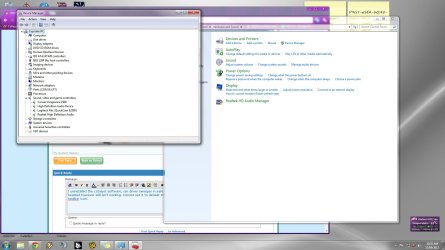
In the start search box type "sound" (no quotes) and select sound. Your headset should show up as a device. It should be selected as default. For some apps you have to change this default back and forth because the code in the app is not written for a head set. I'll post a clip of my sound panel but it does not show a headset. I have none on this machine. But if yours is loaded correctly you will have it.

Attachment 231337

Last edited by HammerHead; 16 Jan 2013 at 03:41 AM..
My System SpecsSystem Spec
11 Sep 2012   #3

Microsoft Windows 7 Home Premium 64-bit 7601 Multiprocessor Free Service Pack 1


It is showing up in the sound panel, however it will not allow me to make it a default device, and when I click the recording tab, the screen freezes completely.
If I try to click the Headset from the sound icon in my taskbar, it says "No audio device is installed" but it appears perfectly fine on Device Manager.
My System SpecsSystem Spec
.


11 Sep 2012   #4

win 7 X64 Ultimate SP1
Ohio (From WV)
 
 
USB Ports

Is your USB ports working?

What brand of head set and what driver do you have loaded?
My System SpecsSystem Spec
11 Sep 2012   #5

Microsoft Windows 7 Home Premium 64-bit 7601 Multiprocessor Free Service Pack 1


Yeah the USB ports work fine, I am able to plug in a USB drive, or my external HDD or charge my cell phone via USB without an issue at all.

I just bought a Corsair Vengeance 1500 and downloaded the most recent drivers off the website today once it arrived. Before that I was using a Microsoft LifeChat LX3000 and that was when the issue first presented itself. I at the time assumed it was the headset itself, but I believe it is more than that now.
My System SpecsSystem Spec
11 Sep 2012   #6

win 7 X64 Ultimate SP1
Ohio (From WV)
 
 
Graphics Driver

AMD Radeon 7700 series.

I am looking for a driver for this card. So far I haven't found a 64 bit win 7 driver. What driver do you have loaded?
My System SpecsSystem Spec
11 Sep 2012   #7

Microsoft Windows 7 Home Premium 64-bit 7601 Multiprocessor Free Service Pack 1


I have the catalyst software installed. Version 8.0.881.0 i think, thats what my program list says. I've also used the disc that came with the video card itself as well. Should I try another video card driver update?
My System SpecsSystem Spec
11 Sep 2012   #8

win 7 X64 Ultimate SP1
Ohio (From WV)
 
 
Check This Out

I think I found a newer driver.

AMD Radeon

It says Vista in the file name. The page refers to Win 7 also.

Do you use driver sweeper when changing graphics drivers?
My System SpecsSystem Spec
11 Sep 2012   #9

Microsoft Windows 7 Home Premium 64-bit 7601 Multiprocessor Free Service Pack 1


I have never heard of that program, I usually just uninstall if it tells me to, then install the new one.
My System SpecsSystem Spec
11 Sep 2012   #10

win 7 X64 Ultimate SP1
Ohio (From WV)
 
 
That Will Work But

I use driver sweeper. It takes out all of the old driver files and reduces the chance of the wrong file being used. Plus you get some space as a bonus.

Read about here.

Guru3D - Driver Sweeper
My System SpecsSystem Spec
Reply

 USB headset doesn't work anymore problems?


Thread Tools


Similar help and support threads for: USB headset doesn't work anymore
Thread Forum
Google Chrome doesn't work anymore ... Browsers & Mail
Network adapter driver suddenly doesn't work anymore, code 37 Drivers
Solved ALT-TAB doesn't work anymore... General Discussion
Dual boot with XP doesn't work anymore...pls help Installation & Setup


All times are GMT -5. The time now is 12:48 AM.


Windows 7 Forums is an independent web site and has not been authorized,
sponsored, or otherwise approved by Microsoft Corporation.
"Windows 7" and related materials are trademarks of Microsoft Corp.
© Designer Media Ltd