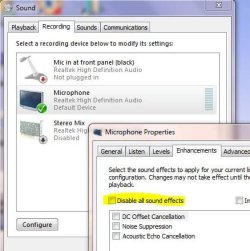
I don't know what exactly problem is but
I have problem like this but when I use my old microphone problem solved(Some systems can't work good with pro microphone cause some computers can't give microphone enough voltage)
today I check It again and I understand my old microphone works better than the others
I have problem like this but when I use my old microphone problem solved(Some systems can't work good with pro microphone cause some computers can't give microphone enough voltage)
today I check It again and I understand my old microphone works better than the others
My Computer
At a glance
Windows 7 Ultimate X64Core2Duo P8700 2.53GHz6 GB DDR2 800MHz SDRAMGeforce GTX260M 1GB GDDR
- Computer Manufacturer/Model Number
- ASUS G71GX Notebook
- OS
- Windows 7 Ultimate X64
- CPU
- Core2Duo P8700 2.53GHz
- Memory
- 6 GB DDR2 800MHz SDRAM
- Graphics Card(s)
- Geforce GTX260M 1GB GDDR
- Sound Card
- Altec Lansing Built-In 4 Speakers
- Monitor(s) Displays
- 17.1" WUXGA With 1440*900 Resolution
- Hard Drives
- 500 GB Internal 5400rpm
1 TB External Toshiba Canvio