(((SOLVED))) ATI + REALTEK = No Sound**
Hey Guy,
This has been DRIVING me NUTS for the last 2 week so I finally decide to post my problem. Hopefully you guys can help.
Specs:
- Gateway FX6800-01e
- ATI 4850 Sapphire Video Card (with 2 DVI Ports)
- Onboard Audio via REALTEK HD
- Windows 7 Professional x64 (Retail)
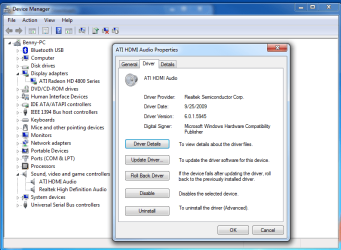
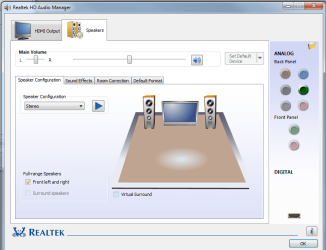
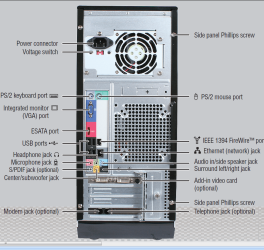
****Pics of PC, Device Manager, Realtek HD Manager Below***
Issue:
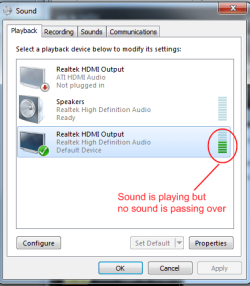
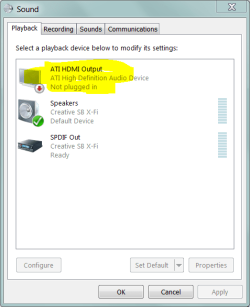
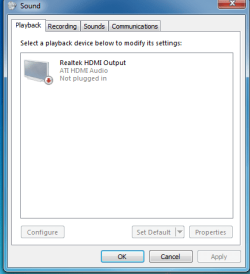
I did a fresh install of Windows 7 Professional x64 (Retail) and everything is running prefectly except ONE THING. I'm not able to get sound from my HDMI to my TV. I previously had Vista Home Premium x64 running to my TV and it was working WITH SOUND fine but ever since I upgraded it not working. So I know its not a hardware/setup issue.
FYI - I do get VIDEO on the TV
Setup:
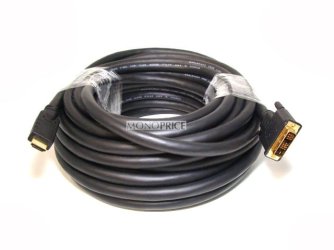
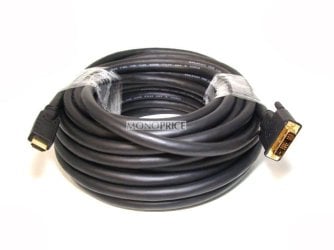
I have my Primary Display via DVI to my monitor on my desk. I have my Secondary Monitor (My TV) hooked up via a DVI to HDMI cable (not ATI but it shouldn't matter since it was working before)
Attempts to fix:
- I'm aware on how my setting are suppose to be on REALTEK manager and/or my Device Manager.
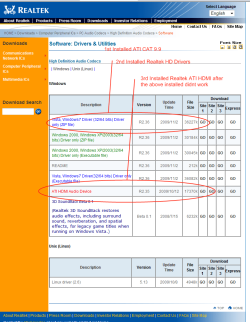
- Updated to the latest ATI Cat Driver 9.10 , Realtek Drivers R2.36, & Realtek HDMI Driver R2.35
- I tried old ATI CAT drivers
I'm thinking is a DRIVER issue but I'm not 100% sure.
I've been reading forums everywhere at it seems like some of the community has been having this issue but hasn't found a solution. I'm hoping to get this fix or myself and the community
I can really use some expert advice
***********UPDATE**************
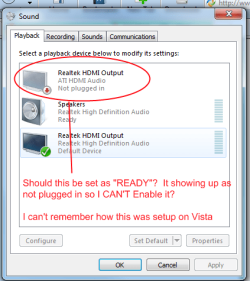
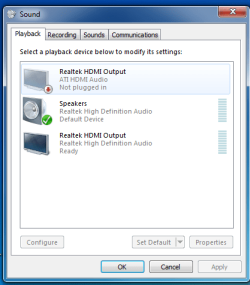
I was able to solve the issue. I purchase the original ATI DVI to HDMI adapter off ebay for like $5 dollars. Now my ATI driver is up and working. Its showing up an "READY". See below
So the ATI Adapter was the problem
Hey Guy,
This has been DRIVING me NUTS for the last 2 week so I finally decide to post my problem. Hopefully you guys can help.
Specs:
- Gateway FX6800-01e
- ATI 4850 Sapphire Video Card (with 2 DVI Ports)
- Onboard Audio via REALTEK HD
- Windows 7 Professional x64 (Retail)
****Pics of PC, Device Manager, Realtek HD Manager Below***
Issue:
I did a fresh install of Windows 7 Professional x64 (Retail) and everything is running prefectly except ONE THING. I'm not able to get sound from my HDMI to my TV. I previously had Vista Home Premium x64 running to my TV and it was working WITH SOUND fine but ever since I upgraded it not working. So I know its not a hardware/setup issue.
FYI - I do get VIDEO on the TV
Setup:
I have my Primary Display via DVI to my monitor on my desk. I have my Secondary Monitor (My TV) hooked up via a DVI to HDMI cable (not ATI but it shouldn't matter since it was working before)
Attempts to fix:
- I'm aware on how my setting are suppose to be on REALTEK manager and/or my Device Manager.
- Updated to the latest ATI Cat Driver 9.10 , Realtek Drivers R2.36, & Realtek HDMI Driver R2.35
- I tried old ATI CAT drivers
I'm thinking is a DRIVER issue but I'm not 100% sure.
I've been reading forums everywhere at it seems like some of the community has been having this issue but hasn't found a solution. I'm hoping to get this fix or myself and the community
I can really use some expert advice
***********UPDATE**************
I was able to solve the issue. I purchase the original ATI DVI to HDMI adapter off ebay for like $5 dollars. Now my ATI driver is up and working. Its showing up an "READY". See below
So the ATI Adapter was the problem
Attachments


Last edited:
My Computer
At a glance
Windows 7 Professional x64 - RetailIntel(R) Core(TM) i7 CPU 920 @ 2.67GHz (8 CPU...
- Computer Manufacturer/Model Number
- Gateway FX6800-01e
- OS
- Windows 7 Professional x64 - Retail
- CPU
- Intel(R) Core(TM) i7 CPU 920 @ 2.67GHz (8 CPUs), ~2