I have been trying to use Microsoft Security Compliance Manager (MSCM) to export a backup of the GP and then import it on the other machines, however it wont install.
Is there any way I can create a logon script that would cause the same effects as group policy. All it needs to do is remove everything from the start menu, including the all programs button, just leaving My Docs and My computer (but not show the C drive), Remove all pinned aps from the taskbar, Deny right click, and only show specified shortcuts on the desktop.
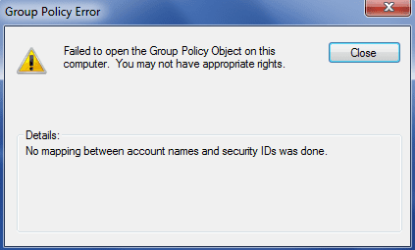
One thing that I have just noticed is that when I copy the GPO to another machine, it just copys the name of it and who it applies to, none of the GP that have been set to "Enabled" come across, they all revert to "Not Configured"
As for your questions
Can you access the local GPO on the system, before you replace it?
-If you can, can you edit the policy without receiving errors?
Yes, this is what I have been doing because I can't copy the GPO, I've been manually changing the 65 polices.
Have these systems already been joined to the domain?
If any, what error is showing in the event logs?
The laptops automatically connect to the domain from the MDT imaging, so when I try to set them up for the Exam account I take it off the domain before I start. No errors show in event logs.