| Windows 7: What free firewall program do you all recommend? |
19 Aug 2012
|
| | Win 7 Ultimate 64 bit 1,585 posts At home. |

Quote: Originally Posted by Layback Bear First I don't have programs calling home because they don't run until I tell them to. For those that want to spend the time setting every rule to a firewall then Windows 7 firewall might not be for you. For those that want a firewall that does the job without bothering you all the time, well Windows 7 works just fine. Firewalls are not the end all to security what ever one you use. It's just another layer of protection. Many programs "phone home" to check for updates. I prefer to know which ones are doing it. Most I allow but some I do not (I've replaced programs because they were too chatty). Also, if malware does get onto my computer, ZA will block it and ask me what to do about it, (block, allow, etc.). You're correct, it's another layer of protection; I personally feel there is no harm in that and it is actually beneficial.
Zone alarm doesn't bother me all the time. It's been "trained" how to handle most situations so I rarely hear from it. When I first installed it on both of my machines, it only took about a week or two to pretty much train it. Dealing with the initial popups isn't that big of a deal; UAC is far more obnoxious. If I know whether I want a program to send or receive or not (which I usually do), I just click on accept or block (it defaults to permanantly). If I'm not sure (rarely), I untick permanently, then block or accept. That gives me a chance to either see what happens or research it. As I said before, after the first week or two, I rarely have to deal with it.
Frankly, I'm amazed by the number of people who complain about the number of popups from ZA. There just aren't that many; most of the time I don't even know it's running. I've been using ZA for years and never had a BSOD because of it. | My System Specs |
| Computer type PC/Desktop System Manufacturer/Model Number Custom Build OS Win 7 Ultimate 64 bit CPU Intel i7-3930K Motherboard ASUS P9X79 WS Memory Kingston HyperX Genesis 32GB Kit (8x4GB Modules) 1600MHz DDR Graphics Card MSI R7850 Twin Frozr 2GD5/OC Radeon HD 7850 2GB 256-bit GDDR Sound Card On board Realtek HD Monitor(s) Displays HP w2207h Screen Resolution 1680 x 1050 Keyboard Logitech G110 Mouse Logitech M525 (two in use) PSU Corsair HX750w Case Antec Two Hundred v2 Cooling Cooler Master GeminII S524 120mm (fan replaced with a 140mm) Hard Drives Samsun 128GB 840 Pro
Western Digital WD Black WD2002FAEX 2TB
Western Digital WD Black WD2001FASS-0 2TB Internet Speed fair to middlin' Antivirus AVAST!, MBAM, SAS, Spybot S&D (all but MBAM free) Browser IE10 Other Info LSI 9211-8i SATA III controller card (eight more SATA III ports), 2.5" & 3.5" Hot Swap Bays, HooToo HT-CR001 PCI-E to USB 3.0 Internal Combo - 3 Ports USB 3.0 Hub + 6 Slot Card Reader, and LG Model CH12LS28 BD-ROM Combo Optical Drive. Also, ScanSnap S1500 ADF duplexing scanner, Canon 9000F flat bed scanner, Logitech 5.1 speaker system, Samsung CLP 415nw laser color printer, |
19 Aug 2012
|
| | Windows 7 Home Premium 64 bit. SP-1 8,758 posts Northern Ohio |
I have used many store bought brands of security programs and yes their is a training period. If one likes that, it is okay. Using msconfig to make sure those program are tuned off checking for updates (calling home) will not happen. Of course you will have to check manually which I have no problems doing and I do it often. Their is no one program for everybody. As you read through this site you will discover how many times problems are solved just by removing 3rd party firewalls and anti virus programs that for what ever reason don't get along with Windows 7 on many peoples computers. What I am sure of is Microsoft firewall and anti virus causes no problems with Windows 7/32 or 64. | My System Specs | | Computer type PC/Desktop System Manufacturer/Model Number Home made Desktop OS Windows 7 Home Premium 64 bit. SP-1 CPU Intel i7-960-3.2 @ 4.25 Motherboard ASUS P6X58D-E Memory KINGSTON KHX2000C9, Hyper X,12 GIGS Graphics Card MSI/Nvidia/460GTX-Cyclone 1GD5/OC Monitor(s) Displays DYNEX 40 IN. Screen Resolution 1920-1080 or 1280-720 HDMI Keyboard M/S 3000 v 2.0 wireless Mouse M/S 5000 wireless PSU Corsair AX-850 Plus Gold Case Corsair 600T (Black) + side panel with 2 140 mm Noctua fans Cooling Corsair H50/2 Noctua NF-P12 (120 mm) Push/Pull- Hard Drives INTEL SSD 120GB-SER 510
Seagate 1TB SATA 600 7200 rpm Hard Drive Internet Speed 3.0 mb Antivirus Microsoft Security Eesentials Browser I.E. 10 default/Firefox Other Info LG BluRay-Read/Write
Sound system
KLipsch-THX
Asus Router RTN-12
2 Noctua 140 added on top of 600t case
Malwarebytes Anti Malware Professional
Windows 7 Firewall |
20 Aug 2012
|
| | Vista x64 / 7 X64 7,916 posts |
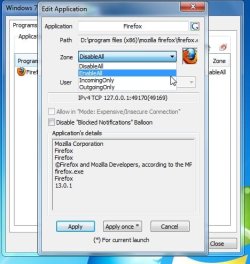
The original question was: Quote: all I need it to do is have it make a popup when a program tries to access the net in anyway and allow me to block or allow it That is exactly what this is for: Windows7FirewallControl: Sphinx Software
It is not a firewall - it is really a gui for windows firewall outbound rules.
The free version is fine for most people.
Highly recommended. | My System Specs | | OS Vista x64 / 7 X64 CPU E8400 Motherboard ASRock 1333 GLAN R2.0 Memory 2x1 gb 800mhz Graphics Card 9500gt 1gb Case Coolermaster Cooling Winpower 500w Hard Drives Maxtor 160gb-2mb cache |
20 Aug 2012
|
| | Win 7 Ultimate 64 bit 1,585 posts At home. |

Quote: Originally Posted by SIW2 The original question was: Quote: all I need it to do is have it make a popup when a program tries to access the net in anyway and allow me to block or allow it That is exactly what this is for: Windows7FirewallControl: Sphinx Software
It is not a firewall - it is really a gui for windows firewall outbound rules.
The free version is fine for most people.
Highly recommended. For Geeks, maybe (I'm not a Geek). When I looked at the screenshots, my eyes glazed over and my mind shut down. I would have no clue how to use it. ZA is far more intuitive. | My System Specs | | Computer type PC/Desktop System Manufacturer/Model Number Custom Build OS Win 7 Ultimate 64 bit CPU Intel i7-3930K Motherboard ASUS P9X79 WS Memory Kingston HyperX Genesis 32GB Kit (8x4GB Modules) 1600MHz DDR Graphics Card MSI R7850 Twin Frozr 2GD5/OC Radeon HD 7850 2GB 256-bit GDDR Sound Card On board Realtek HD Monitor(s) Displays HP w2207h Screen Resolution 1680 x 1050 Keyboard Logitech G110 Mouse Logitech M525 (two in use) PSU Corsair HX750w Case Antec Two Hundred v2 Cooling Cooler Master GeminII S524 120mm (fan replaced with a 140mm) Hard Drives Samsun 128GB 840 Pro
Western Digital WD Black WD2002FAEX 2TB
Western Digital WD Black WD2001FASS-0 2TB Internet Speed fair to middlin' Antivirus AVAST!, MBAM, SAS, Spybot S&D (all but MBAM free) Browser IE10 Other Info LSI 9211-8i SATA III controller card (eight more SATA III ports), 2.5" & 3.5" Hot Swap Bays, HooToo HT-CR001 PCI-E to USB 3.0 Internal Combo - 3 Ports USB 3.0 Hub + 6 Slot Card Reader, and LG Model CH12LS28 BD-ROM Combo Optical Drive. Also, ScanSnap S1500 ADF duplexing scanner, Canon 9000F flat bed scanner, Logitech 5.1 speaker system, Samsung CLP 415nw laser color printer, |
20 Aug 2012
|
| | Vista x64 / 7 X64 7,916 posts |
It is actually very easy.
It is very small.
It just sets up windows outgoing rules for you.
If a program tries to connect to the net, it pops up.
You just select one of these options from the pop-up. Done. | My System Specs | | OS Vista x64 / 7 X64 CPU E8400 Motherboard ASRock 1333 GLAN R2.0 Memory 2x1 gb 800mhz Graphics Card 9500gt 1gb Case Coolermaster Cooling Winpower 500w Hard Drives Maxtor 160gb-2mb cache |
20 Aug 2012
|
| | Windows 7 Ultimate x86 Service Pack 1 2,175 posts |
Based on my experience, I recommend Comodo.  But I have also heard others using Private Firewall. | My System Specs | | System Manufacturer/Model Number Custom Built OS Windows 7 Ultimate x86 Service Pack 1 CPU Intel(R) Core(TM) 2 Quad Q8200 @ 2.33 GHz Motherboard Asus P5KPL-AM Motherboard Memory 2x1GB Apacer DDR2 667 MHz Graphics Card 1GB NVIDIA GeForce 9400 GT Sound Card VIA Technologies High Definition Audio Device Monitor(s) Displays Samsung SyncMaster 733NW Screen Resolution 1440x900 Keyboard Generic Plug & Play Keyboard Mouse Optical Mouse Case Custom Casing Cooling Ice cubes from the freezer ;) Hard Drives SEAGATE 320GB Barracudaź 7200.12, SATA 3 Gb/s, 7200 RPM, 16MB cache x 2 Internet Speed Very slow |
20 Aug 2012
|
| | Windows 7 Ultimate x64 2,179 posts |

Quote: Originally Posted by Lady Fitzgerald For Geeks, maybe (I'm not a Geek). When I looked at the screenshots, my eyes glazed over and my mind shut down. I would have no clue how to use it. ZA is far more intuitive. I've been familiar with ZA for many years. I wouldn't say "intuitive". I think it's more to do with how familiar someone is with it. Think way back to the time when you first started using it.
Seems to me that anyone who can learn to effectively use ZA could easily do the same with the app SIW2 mentions. | My System Specs | | OS Windows 7 Ultimate x64 |
20 Aug 2012
|
| | Win 7 Ultimate 64 bit 1,585 posts At home. |

Quote: Originally Posted by F5ing 
Quote: Originally Posted by Lady Fitzgerald For Geeks, maybe (I'm not a Geek). When I looked at the screenshots, my eyes glazed over and my mind shut down. I would have no clue how to use it. ZA is far more intuitive. I've been familiar with ZA for many years. I wouldn't say "intuitive". I think it's more to do with how familiar someone is with it. Think way back to the time when you first started using it.
Seems to me that anyone who can learn to effectively use ZA could easily do the same with the app SIW2 mentions. If it hadn't been easy to use when I first started using it, I would have dumped it immediately. | My System Specs | | Computer type PC/Desktop System Manufacturer/Model Number Custom Build OS Win 7 Ultimate 64 bit CPU Intel i7-3930K Motherboard ASUS P9X79 WS Memory Kingston HyperX Genesis 32GB Kit (8x4GB Modules) 1600MHz DDR Graphics Card MSI R7850 Twin Frozr 2GD5/OC Radeon HD 7850 2GB 256-bit GDDR Sound Card On board Realtek HD Monitor(s) Displays HP w2207h Screen Resolution 1680 x 1050 Keyboard Logitech G110 Mouse Logitech M525 (two in use) PSU Corsair HX750w Case Antec Two Hundred v2 Cooling Cooler Master GeminII S524 120mm (fan replaced with a 140mm) Hard Drives Samsun 128GB 840 Pro
Western Digital WD Black WD2002FAEX 2TB
Western Digital WD Black WD2001FASS-0 2TB Internet Speed fair to middlin' Antivirus AVAST!, MBAM, SAS, Spybot S&D (all but MBAM free) Browser IE10 Other Info LSI 9211-8i SATA III controller card (eight more SATA III ports), 2.5" & 3.5" Hot Swap Bays, HooToo HT-CR001 PCI-E to USB 3.0 Internal Combo - 3 Ports USB 3.0 Hub + 6 Slot Card Reader, and LG Model CH12LS28 BD-ROM Combo Optical Drive. Also, ScanSnap S1500 ADF duplexing scanner, Canon 9000F flat bed scanner, Logitech 5.1 speaker system, Samsung CLP 415nw laser color printer, |
21 Aug 2012
|
| | 32bit: XP, Win7 H.P. / 64bit: 2008R2, Win7 Pro, Ultimate / Several flavors of Linux 636 posts Denver, Colorado |

Quote: Originally Posted by Lady Fitzgerald Many programs "phone home" to check for updates. I prefer to know which ones are doing it. Most I allow but some I do not (I've replaced programs because they were too chatty). Also, if malware does get onto my computer, ZA will block it and ask me what to do about it, (block, allow, etc.). You're correct, it's another layer of protection; I personally feel there is no harm in that and it is actually beneficial.
Zone alarm doesn't bother me all the time. It's been "trained" how to handle most situations so I rarely hear from it. When I first installed it on both of my machines, it only took about a week or two to pretty much train it. Dealing with the initial popups isn't that big of a deal; UAC is far more obnoxious. If I know whether I want a program to send or receive or not (which I usually do), I just click on accept or block (it defaults to permanantly). If I'm not sure (rarely), I untick permanently, then block or accept. That gives me a chance to either see what happens or research it. As I said before, after the first week or two, I rarely have to deal with it.
Frankly, I'm amazed by the number of people who complain about the number of popups from ZA. There just aren't that many; most of the time I don't even know it's running. I've been using ZA for years and never had a BSOD because of it. +1 ^^^^
I've used ZoneAlarm for a looong time and never had a problem. However, as of late it has become an annoyance about updates (which I don't wish to apply at this time).
My ZA is well trained on all of my Windows systems.
Regards,
GEWB | My System Specs | | System Manufacturer/Model Number (5 different computers booting up to 12 systems) OS 32bit: XP, Win7 H.P. / 64bit: 2008R2, Win7 Pro, Ultimate / Several flavors of Linux |
21 Aug 2012
|
| | Win7 x 6 PC's 36,538 posts California, Florida, Boston |
I've seen nothing but problems with Zone Alarm. In other words, the comments here in favor of it are the first I've read that are not problems we've traced to it.
The solution then and now is to use the Windows 7 Firewall with free lightweight Microsoft Security Essentials.
As long as you keep your Updates set to Automatic and current, you'll know that no expense is being spared to protect the same company's OS - literally the opposite of "solutions" that try to take your money. | My System Specs | | What free firewall program do you all recommend? problems? All times are GMT -5. The time now is 04:58 PM. | |