Windows 7 Forums


Windows 7: Weird files in Roaming - Example:7c1f506b

08 Nov 2012   #1

MS Windows 7 Home Premium 64-bit SP1
Ontario, Canada
 
 
Weird files in Roaming - Example:7c1f506b

I have all these weird files in my roaming. I have a total of 1299 of these weird files. They are all 4.52KB and all have random letters and numbers. The type for each one is file. All these files have been added on the same day: 13/03/2011. So these files are old.


what are these files?
My System SpecsSystem Spec

08 Nov 2012   #2

Windows 7 Ultimate 32bit SP1


Are you, or have you experienced any any problems since that day?
My System SpecsSystem Spec
08 Nov 2012   #3

MS Windows 7 Home Premium 64-bit SP1
Ontario, Canada


I have had no problems but I just wanted to know what these files are. Are they safe to remove? They are making my roaming folder really messy.
My System SpecsSystem Spec
.


04 Apr 2013   #4

MS Windows 7 Home Premium 64-bit SP1
Ontario, Canada


I'm bringing back this old topic because I still would like an answer. I have never had any issues with these files except it looks really messy and I don't like a messy computer.

I also have uploaded a screenshot.

Can someone tell if it is safe to remove these files?
Attached Thumbnails
Weird files in Roaming - Example:7c1f506b-random-files.png  
My System SpecsSystem Spec
04 Apr 2013   #5

W7 home premium 32bit
 
 
roaming

Hi there,
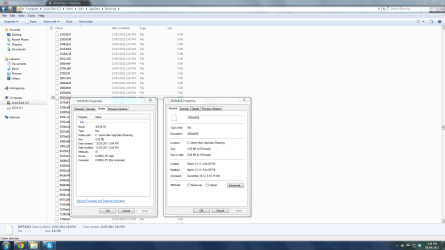
You could right click on one of them select properties might give you a little more info
My System SpecsSystem Spec
04 Apr 2013   #6

MS Windows 7 Home Premium 64-bit SP1
Ontario, Canada


Ok I have to leave for school like right now so when I get back I'll give the info.
My System SpecsSystem Spec
04 Apr 2013   #7

MS Windows 7 Home Premium 64-bit SP1
Ontario, Canada


Ok I have uploaded an image with info on these files. Hopefully this helps.
Attached Thumbnails
Weird files in Roaming - Example:7c1f506b-more-info.png  
My System SpecsSystem Spec
04 Apr 2013   #8

Windows 7 Home Premium x64


Origin: I would compare the date of these files with WindowsUpdate transactions. A second choice would be program installation dates that match. These are likely temporary files created during installation.

Stability: Move these files into a folder outside of Users folder. After a week or so of regular use, if nothing unexplainable happens, then the folder can be deleted.
My System SpecsSystem Spec
04 Apr 2013   #9
whs

Vista, Windows7, Mint Mate, Zorin, Windows 8
Florida in winter, Black Forest/Germany


Quote   Quote: Originally Posted by gigagiggles View Post
Origin: I would compare the date of these files with WindowsUpdate transactions. A second choice would be program installation dates that match. These are likely temporary files created during installation.

Stability: Move these files into a folder outside of Users folder. After a week or so of regular use, if nothing unexplainable happens, then the folder can be deleted.
+1, I think you are right. I just wanted to suggest the same.
My System SpecsSystem Spec
04 Apr 2013   #10

MS Windows 7 Home Premium 64-bit SP1
Ontario, Canada


Ok thanks! I moved everything to a new folder. Hopefully nothing bad happens.

Also there is one more are area on my computer that has messy stuff. This should be easier to figure out since the files actually have a proper name.

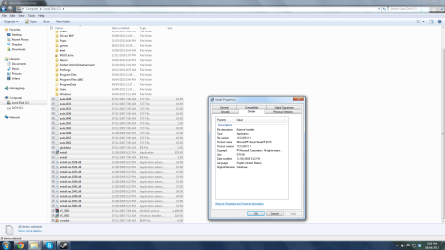
I have a Microsoft Visual Basics 2010 setup file as well as a bunch of other files directly on the C drive. I have uploaded screenshots. Are these files safe to remove?
Attached Thumbnails
Weird files in Roaming - Example:7c1f506b-more-random-files.png   Weird files in Roaming - Example:7c1f506b-more-more-info.png  
My System SpecsSystem Spec
Reply

 Weird files in Roaming - Example:7c1f506b problems?


Thread Tools


Similar help and support threads for: Weird files in Roaming - Example:7c1f506b
Thread Forum
Weird problem with pdf files Network & Sharing
Can't edit files in roaming folder General Discussion
weird w7& antivirus after the boot scan many files System Security
Weird Microsoft Office files Microsoft Office
Weird Issue- system 'hanging' when accessing files in certain ways x64 General Discussion


All times are GMT -5. The time now is 11:20 AM.


Windows 7 Forums is an independent web site and has not been authorized,
sponsored, or otherwise approved by Microsoft Corporation.
"Windows 7" and related materials are trademarks of Microsoft Corp.
© Designer Media Ltd