Hi!
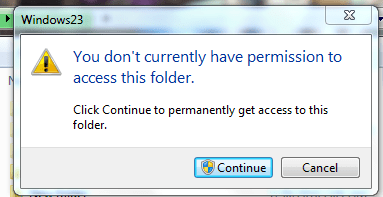
I am running windows 7 home prem edition. I have attempted to add groups per tutorials on this forum. However, when I try to follow the basic/easy instructions a dialogue box pops up and tells me such options/features are not available through Home Prem Edition and to use the Users option through control panels.
So, I tried that
When I log onto the standard account I created I am able to use all the admin tools. I am able to turn on or turn off ability to display hidden folders. So, the standard account still has full permission somewhere - somehow.
What I want to do
My daughter and I will share this computer. She will have a separate log in(account). I have Quicken, Excel and Act database software I use for work. I also have some adult material. I want to take these files and place them into a folder only I, the admin can open.
However, I am doing something wrong? Surly this is possible? I want to make the programs in my "Work" folder/sub directories only visible to me. Or I somehow want to set permissions to her account so she is unable to turn on viewing of hidden folders.
If this is not possible is there a program out there that will do this for me?
I am running windows 7 home prem edition. I have attempted to add groups per tutorials on this forum. However, when I try to follow the basic/easy instructions a dialogue box pops up and tells me such options/features are not available through Home Prem Edition and to use the Users option through control panels.
So, I tried that
When I log onto the standard account I created I am able to use all the admin tools. I am able to turn on or turn off ability to display hidden folders. So, the standard account still has full permission somewhere - somehow.
What I want to do
My daughter and I will share this computer. She will have a separate log in(account). I have Quicken, Excel and Act database software I use for work. I also have some adult material. I want to take these files and place them into a folder only I, the admin can open.
However, I am doing something wrong? Surly this is possible? I want to make the programs in my "Work" folder/sub directories only visible to me. Or I somehow want to set permissions to her account so she is unable to turn on viewing of hidden folders.
If this is not possible is there a program out there that will do this for me?
My Computer
At a glance
Win 7Phen 965 AMD4gig ddr kingstonNvidia 9800 something or other - good card
- OS
- Win 7
- CPU
- Phen 965 AMD
- Motherboard
- Asus m3n72-d
- Memory
- 4gig ddr kingston
- Graphics Card(s)
- Nvidia 9800 something or other - good card
- Sound Card
- On MoBo
- Monitor(s) Displays
- Acer standard 19 ' / Sony Bravia 42'
- Screen Resolution
- I change it sometimes
- Hard Drives
- 500gb
500gb
Western Digital


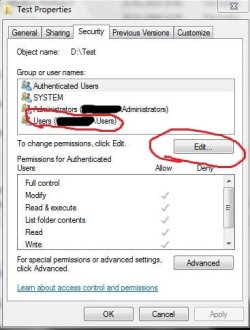


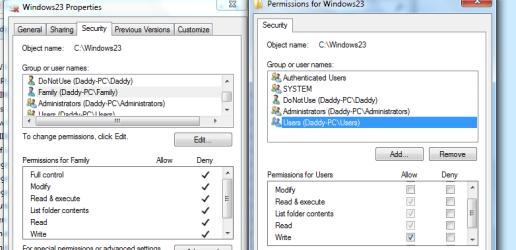
 Somehow, I know accounts can inherit permissions from groups or other accounts which override others? Is that what is going on? When I log onto my CPU the only two accounts are: Donotuse/Family