- Local time
- 1:04 PM
- Messages
- 333
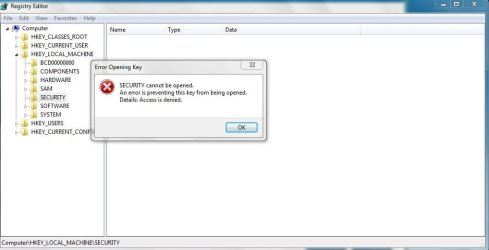
Does anyone know why by default running regedit under a standard user account does not prompt the UAC for administrative credentials?
Under an admin account the UAC does prompt when running regedit, but obviously does not prompt for admin credentials.
I was successful at adding and modifying registry keys under a standard user account. It would seem like restricting access to the registry would be essential for security, any reason why its setup like this?
Under an admin account the UAC does prompt when running regedit, but obviously does not prompt for admin credentials.
I was successful at adding and modifying registry keys under a standard user account. It would seem like restricting access to the registry would be essential for security, any reason why its setup like this?
My Computer
At a glance
Linux (Debian, Android)Intel Core i7 8602x 2GB Kingston DDR3-1333AMD Radeon HD 5750
- Computer Manufacturer/Model Number
- Intel WBIBX10J
- OS
- Linux (Debian, Android)
- CPU
- Intel Core i7 860
- Motherboard
- Intel DP55WB
- Memory
- 2x 2GB Kingston DDR3-1333
- Graphics Card(s)
- AMD Radeon HD 5750
- Sound Card
- Realtek ALC888
- Monitor(s) Displays
- 2x Dell Inc. E248WFP
- Screen Resolution
- 3840x1200
- Hard Drives
- Intel X25-V
Samsung HD103SJ
- PSU
- Corsair CX400
- Case
- Silverstone GD05
- Cooling
- Stock
- Keyboard
- Dell Inc. Bluetooth Wireless
- Internet Speed
- 30 Mbps