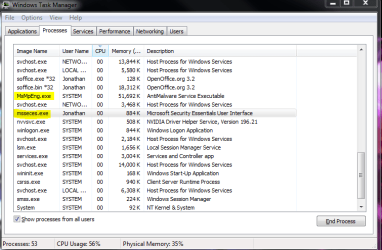
I've been using Windows Seven and Microsoft Security Essentials since November and have been fairly happy with it. But today is the second time now that I've started my computer and the Icon for MSE is not appearing on the system tray on the task bar. If I go and click it on the desk top and run the program it says the real time protection is enabled and it looks like everything else is fine, but I guess I'm just a little paranoid that it's not appearing on the system tray. The strange thing, I'll restart the computer, and then its there upon start up on the second time. I checked the thing in the task bar properties where it says "show notifications" and that such and it doesn't look like its been changed or anything. Just thought that it was kind of odd that it'll work if I restart it on the second time.
1) Right click on the msseces.exe file (located in C:\Program Files\Microsoft Security Essentials folder) and click on "create shortcut".
2) Navigate to your Startup folder (C:\Users\(User-Name)\AppData\Roaming\Microsoft\Windows\Start Menu\Programs\Startup). An easier way of getting there is to type "Shell:startup" without quotes in your start menu search field.
3) Cut and paste the shortcut you created in step 1 into the startup folder.
Hopefully, now you should see the icon every time.
1) Right click on the msseces.exe file (located in C:\Program Files\Microsoft Security Essentials folder) and click on "create shortcut".
2) Navigate to your Startup folder (C:\Users\(User-Name)\AppData\Roaming\Microsoft\Windows\Start Menu\Programs\Startup). An easier way of getting there is to type "Shell:startup" without quotes in your start menu search field.
3) Cut and paste the shortcut you created in step 1 into the startup folder.
Hopefully, now you should see the icon every time.
This seemed to have fixed it, it was the first icon that loaded on my system tray after restart, thanks again!