

- Local time
- 7:06 PM
- Messages
- 179
i have used the free version for a good while now with whatever OS i have installed and never really had any problems but after an update earlier it went a bit nuts my memory usage stayed the same but it was using my cpu at 100% couldnt do anything it happened just after i started downloading the xp mode torrent from solar i think maybe it was updating as i started downloading (im not blaming solar for anything) so just in case i stopped the torrent deleted it went into appdata and removed all .torrent files as well exited utorrent and ran ccleaner plus the reg cleaner i have rebooted as well and i thought great everything started up and cpu usage was back to normal then after a minute or so cpu would go back to 100% its avast thats causing it because if i right click on the icon and stop protection cpu drops back down to normal which i had to do to open avast and try updating it did download a small update and install it and everything seems ok so i think it was a dodgy update from avast.
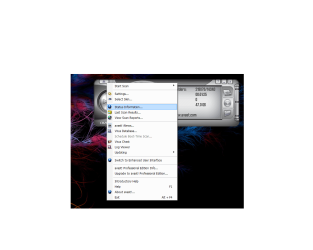
now the only problem i do have is i cant run a boot scan its shaded out(see pic) i did run a scan and it found nothing but am still unable to run a boot scan i am using the 7100 x64 if that makes any difference because i just checked a laptop i installed with x86 and the boot scan is not shaded out.
could someone who is running the 7100 x64 and avast home(the free one) just have a quick look and check if its shaded out please.
thanks
now the only problem i do have is i cant run a boot scan its shaded out(see pic) i did run a scan and it found nothing but am still unable to run a boot scan i am using the 7100 x64 if that makes any difference because i just checked a laptop i installed with x86 and the boot scan is not shaded out.
could someone who is running the 7100 x64 and avast home(the free one) just have a quick look and check if its shaded out please.
thanks
Attachments
My Computer
At a glance
windows7 7100 x64amd athlon 64 3500+2gbnvidia 7800gt
- OS
- windows7 7100 x64
- CPU
- amd athlon 64 3500+
- Motherboard
- asus a8n sli deluxe
- Memory
- 2gb
- Graphics Card(s)
- nvidia 7800gt
- Screen Resolution
- 1280x1024


