Windows 7 Forums Search
Welcome to Windows 7 Forums. Our forum is dedicated to helping you find solutions with any problems, errors or issues you are experiencing with Windows 7. The Windows 7 forum also covers news and updates and has an extensive Windows 7 tutorial section that covers a wide range of tips and tricks.


Windows 7 - Problems with getting Aero back

 
01-13-2012   #1


Windows 7 Home Premium x64


Problems with getting Aero back

Long story short.
When I first bought this computer (Few days before the end of summer in 2011) Aero was working fine with the window preview, glass effect, transparency and other things like that. After a while, I downloaded a thing called GameBooster (I believe it doesnt much to do with this) that changed the computer theme to the basic, XP styled one. After closing the booster it usually changed back to the (working) Aero theme, but suddenly it didnt. Of course, this isnt much of a problem, but its annoying, especially when I got a dark theme and the computer screen pretty much looks like this.
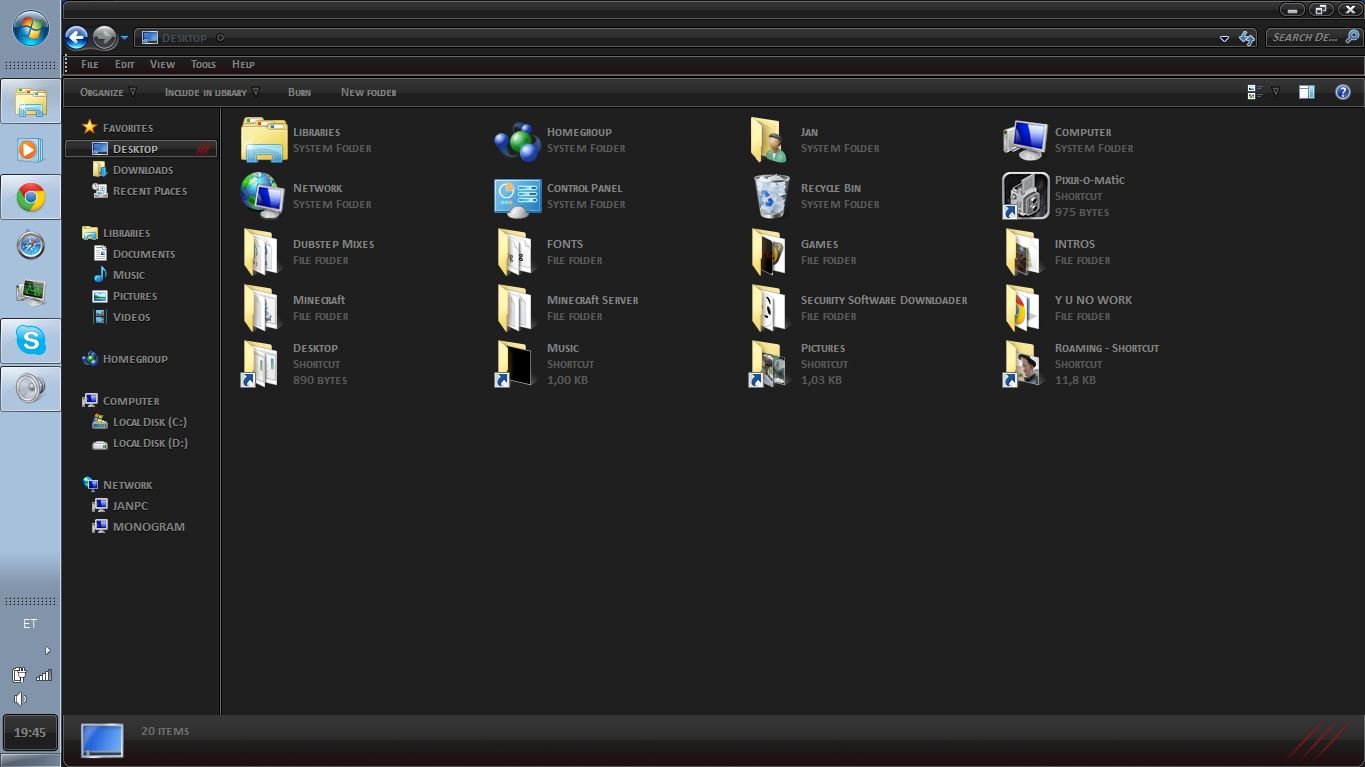

Well, this is more like long story long, but anyways. What I want to do, is I want to change the color of the taskbar, but I cant do it, because the Color Slider doesnt pop up, but this does.

Does anyone know how to get the Color Slider back again? I would really appreciate it.

My System SpecsSystem Spec
01-13-2012   #2


Acer laptop W 7 Pro SP1 64 bit & Dell Desktop W 7 Pro SP1 32 bit


Welcome to the Seven Forums
Are you using a third party custom theme? If so what did you use to enable custom themes?

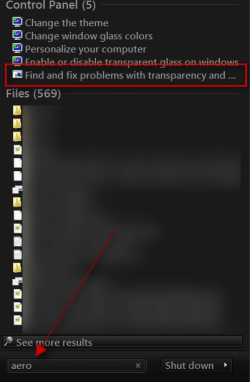
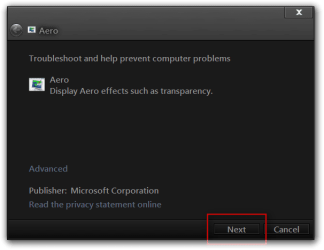
Click on start button in the search box type Aero and look for Find and fix problems with transparency and check for problems
Jerry
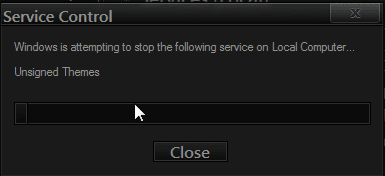
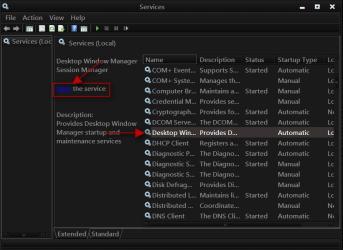
Problems with getting Aero back-s.pngProblems with getting Aero back-aero.png
My System SpecsSystem Spec
01-13-2012   #3


Windows 7 Home Premium x64


Quote   Quote: Originally Posted by Bongo View Post
Welcome to the Seven Forums
Are you using a third party custom theme? If so what did you use to enable custom themes?

Click on start button in the search box type Aero and look for Find and fix problems with transparency and check for problems
Jerry
I forgot to mention, I already tried that several times. Every time it tells me to close all programs using mirror drives and gives me a few examples, but I dont have them running and I dont even know what is a mirror driver or a program using it.
Also, yes, I am using 3rd party theme, but I cant unfortunately remember the name of the program I used to enable it.
My System SpecsSystem Spec
.


01-13-2012   #4


Acer laptop W 7 Pro SP1 64 bit & Dell Desktop W 7 Pro SP1 32 bit


Was it UxStyle Core Beta or Universal Theme Patcher?
Jerry
My System SpecsSystem Spec
01-13-2012   #5


Windows 7 Ultimate (x86) Laptop: x64 Home Premium 7


Try:

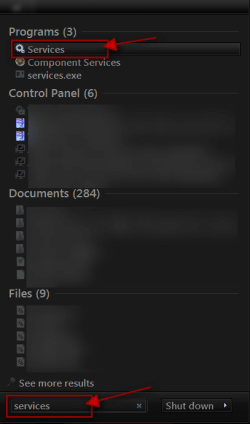
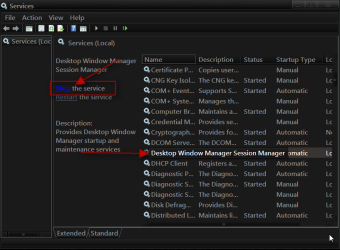
Open CMD as admin and type: net stop uxsms (let it do it's thing) then type net start uxsms

Do you have your aero back now ?
My System SpecsSystem Spec
01-13-2012   #6


Windows 7 Home Premium x64


Quote   Quote: Originally Posted by Bongo View Post
Was it UxStyle Core Beta or Universal Theme Patcher?
Jerry
Universal Theme Patcher, I think.
Meanwhile, I'll try the other solution.
My System SpecsSystem Spec
01-13-2012   #7


Windows 7 Home Premium x64


Quote   Quote: Originally Posted by GianniDPC View Post
Try:

Open CMD as admin and type: net stop uxsms (let it do it's thing) then type net start uxsms

Do you have your aero back now ?
What exactly am I supposed to do after stopping and starting it? If nothing, then It didnt work.
My System SpecsSystem Spec
01-13-2012   #8


Windows 7 Ultimate (x86) Laptop: x64 Home Premium 7


Quote   Quote: Originally Posted by Goldhat View Post
Quote   Quote: Originally Posted by GianniDPC View Post
Try:

Open CMD as admin and type: net stop uxsms (let it do it's thing) then type net start uxsms

Do you have your aero back now ?
What exactly am I supposed to do after stopping and starting it? If nothing, then It didnt work.
Yes didn't work then. But try choosing a Standard Aero theme.
My System SpecsSystem Spec
01-13-2012   #9


Windows 7 Home Premium x64


Quote   Quote: Originally Posted by GianniDPC View Post
Quote   Quote: Originally Posted by Goldhat View Post
Quote   Quote: Originally Posted by GianniDPC View Post
Try:

Open CMD as admin and type: net stop uxsms (let it do it's thing) then type net start uxsms

Do you have your aero back now ?
What exactly am I supposed to do after stopping and starting it? If nothing, then It didnt work.
Yes didn't work then. But try choosing a Standard Aero theme.
That is one of the many things I have tried, nothing.
My System SpecsSystem Spec
01-13-2012   #10


Windows 7 Ultimate (x86) Laptop: x64 Home Premium 7


Quote   Quote: Originally Posted by Goldhat View Post
Quote   Quote: Originally Posted by GianniDPC View Post
Quote   Quote: Originally Posted by Goldhat View Post
What exactly am I supposed to do after stopping and starting it? If nothing, then It didnt work.
Yes didn't work then. But try choosing a Standard Aero theme.
That is one of the many things I have tried, nothing.
Try stopping all of your theme patchers ! or try doing a System Restore back to the day when it worked.
My System SpecsSystem Spec
Reply

 Problems with getting Aero back problems?


Thread Tools


Similar Threads for: Problems with getting Aero back
Thread Forum
Back/Forward button theming issues & an Aero Peek question Customization
Solved Can't get Aero back? Themes and Styles
Aero disappeared? How can I get it back? General Discussion
Problems with Aero Customization
Anyone having Aero Problems?? General Discussion


All times are GMT -5. The time now is 02:18 AM.


Windows 7 Forums is an independent web site and has not been authorized,
sponsored, or otherwise approved by Microsoft Corporation.
"Windows 7" and related materials are trademarks of Microsoft Corp.
© Designer Media Ltd
  

1 2 3 4 5 6 7 8 9 10 11 12 13 14 15 16 17 18 19 20 21 22 23 24 25 26 27 28 29 30